Best AI Landscape Generators from a Photo in 2026
Compare AI landscape generators that start with your yard photo. Explore editing controls, plant guidance, free access, and the limits of generated designs.
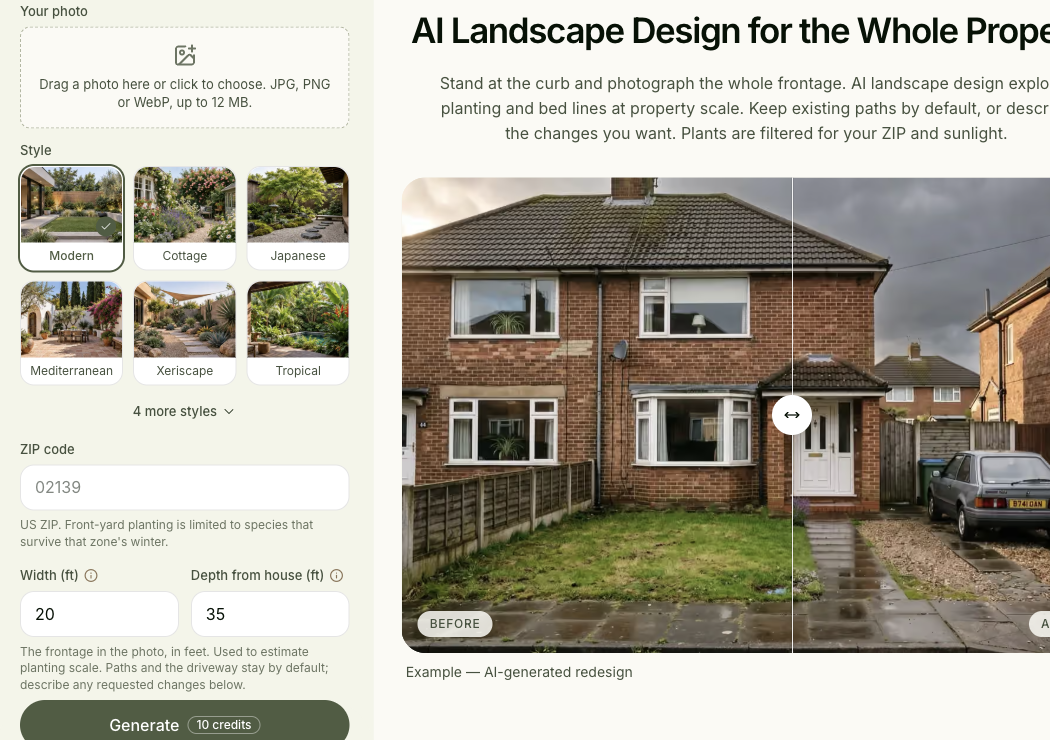
Spaceora publishes this guide and appears among the options. “Best” means suited to a particular task in this shortlist, not a measured image-quality ranking. Product information was researched October 22 and selectively rechecked October 23, 2026; no controlled same-yard test was performed.
TL;DR
The best AI landscape generator from a photo depends on what you want to do with the result:
- Neighborbrite: explore garden styles, with more detailed editing assigned to paid tiers.
- DreamYard: explore a photo concept, then consider a separate design package.
- Remodel AI: include a yard in a broader home-renovation comparison.
- HomeDesignsAI: examine outdoor and building-exterior concepts in one product.
- Gendo: develop presentation imagery from site photos, sketches, and references.
- Spaceora: add ZIP code, dimensions, and sunlight information to a front-yard photo.
Choose a photo-based landscape tool by what it must preserve, how you can revise it, and what it delivers. A homeowner comparing planting styles needs a different workflow from a designer preparing a client presentation. A generated image can help you choose a direction, but its appearance alone does not establish measured dimensions or suitable plants.
Your driveway already works. The fence is staying. The tree by the entrance matters more than the decorative style you choose. A useful yard generator should help you explore changes around those constraints.
This guide compares tools that accept an existing image of a space. It leaves text-only landscape art outside the shortlist and treats measured planning as a separate next step.
AI landscape generators compared: start with the output you need
Choose your deliverable before comparing styles. A concept image, an editable plan, and a designer-reviewed package are different purchases.
Best-fit taskKeep a general yard direction and change selected elements
- Edit
- Pro Magic edit for areas
Details
- Confirmed edit route
- Pro Magic edit for areas; Pro Add/Erase elements
- Export boundary
- High resolution assigned to Business; exact pixels not verified
- Plant information form
- Pro Identify plants returns names; not an independently checked planting specification
- Best-fit task
- Keep a general yard direction and change selected elements
Best-fit taskMove from an image direction to a defined service package
- Edit
- Photo/style concepts
Details
- Confirmed edit route
- Photo/style concepts; Pro/Signature packages add human revisions
- Export boundary
- Concept account export not verified; package documents are separate
- Plant information form
- Blueprint advertises a climate-matched palette; higher tier adds shopping links
- Best-fit task
- Move from an image direction to a defined service package
Best-fit taskInclude outdoor imagery in a broader renovation
- Edit
- Official Studio garden workflow exposes outdoor space,…
Details
- Confirmed edit route
- Official Studio garden workflow exposes outdoor space, planting, hardscape, season, time of day, and style controls; generation was not tested
- Export boundary
- Pro lists HD downloads and no watermark; file format/pixels not verified
- Plant information form
- Species schedule not verified
- Best-fit task
- Include outdoor imagery in a broader renovation

Best-fit taskCoordinate the appearance of a house and its surroundings
- Edit
- Public tools include color/texture swap, Fill Spaces,…
Details
- Confirmed edit route
- Public tools include color/texture swap, Fill Spaces, and object detection; check the purchased tier
- Export boundary
- Exact current export dimensions not verified
- Plant information form
- Species-level planting schedule not verified
- Best-fit task
- Coordinate the appearance of a house and its surroundings
Best-fit taskCommunicate a landscape proposal using references
- Edit
- Photo/sketch plus prompt or reference image
Details
- Confirmed edit route
- Photo/sketch plus prompt or reference image
- Export boundary
- Free: watermarked 1K; paid: different export rights
- Plant information form
- Render, not a verified plant schedule
- Best-fit task
- Communicate a landscape proposal using references

Best-fit taskFront-yard concept informed by ZIP, dimensions, and sun
- Edit
- Photo, site inputs, and full regeneration
Details
- Confirmed edit route
- Photo, site inputs, and full regeneration; later Studio edits charged separately
- Export boundary
- Advertised free: 1248 × 832, watermarked; a separate staging test downloaded 1024 × 1024. Landscape export not tested
- Plant information form
- Named plant palette and reference quantities advertised; generated accuracy not tested
- Best-fit task
- Front-yard concept informed by ZIP, dimensions, and sun
Official sources: Neighborbrite, DreamYard packages, Remodel AI pricing, HomeDesignsAI, Gendo landscape, and Spaceora landscape. Unverified fields are not statements that a feature is absent.
What should a photo-based landscape generator preserve?
Decide which features are fixed before generating. Otherwise, an attractive image can quietly solve the wrong problem.
House, fence line, driveway, and camera angle
List the boundaries that make the photo your property: the house footprint in view, the fence corners, the drive edge, and the route to the door. Compare those points after each generation.
The camera angle matters because changing it can make a narrow space appear generous. If the output seems to add several feet beside the driveway, inspect the original perspective before evaluating the proposed planting.
Existing trees and features you want to keep
Name the retained feature by location, not just type. “Keep the tree to the left of the front door” gives a clearer constraint than “keep trees.” Include anything hidden by the proposed planting that you still need to access, such as a gate or meter.
Do not treat a preservation prompt as a guarantee. If the tool removes a retained tree or shifts a fence, record the failure and try a targeted correction if that workflow supports one.
A visual concept versus a measured planting plan
A concept helps answer, “Do I like the planting around the path?” A measured plan must answer where the bed starts, how much space remains, and what quantities fit.
Keep the original measurements separate from the image. If a proposed design changes the path or adds seating, revisit the usable planting area. A plant count based on an earlier layout should not become an order automatically.
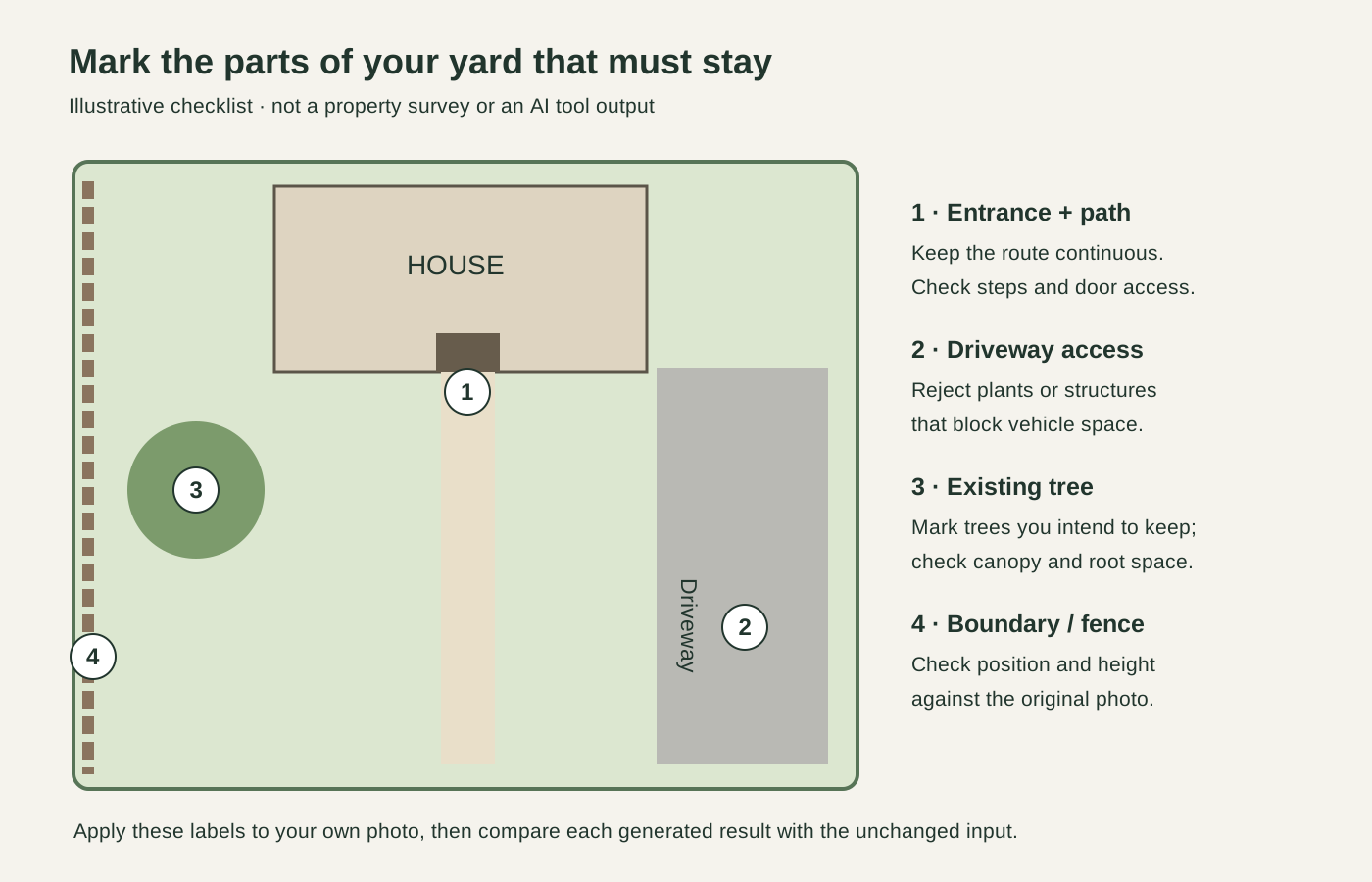
Editorial schematic, October 23, 2026. A checklist for marking your own photo; not a survey, actual property photo, or generated design.
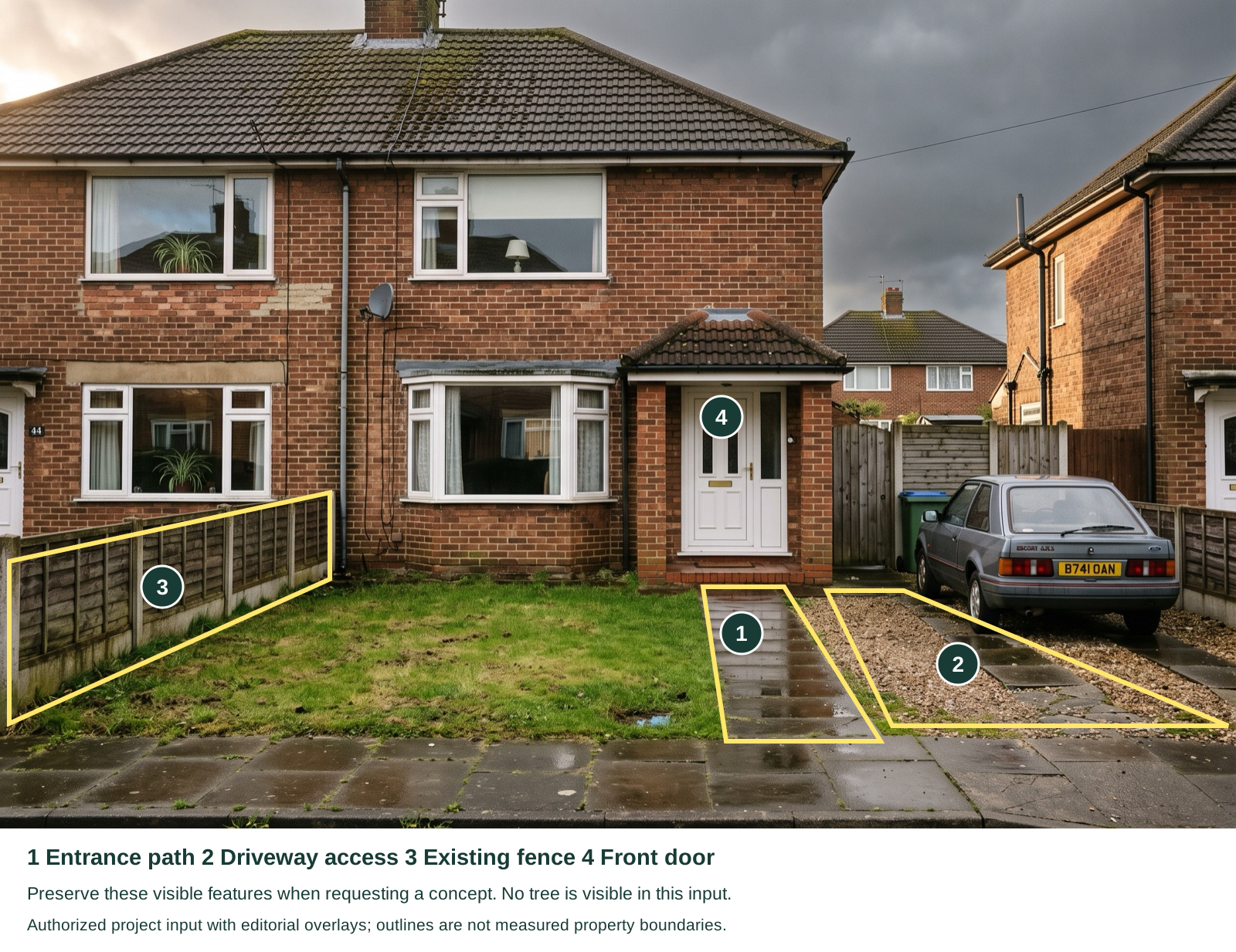
Existing project yard input, used with the user’s authorization; editorial labels added October 23, 2026. The embedded image is unchanged. Marks identify visible features, not surveyed boundaries. No tree is visible, so none has been invented. This is an input illustration, not a tool-generated result.
Neighborbrite
Neighborbrite is a useful starting point for exploring a yard's style without setting up a design model.
Its website describes uploading a yard photo and selecting a style. It labels area edits, adding or erasing elements, and plant identification as Pro features, while high-resolution output is assigned to Business. These distinctions matter more than the presence of a free start button.
These controls solve different problems: Magic edit targets an area, Add elements introduces an object, and Erase elements removes a circled object. Pro also includes plant identification. High-resolution output is a separate Business feature, so paying for editing does not by itself establish the highest export tier.
The trade-off: the free entry and the more controllable workflow are not the same entitlement. Exact current paid prices and account download conditions were not verified in this review.
Choose Neighborbrite for an initial yard-style comparison. If selective edits are central to the project, evaluate those controls before deciding which tier fits.
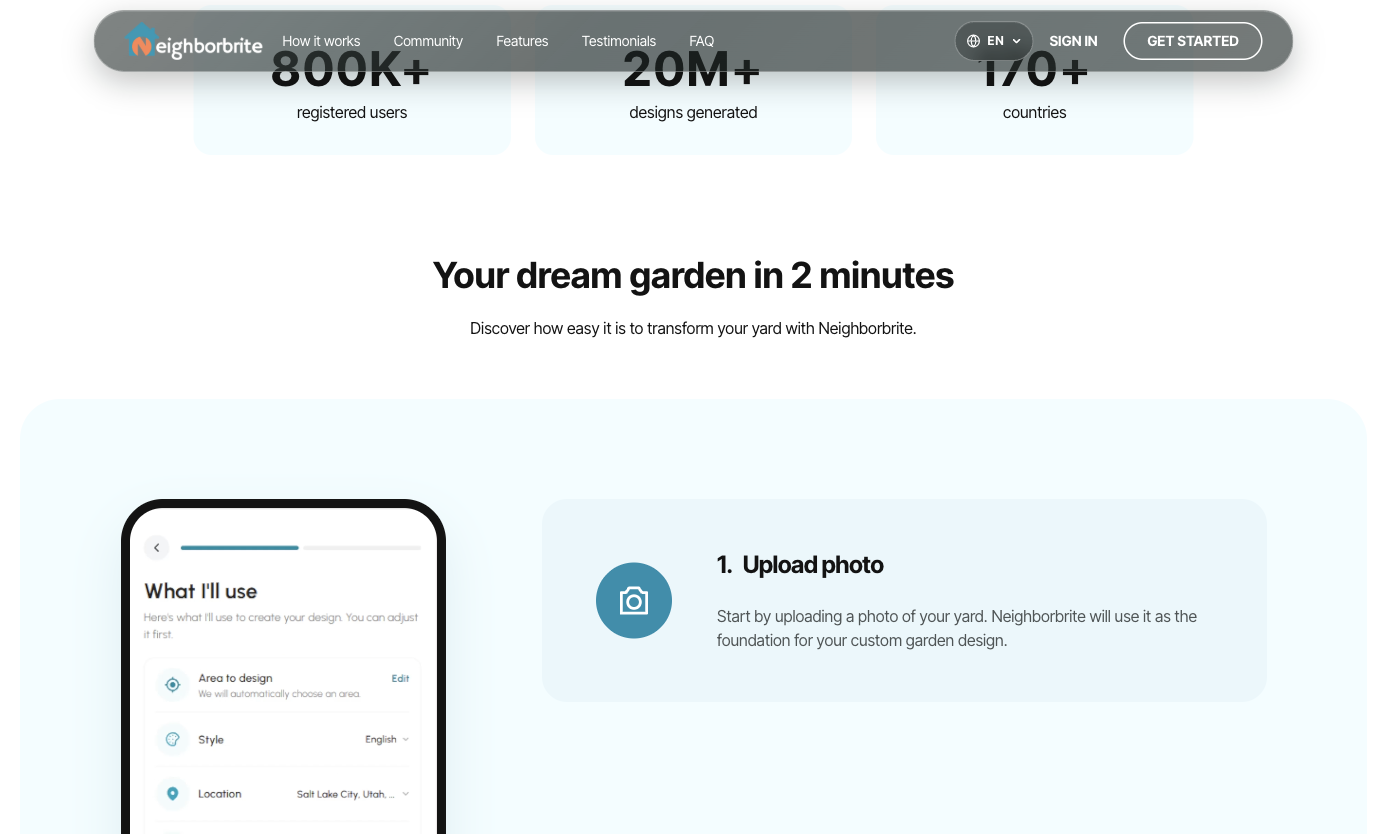
Source: official page, captured October 23, 2026. Official workflow illustration; not our account test.
DreamYard
DreamYard is relevant when you want a photo concept and might later buy help developing that direction.
The photo tool presents upload, style selection, and sharing. Its package page separately lists Blueprint, Blueprint Pro, and Signature; the latter two include human design involvement.
Those are two decisions. First decide whether the image expresses a direction you want. Then assess whether a package includes the drawings, revisions, or other documents you need. A concept you like does not by itself establish the quality of the follow-on service.
The limitation in the free comparison: the public homepage uses both unlimited-free language and a fifteen-render offer. We have not resolved the account-level allowance, so this guide does not promise a specific number of free concepts.
Consider DreamYard if you value a possible path from inspiration to a scoped package. Before paying, open a sample and check the selected yard area and revision terms.
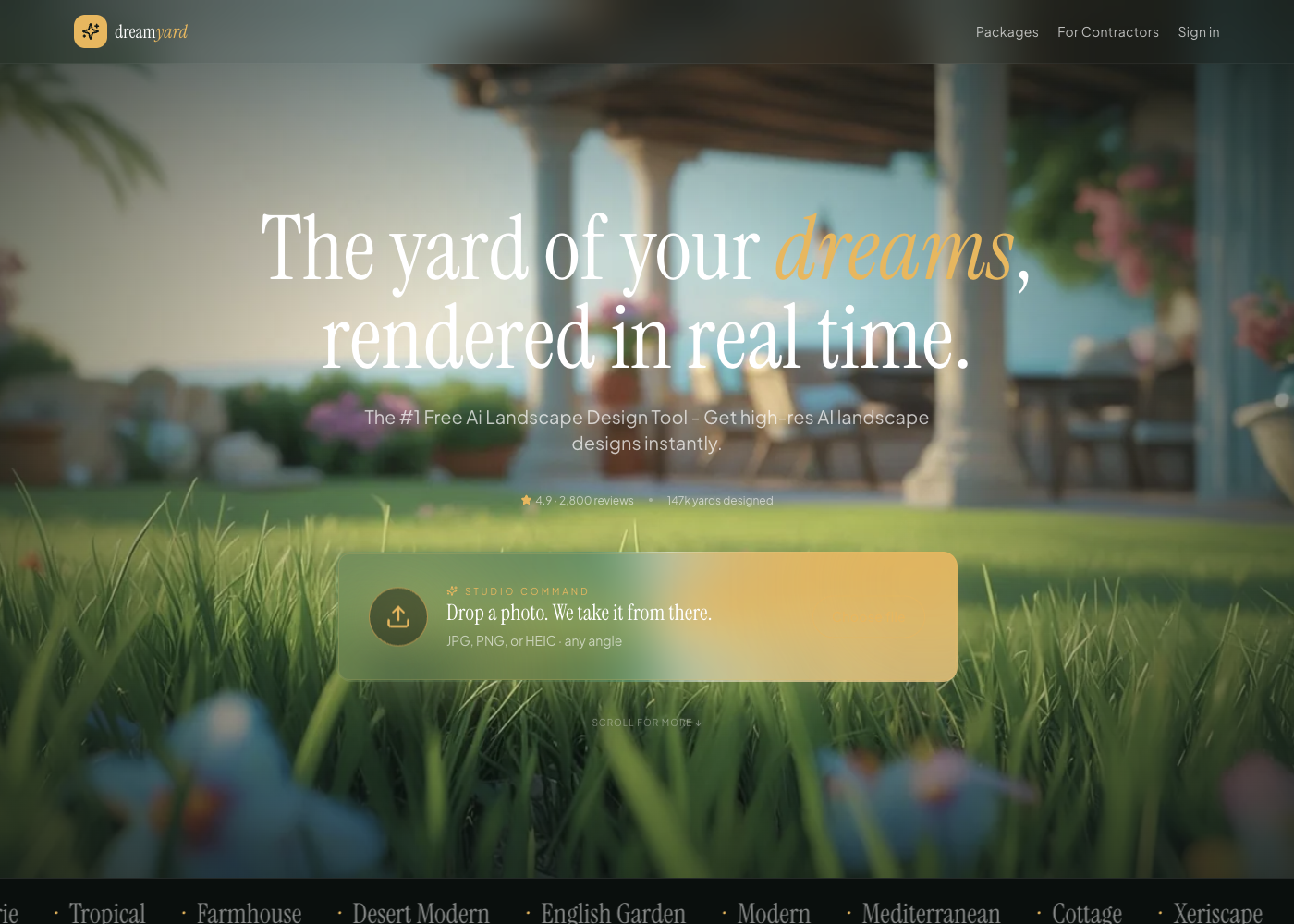
Source: official page, captured October 23, 2026. Public product interface and official example.
Remodel AI
Remodel AI is worth considering when the yard is part of a larger renovation, such as changing the home's exterior and then comparing an interior room.
For this guide, the product is the one at remodelai.io. Its pricing page advertises three free designs and lists exterior and garden design among paid-plan features. The page's primary purchase links lead to an app store, so check the entry point you intend to use.
The useful question is whether keeping the related tasks in one product reduces your effort. Test the garden task itself; an appealing room result does not prove that the same workflow will preserve a fence or driveway.
The trade-off: cross-space coverage does not establish specialist planting guidance, measured outdoor planning, or identical web and mobile entitlements. None of those should be inferred from the garden-design label.
Choose it as a whole-home candidate if you also have indoor work. For a yard-only project, compare it against a focused outdoor tool using the same fixed features.
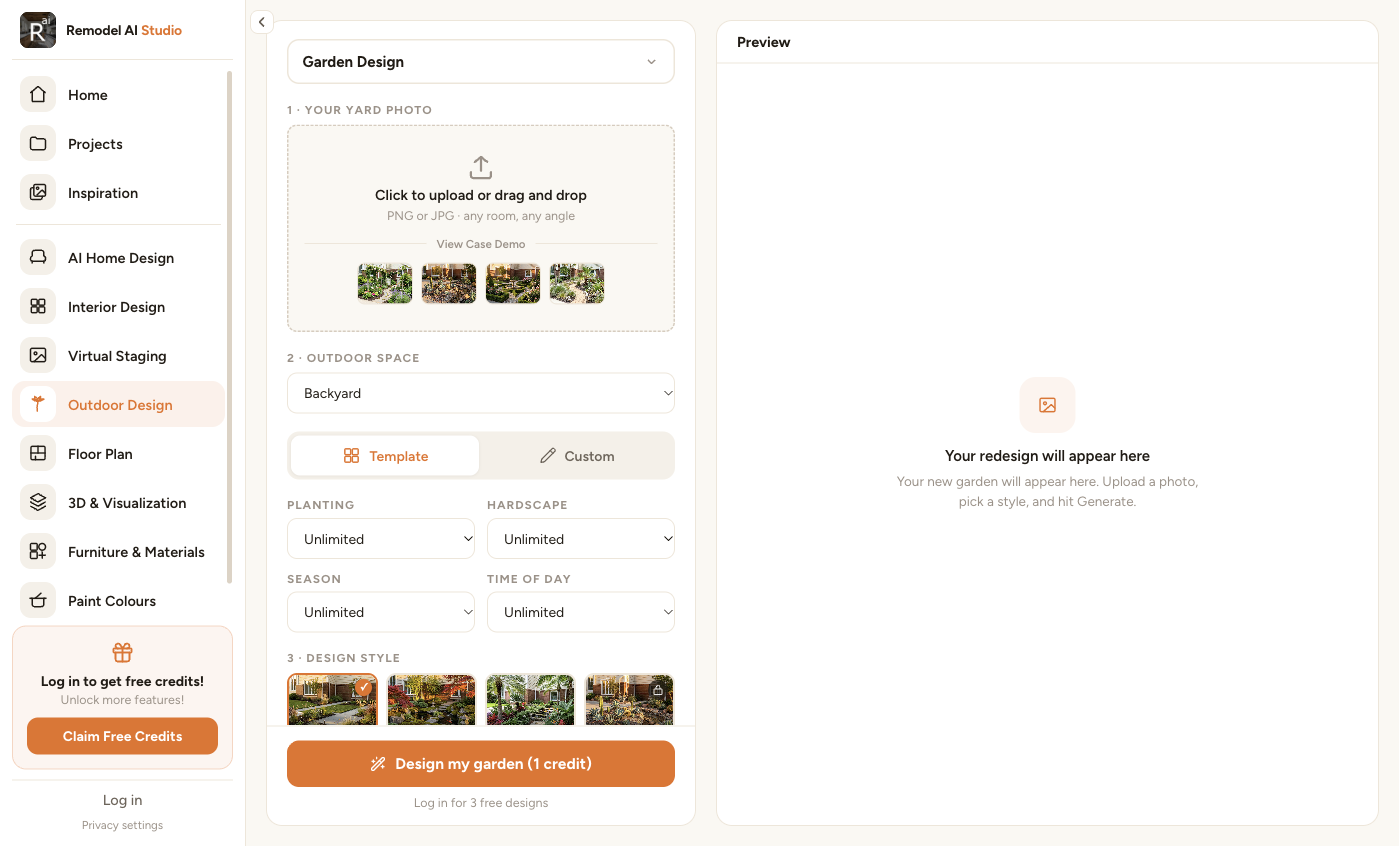
Source: official Remodel AI Studio, captured October 23, 2026 with Garden Design selected. This verifies the visible workflow controls; no garden image was generated or downloaded in this check.
HomeDesignsAI
HomeDesignsAI fits the decision where planting and building appearance need to be considered together.
The official product covers interior, exterior, and garden imagery. That gives you a way to explore questions such as whether a softer planting scheme works with a new facade palette, rather than treating the garden in isolation.
Keep those two changes separate while testing. First preserve the facade and change planting. Then hold the preferred planting direction while exploring the exterior finish. If both change at once, you may struggle to identify which change improved the picture.
The trade-off: a broad feature list requires careful plan selection. Confirm that the exact outdoor editing control you want belongs to the plan you are buying. This guide has not verified species-level planting schedules or every tool's account entitlement.
Choose HomeDesignsAI for linked outdoor and exterior visual decisions. Do not assume a concept image provides a complete planting specification.
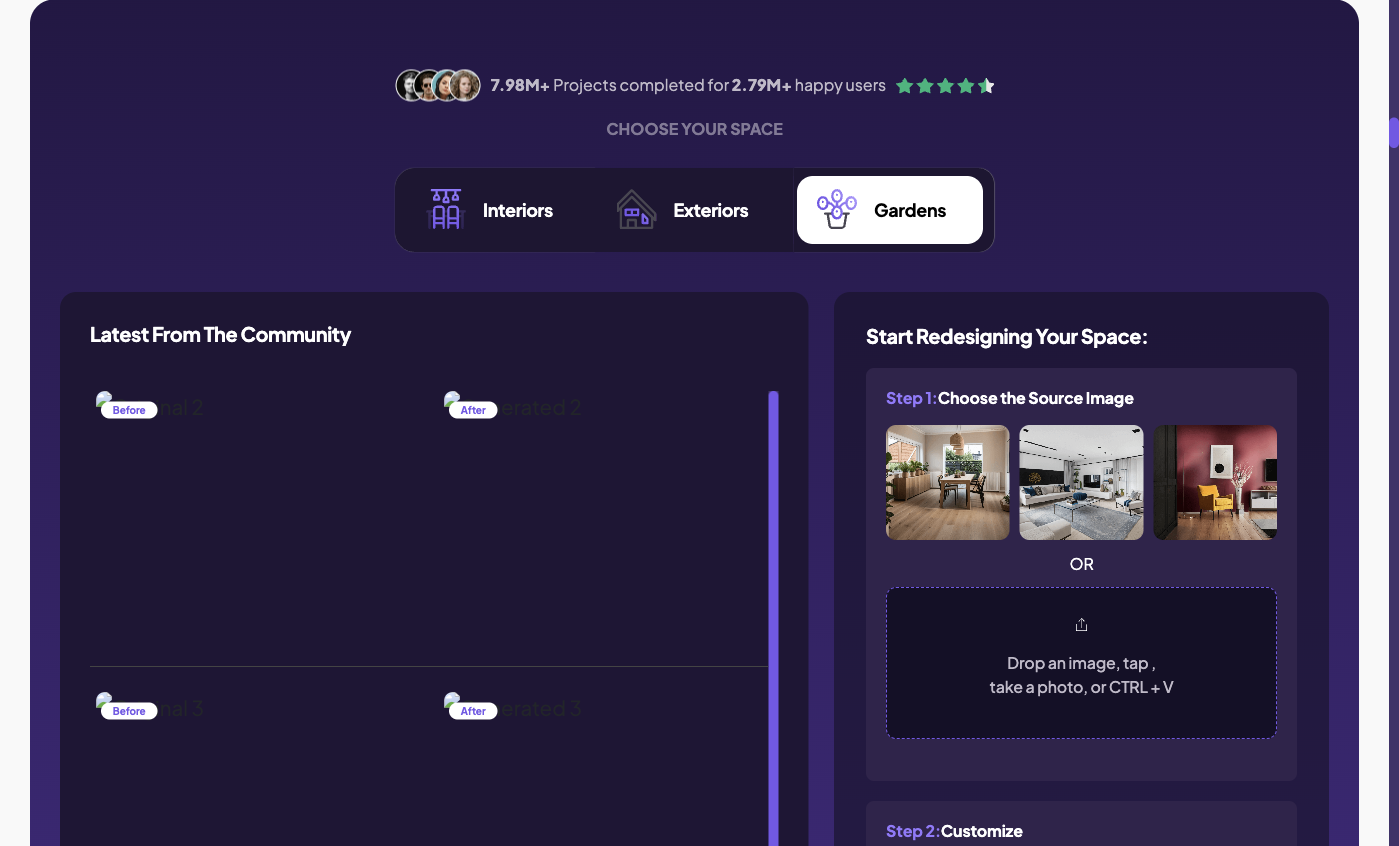
Source: official page, captured October 23, 2026. Public generator with Gardens selected; the sample thumbnails shown by the site are not our output.
Gendo
Gendo is the most professionally oriented branch of this shortlist: evaluate it when the result needs to communicate a design proposal to someone else.
Its landscape workflow explicitly accepts photos or sketches and allows a described style or reference image. The Free plan lists a watermarked 1K export, one active canvas, and limited history. Paid Studio access changes the sharing and export proposition.
Bring a deliberate reference: perhaps the material character or planting rhythm you want to communicate. Explain which parts of that reference apply rather than asking the system to reproduce an unrelated site.
The trade-off: a presentation workflow adds choices about assets, iteration, and handoff. For a homeowner who only wants two garden moods, that can be more workflow than needed. For a designer, those same questions deserve evaluation.
Use Gendo to assess visual communication, not to infer that a rendered slope or planting arrangement has been engineered.
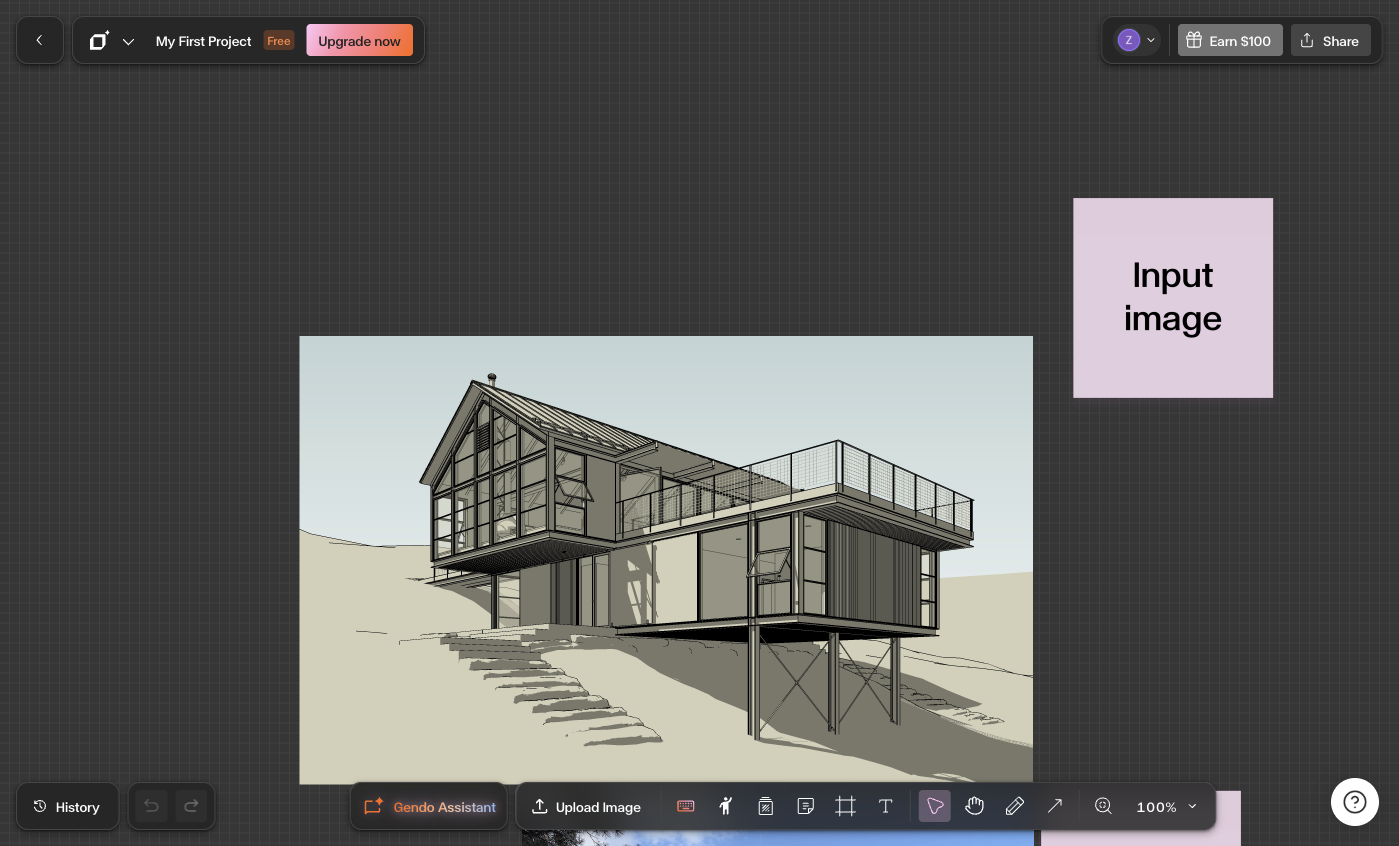
Account interface check, October 23, 2026. Existing project opened without editing to document the canvas and Upload Image control; no generation was performed. The displayed model view is not a same-yard test.
Spaceora
Spaceora's AI landscape design tool asks for site context alongside a front-yard photo: US ZIP code, width, depth, sunlight, and style.
That makes it worth trying when your question is more specific than “show me a prettier yard.” You can describe the frontage and identify the conditions that should inform the planting direction. The public page also describes reference planting information; this review has not tested its generated species selection or quantity accuracy.
For an enclosed space behind the house, use AI backyard design. For one planting bed, use AI garden design. These are task-specific entry points, not three independent starter allowances. The pricing page provides one 30-credit starting balance; full tool generations use 10 credits.
The boundary: a ZIP code and dimensions do not replace an on-site assessment. Treat any quantities as references, particularly if the proposed design changes the area available for planting.
Choose Spaceora if you have a clear photo and can supply those inputs. Compare the output with your actual boundaries before taking the next step.
Source: Spaceora tool page, captured October 23, 2026. Public tool controls and official example, not our generated yard result. Account navigation excluded from the capture.
Compare the same yard across tools
Use a repeatable brief and include one correction. This is a testing method you can follow, not a summary of results we obtained.
Start with a front-yard photograph that includes the drive and entrance. If the backyard is also part of the project, test it separately with the fence and patio visible. Mixing the two makes it hard to tell whether a tool suits either task.
A front-yard brief could read:
Keep the house, driveway, entrance path, mature tree, and viewpoint unchanged. Explore a simpler planting border with an open view of the front door. Do not add new structures.
Then ask for one change, such as reducing planting height beside the entrance. Keep the file from the initial round as well as the revision.
Question
Did the fixed features stay in place?
- What to record
- Specific changes, not a general quality score
Question
Did the requested revision happen?
- What to record
- What changed and what changed unintentionally
Question
How was the revision made?
- What to record
- Selection, instruction, or full regeneration
Question
What did it consume?
- What to record
- Credits, required plan, and actual payment
Question
What could you save?
- What to record
- File type, dimensions, watermark, and other documents
Question
What remains to be checked?
- What to record
- Measurements, plant identity, and site conditions
For a homeowner, the most useful winner is the tool that makes the next decision easier. A prettier result that moves the gate can be less useful than a modest result that communicates a feasible preference.
Check the plants before you buy them
A rendered plant is not a reliable shopping label. Start with an identified species or cultivar, then check whether it suits the actual position.
Use the hardiness zone finder as a starting point for winter conditions. Hardiness is only one part of suitability: sunlight, soil, water, mature size, and local restrictions also need checking. The USDA map's guidance explains the role and limits of hardiness zones.
Write down what you can observe on site. Which area stays wet? Where does the house cast shade? How wide is the bed after allowing access to the gate? Ask a local nursery or landscape professional to check uncertain plant choices against those conditions.
If a tool provides a plant list, compare it with the image. A list and a render can disagree about quantity or placement. Keep unresolved items out of your purchase order.
Choose your first tool and prepare your photo
Pick the tool that matches your immediate output: a yard-style exploration, a combined renovation concept, or a presentation workflow. Begin with a daylight photo, a short keep/change list, and one clear decision.
For a frontage project, start with your own front-yard photo. Add the site inputs you know, check the first result against the original, and decide whether another concept or a measured planning step would be more useful next.
FAQs
Can AI redesign my actual yard from a photo?
Yes, the shortlisted workflows accept existing photos or images. The result is a generated proposal based on that input, not a measured survey. Compare it against the original because perspective, boundaries, and existing features can change.
Which tools work for front yards and backyards?
Several candidates show outdoor workflows for both. Choose an input that clearly frames the relevant space. In Spaceora, use landscape design for the frontage and backyard design for the enclosed yard; use the garden tool for a single planting bed.
Can I keep my driveway, trees, and fence unchanged?
State those constraints and inspect the result. Where available, selective editing can help focus a revision, but no preservation claim in this guide is a guarantee. Reject an output that changes a feature your project must retain.
Will the suggested plants grow where I live?
Location-aware suggestions still need site checks. Confirm the exact plant, winter tolerance, light, soil, water needs, and mature size. A recognizable shape in a render is not enough to identify a plant or establish that it suits the position.
Can I give an AI-generated image directly to a contractor?
You can use it to explain the look and priorities you want. Label unresolved dimensions and features. Ask what measurements, drawings, specifications, and on-site checks the contractor needs before estimating or building from the proposal.