5 DreamYard AI Alternatives for Yard Concepts and Design Help
Compare DreamYard AI alternatives for yard-photo concepts and designer-led plans. Understand trial limits, editing options, and the deliverables you need.
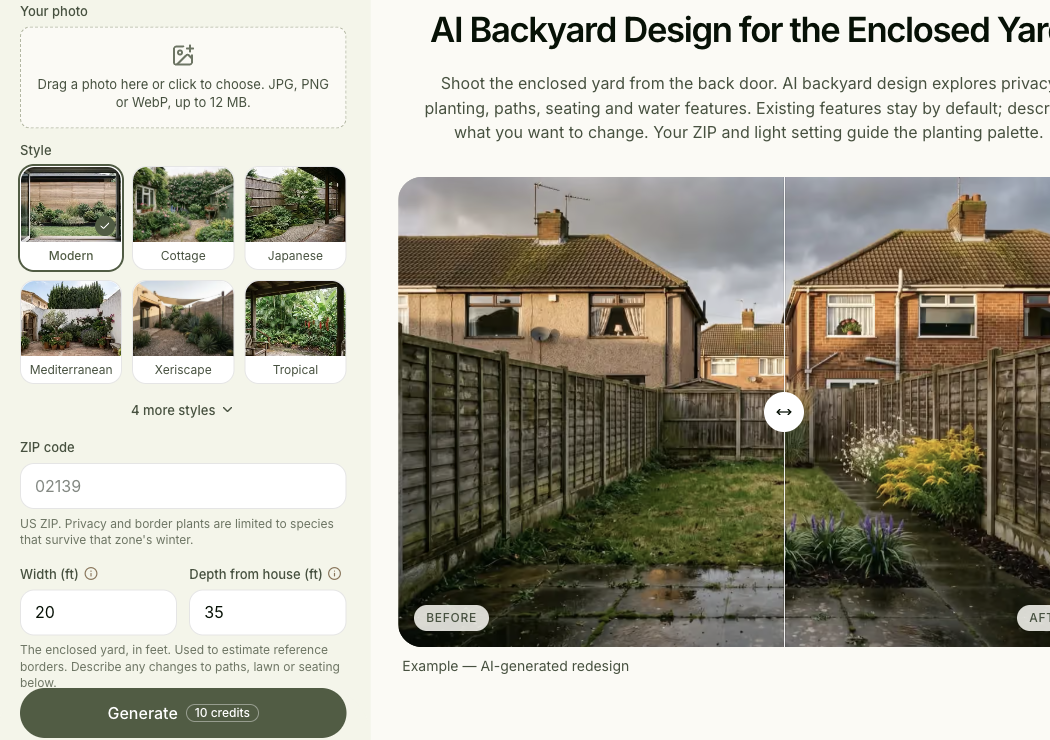
Published by Spaceora, which is one of the software options below. This guide compares public product information researched October 22 and selected package details rechecked October 23, 2026. It does not report a shared-photo test or an evaluation of completed design services.
TL;DR
Separate DreamYard AI alternatives into concept tools and design help:
- Neighborbrite: explore another yard-photo workflow and its paid editing options.
- Spaceora: choose a front-yard, backyard, or planting-bed task with site-condition inputs.
- HomeDesignsAI: consider the yard and building exterior together.
- Remodel AI: investigate a broader renovation tool if indoor work is also on your list.
- Yardzen: compare a designer-led service with a defined package; this is not a free AI generator.
- DreamYard: keep its image tool and design packages as separate baselines.
Choose another AI photo tool if you need more visual directions; compare design services if you need human revisions and defined documents. DreamYard offers both routes, so one replacement will not necessarily cover everything. Match the price to the deliverable: a software subscription and a yard-design package are not equivalent purchases.
You already have a yard image you like. The next question is whether to try another look or ask someone to develop the design beyond the picture.
Those decisions lead to different shortlists. This guide helps you identify which part of DreamYard you want to replace, then compare that part fairly.
Which part of DreamYard are you replacing?
Start with the output you have and the next thing you need. Avoid paying for another concept when the missing piece is a revision or a documented plan.
AI photo concepts and style exploration
DreamYard's photo tool starts with an existing yard image and style choices. If you simply want a different planting character or a way to discuss preferences with your household, another photo tool is a relevant alternative.
Its public homepage uses both unlimited-free language and a fifteen-render offer. This review did not reconcile those statements inside an account. We therefore do not promise a specific free allowance or use “unlimited” as a basis for comparing value.
Revisions, plant information, and design documents
The DreamYard package page separates Blueprint, Blueprint Pro, and Signature. Blueprint is described as AI-created. Blueprint Pro adds a human revision round; the comparison table lists two rounds for Signature and includes a 2D CAD plan at that level.
Ask what each document would resolve for your project. A plant palette, dimensioned drawing, and shopping list have different uses. A package description should tell you which is included and how errors or changes are handled.
Human design input and project support
Human involvement is not a single feature. It can mean one revision, a review call, or an ongoing design process. Write down the amount and kind of help you expect before comparing service prices.
Also ask how the service handles missing information. If a photo does not reveal a slope or an obstacle, establish what measurements or additional views the designer needs. A vendor's “build-ready” wording is not enough to determine whether the documents meet your project's requirements.
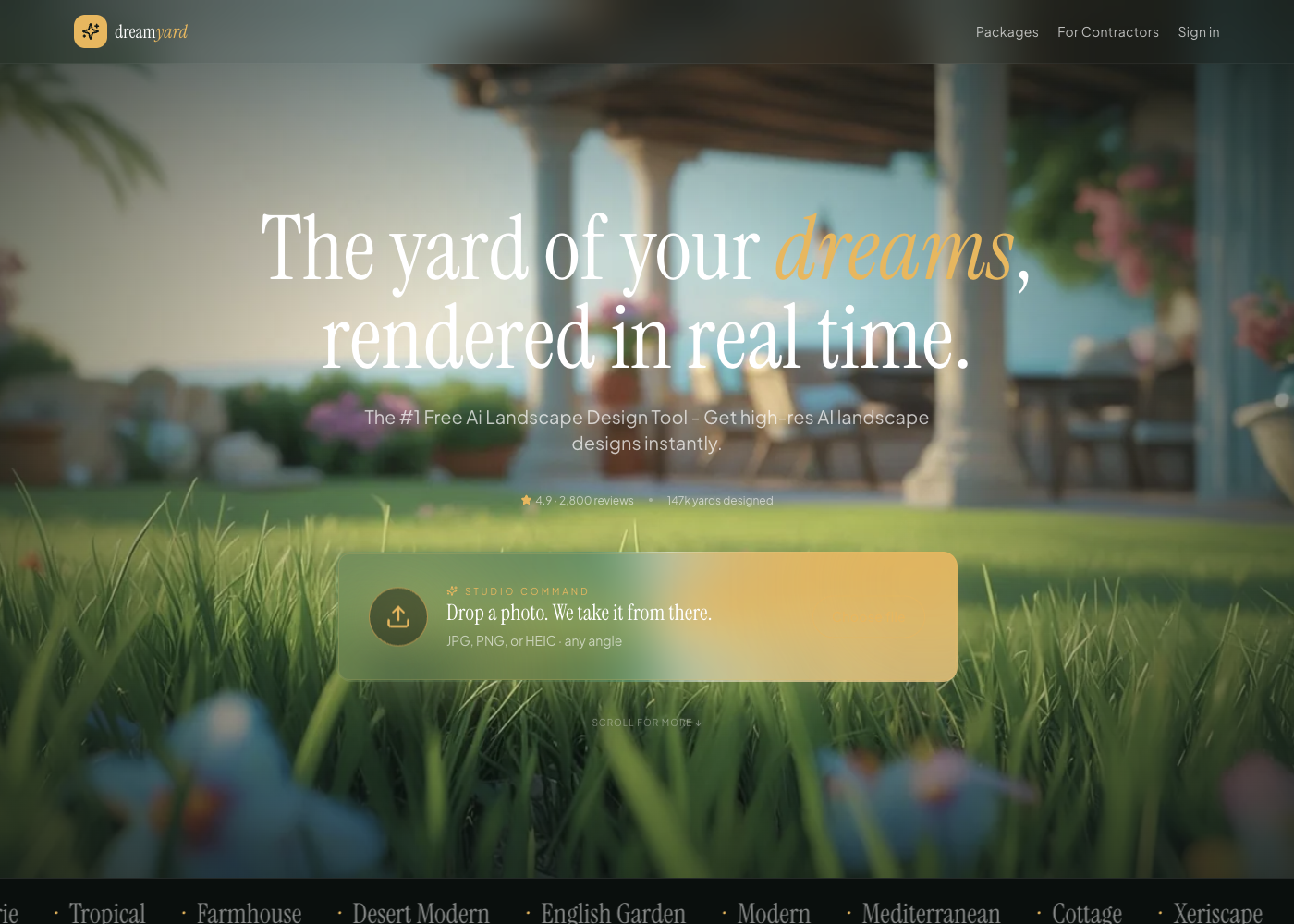
Source: official product page, captured October 23, 2026. Public photo-generation entry; it shows the software path, not a purchased designer service.
The image generator and the packages below are separate evaluation paths. The first begins with a photo concept; the package table describes vendor-promised service deliverables.
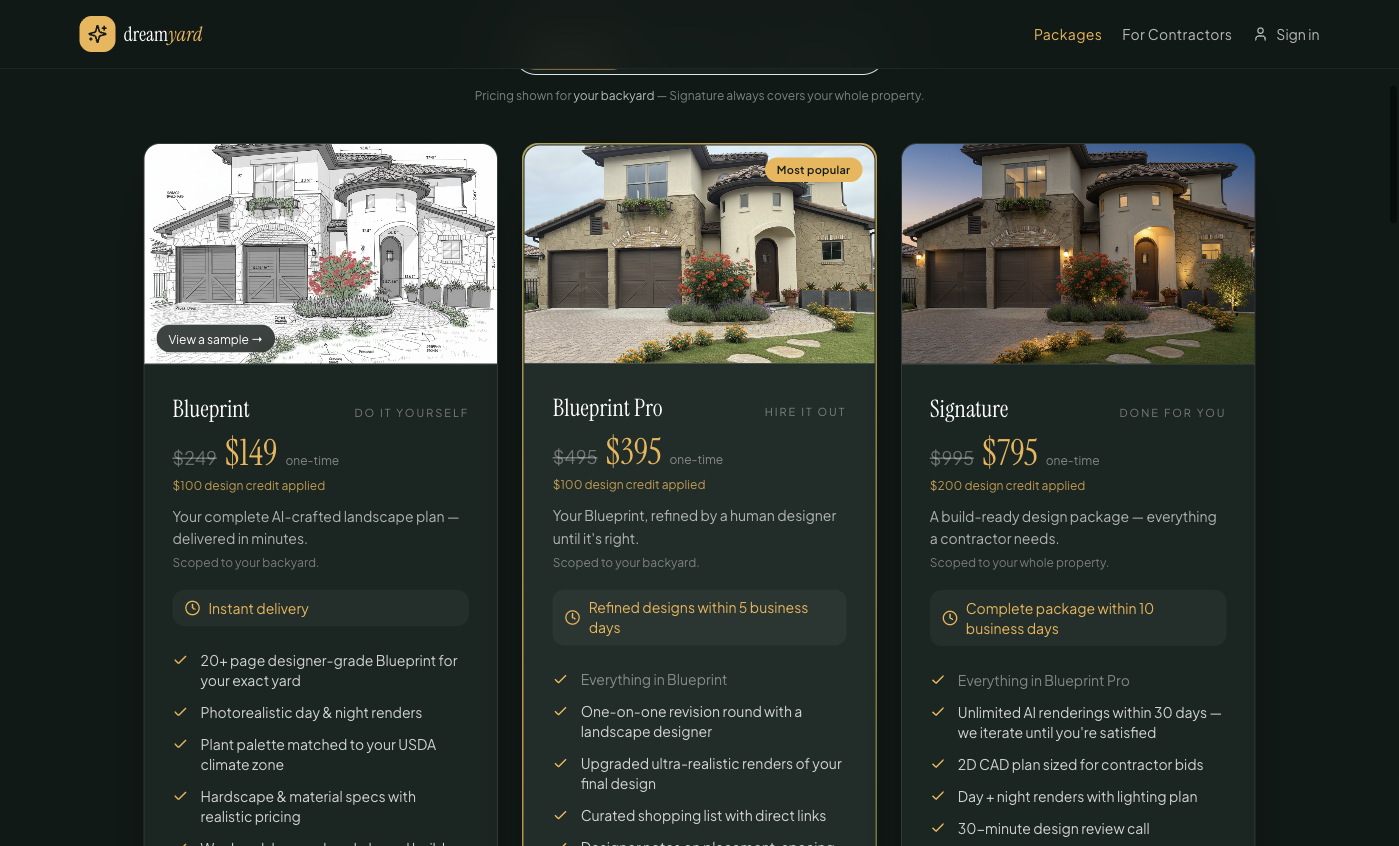
Source: official page, captured October 23, 2026. Public package display; selected scope and promotional prices apply.
DreamYard alternatives at a glance
Compare the software options with the concept tool, then compare services with the relevant package. Do not score both groups on a single cheapest-per-image scale.
Software and photo-concept options
Product
DreamYard, baseline
- Appropriate task
- Explore the existing yard
- How changes are made
- Account workflow not tested here
- Output to evaluate
- Yard concept
- Free and payment boundary
- Public free quantity unresolved; packages separate
Product
Neighborbrite
- Appropriate task
- Yard styles and selected-area changes
- How changes are made
- Paid editing tools advertised
- Output to evaluate
- Concept and selected export
- Free and payment boundary
- Free entry; Pro/Business distinctions
Product
Spaceora
- Appropriate task
- Frontage, enclosed yard, or planting bed
- How changes are made
- New concepts; Studio edits charged separately
- Output to evaluate
- Concept plus advertised planting references
- Free and payment boundary
- 30 starter credits shared across tools
Product
HomeDesignsAI
- Appropriate task
- Yard and exterior appearance
- How changes are made
- Tool-specific editing
- Output to evaluate
- Outdoor concept
- Free and payment boundary
- Subscription; confirm the required outdoor tools in the selected checkout plan
Product
Remodel AI
- Appropriate task
- Yard within a wider renovation
- How changes are made
- Garden controls verified; generation and download not tested
- Output to evaluate
- Renovation concept
- Free and payment boundary
- Three designs advertised; check the active account offer
Design-package alternatives
Deliverable
Human involvement
- DreamYard Blueprint
- AI-created package
- DreamYard Blueprint Pro
- Human designer refinement
- DreamYard Signature
- Human refinement + review call
- Yardzen Essential Backyard
- Designer-led service
Deliverable
Included human revisions
- DreamYard Blueprint
- None listed
- DreamYard Blueprint Pro
- 1 round
- DreamYard Signature
- 2 rounds in comparison table
- Yardzen Essential Backyard
- None; extra revision listed at $295
Deliverable
CAD
- DreamYard Blueprint
- Not included
- DreamYard Blueprint Pro
- Not included
- DreamYard Signature
- 2D CAD listed
- Yardzen Essential Backyard
- CAD plans listed
Deliverable
Plants/materials
- DreamYard Blueprint
- Plant palette + hardscape/material specifications
- DreamYard Blueprint Pro
- Same, plus linked shopping list and designer notes
- DreamYard Signature
- Includes Pro items
- Yardzen Essential Backyard
- Selected plant/material information
Deliverable
Renders
- DreamYard Blueprint
- Day/night renders advertised
- DreamYard Blueprint Pro
- Enhanced renders
- DreamYard Signature
- Enhanced + night and lighting plan
- Yardzen Essential Backyard
- Photorealistic renders not included
Deliverable
Advertised timing
- DreamYard Blueprint
- Minutes
- DreamYard Blueprint Pro
- Within 5 business days
- DreamYard Signature
- Within 10 business days
- Yardzen Essential Backyard
- First draft generally 5–10 business days; confirm project schedule
Deliverable
Scope / geography
- DreamYard Blueprint
- Selected yard scope; address eligibility not verified
- DreamYard Blueprint Pro
- Selected yard scope; address eligibility not verified
- DreamYard Signature
- Whole property; address eligibility not verified
- Yardzen Essential Backyard
- Backyard + side yards; address eligibility must be confirmed; contractor connections in select markets
Deliverable
Price basis
- DreamYard Blueprint
- Displayed one-time package with credit
- DreamYard Blueprint Pro
- Displayed one-time package with credit
- DreamYard Signature
- Displayed one-time package with credit
- Yardzen Essential Backyard
- $995 project package
Package scope and deliverables were rechecked on October 23, 2026. DreamYard timing and deliverables are vendor promises, not observed service completion. “CAD” and “plans” do not by themselves establish permit or construction suitability. Exact price displays are separated below so scope and inclusions can be compared first.
Sources: Neighborbrite, Spaceora backyard, HomeDesignsAI, Remodel AI pricing, DreamYard packages, and Yardzen Essential Backyard.
Neighborbrite
Neighborbrite is a sensible comparison when you want another way to explore a yard photograph before commissioning more design work.
The public tool description starts with a photo and style selection. It assigns more detailed editing to Pro and high-resolution output to Business. That creates a useful boundary to test: does the starting workflow answer your style question, or do you need paid control over a specific area?
If you already like most of a DreamYard concept, Neighborbrite's relevant distinction is its named Pro controls: edit an area, add an element, or erase an object. That addresses another round of visual exploration. It does not provide the human feedback round you would be buying in Blueprint Pro.
The trade-off: moving to a different generator can give you another set of ideas without solving the planning question that brought you here. More images will not automatically supply measurements or a resolved plant specification.
Choose Neighborbrite for another concept workflow. The homepage also mentions professional packages, but those services were not evaluated as an additional service alternative in this article.
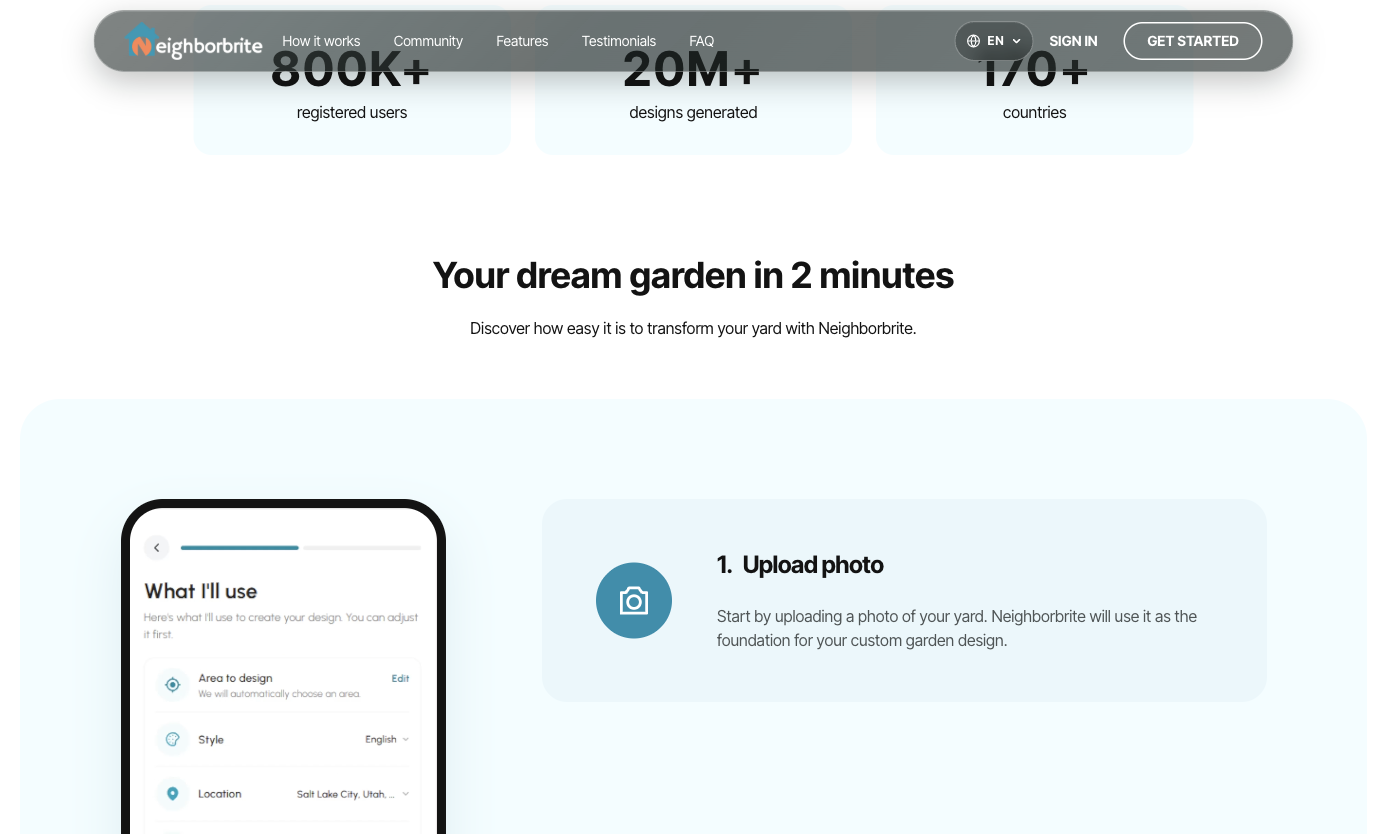
Source: official page, captured October 23, 2026. Official workflow illustration; not our account test.
Spaceora
Spaceora is useful when you can narrow the outdoor task to a specific space.
Use AI landscape design for the frontage, AI backyard design for the enclosed yard, or AI garden design for one planting bed. The public forms ask for a photo, US ZIP code, dimensions, sunlight, and a style or description.
That makes the initial brief more concrete. For a backyard, you can focus on privacy planting while retaining the patio. For a bed beside the house, you can describe the smaller area you intend to plant rather than asking for a whole-property redesign.
The starting allowance is 30 credits across the account, not 30 for each tool. Full tool generations use 10 credits. Paid plans are separate from any service involving a human designer.
The limitation: these inputs and reference outputs do not replace a site visit, drainage assessment, or structural design. This review has not tested the generated plant quantities or species selections. Confirm the actual layout before buying materials.
Choose Spaceora when your next decision is a visual direction for a defined space and you can supply the site inputs. If you need someone to own a detailed revision process, compare services instead.
Source: Spaceora tool page, captured October 23, 2026. Public tool controls and official example, not our generated yard result. Account navigation excluded from the capture.
HomeDesignsAI
HomeDesignsAI is relevant when you want to see how the yard and the building exterior work together.
Its public workflows cover both. The comparison is useful if your design direction depends on two connected choices, such as planting density and the appearance of the house behind it.
This is a useful branch when the unresolved decision crosses the wall line: the facade finish and the planting in front of it need to agree. Color/texture and outdoor concept controls are relevant here; a human designer revising the entire site is a different purchase.
The trade-off: more scope introduces more chances to change elements you intended to retain. The specific editing tool and its paid entitlement matter more than the number of advertised styles. Check the current checkout for the editing controls and output rights you need.
Choose HomeDesignsAI if the exterior and yard are one visual decision. It has not been evaluated here as a substitute for the human revisions or documents in a DreamYard service package.
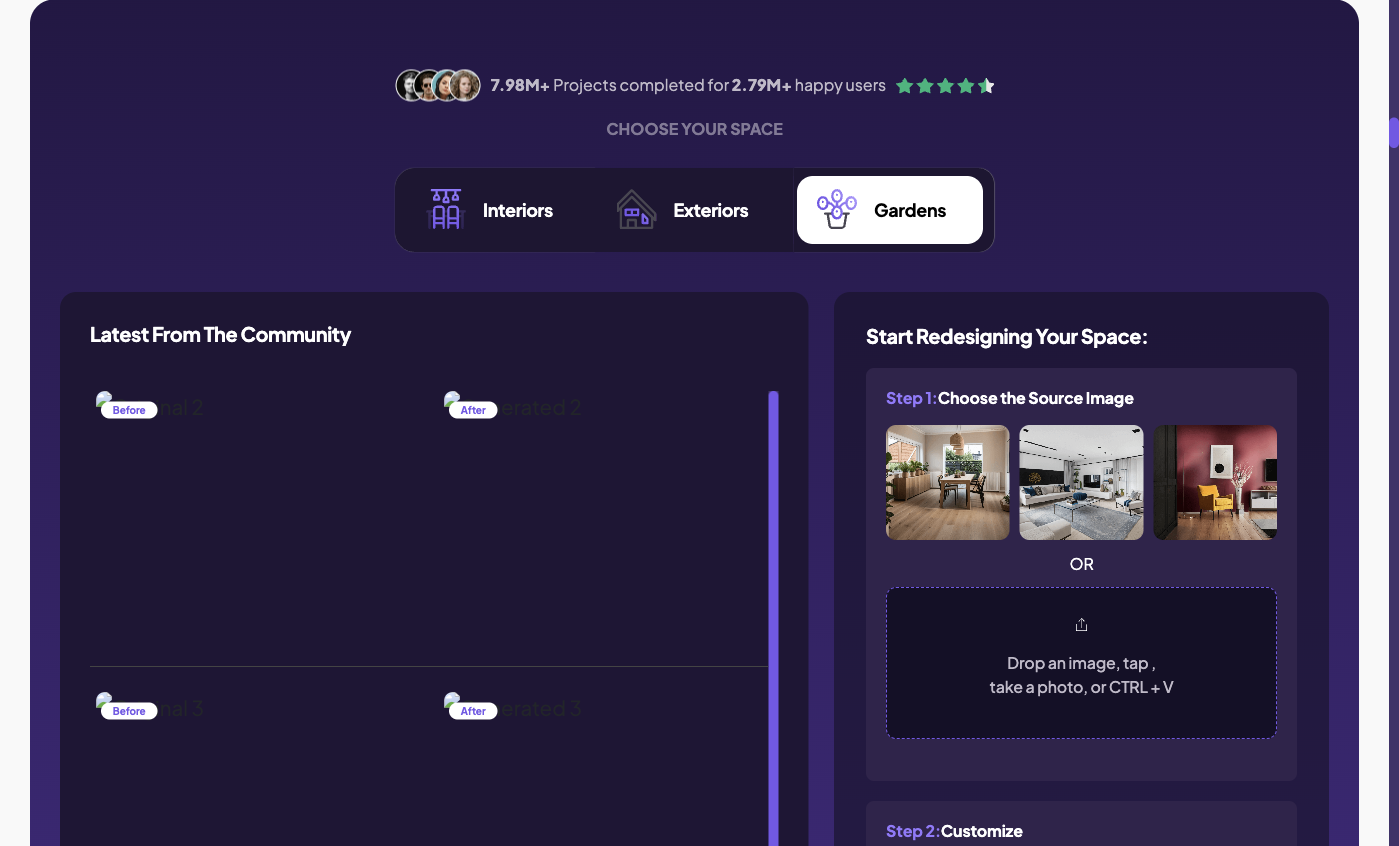
Source: official page, captured October 23, 2026. Public generator with Gardens selected; the sample thumbnails shown by the site are not our output.
Remodel AI
Remodel AI is a candidate when your outdoor project sits alongside room or finish changes inside the house.
Use remodelai.io to identify the product and follow its own links to the relevant app. The pricing page lists three free designs and garden-related capabilities, but its purchase links and billing presentation require attention to the actual device offer.
The reason to consider it here is a mixed project: perhaps the patio and the room opening onto it both need a visual direction. If the actual missing deliverable is a planting schedule or designer revision, cross-space image generation does not resolve that requirement.
The trade-off: a broader renovation workflow does not establish a more developed outdoor deliverable. A room feature you expect to use next month should not outweigh a poor fit for the yard decision you need to make today.
Shortlist Remodel AI if cross-space use matters. If you want designer feedback or a package of drawings, do not treat a subscription as the equivalent purchase.
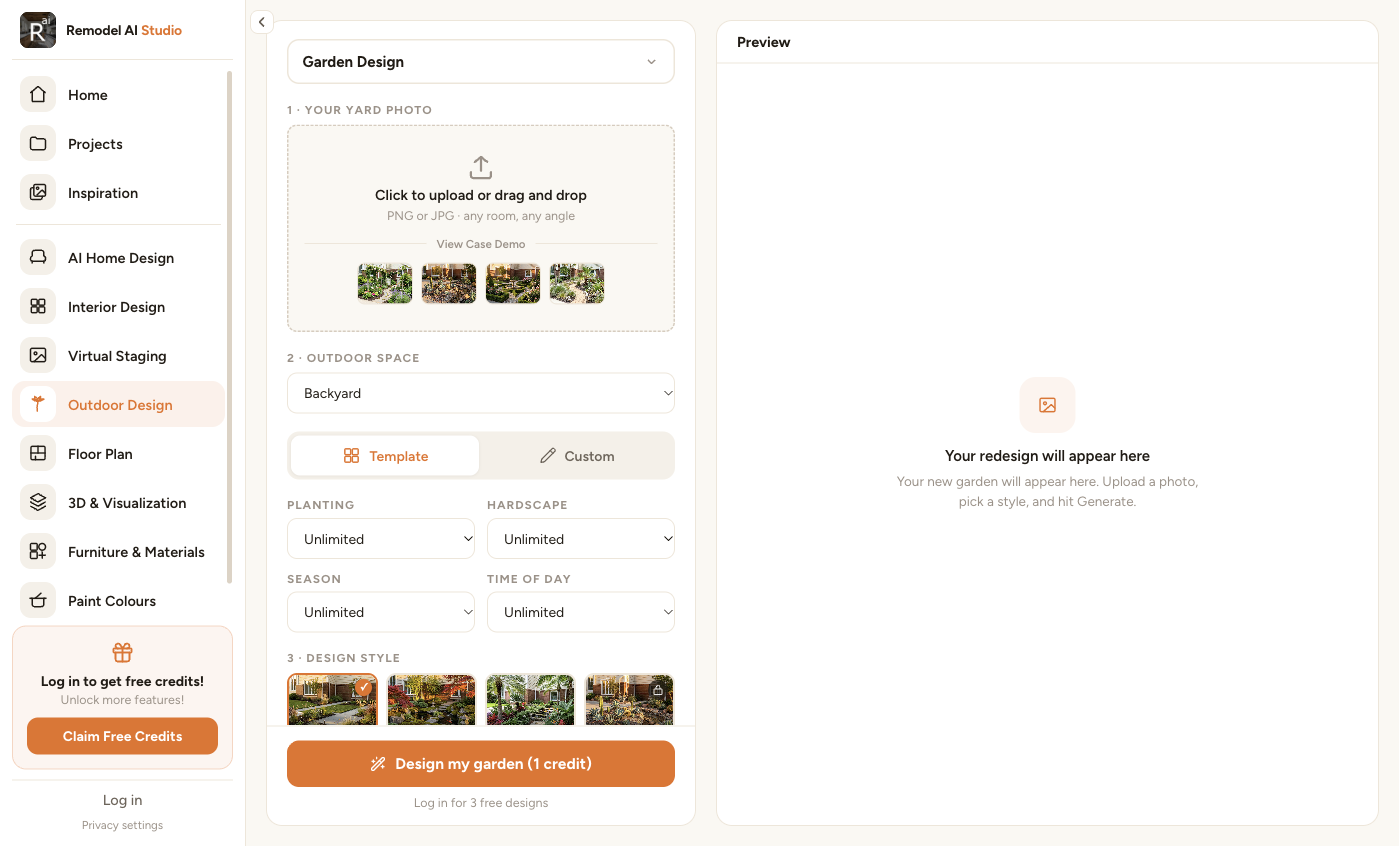
Source: official Remodel AI Studio, captured October 23, 2026 with Garden Design selected. This verifies the visible workflow controls; no garden image was generated or downloaded in this check.
Yardzen
Yardzen is the service branch when you want a designer to develop a defined outdoor project.
Its Essential Backyard package was listed at $995 and covered backyard and side-yard design. The page describes planting and hardscaping design, selected plants and materials, and CAD plans. It explicitly excludes photorealistic renders and included revisions; an additional revision is listed at $295.
Those exclusions change the comparison. If your main reason to buy a service is to see realistic views and discuss changes, the lowest-price package is not automatically the relevant one.
The trade-off: you are committing to a scoped service, with decisions about deliverables and feedback rounds. Confirm the current package, service availability for your address, and expected schedule. Contractor connections are described as available in select markets, so do not assume the same follow-through everywhere.
Choose Yardzen when you want designer involvement and its package matches the output you need. A free call is a consultation entry point, not a free design package. Review sample deliverables before paying.
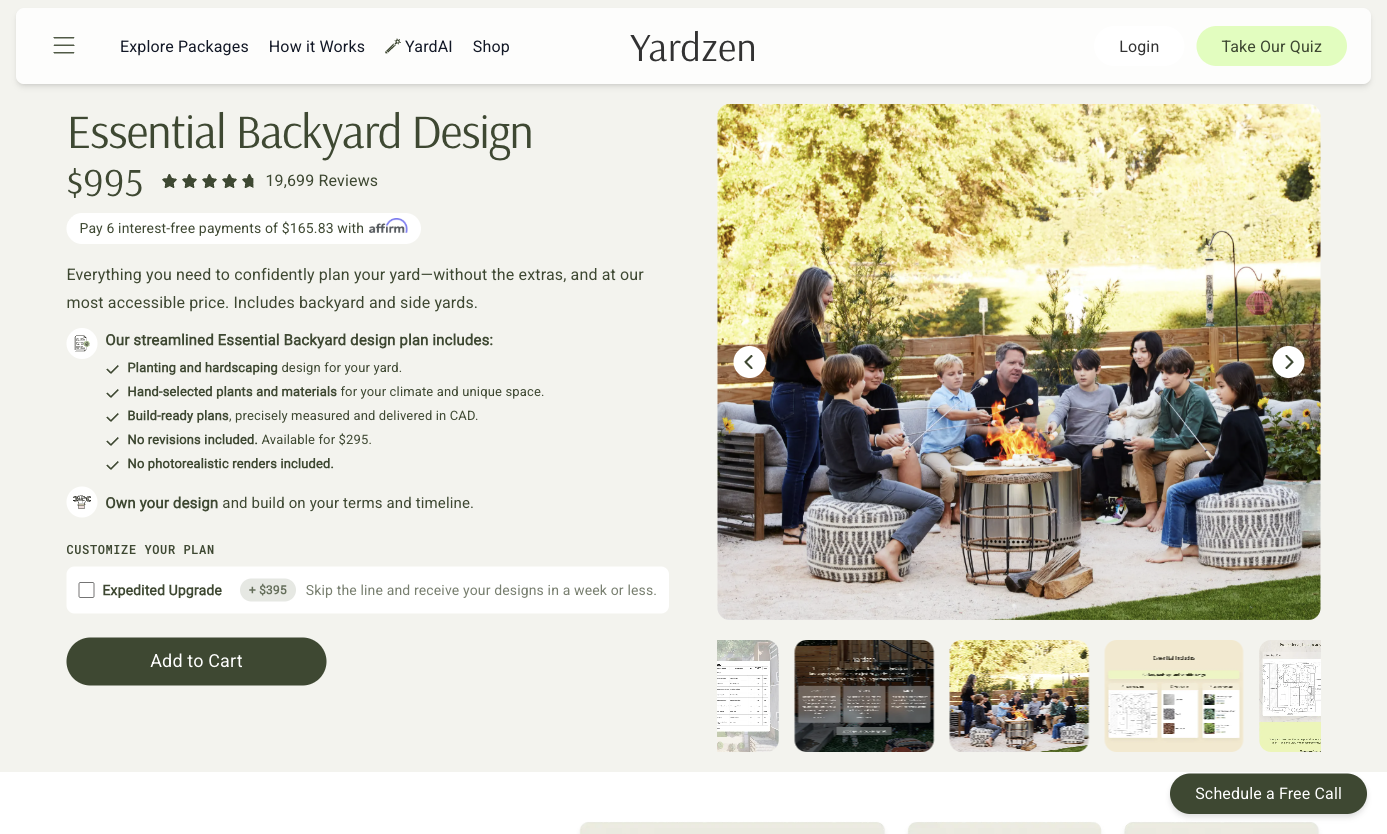
Source: official page, captured October 23, 2026. Public package screenshot. No included revision or photorealistic render; lifestyle photo is not a package rendering.
Compare the price of the deliverable you actually need
Keep three budgets separate: concept exploration, human refinement, and documents for the next project stage.
A few yard concepts
For a concept task, decide how many attempts and corrections you need to evaluate the tool. A low or zero initial payment is useful if the output answers your question.
Record the plan, any credit use, the saved-file dimensions, and whether the required correction triggers payment. Do not buy an annual subscription solely to lower a monthly equivalent before the test works.
For HomeDesignsAI and Remodel AI, inspect the current offer rather than copying a price from a search snippet. For Spaceora, remember that a later Studio edit costs differently from a full tool generation. The relevant cost follows the operations you need.
A refined design with human revisions
Compare the number and purpose of human feedback rounds. Is a revision a small adjustment to an agreed direction, or can you request an entirely different concept? Establish that scope before assuming two providers offer the same amount of help.
The DreamYard package view inspected for this article showed these backyard offers:
DreamYard package
Blueprint
- Displayed one-time price
- $149
- Displayed reduction
- From $249, with $100 design credit shown
- Scope in that view
- Backyard
DreamYard package
Blueprint Pro
- Displayed one-time price
- $395
- Displayed reduction
- From $495, with $100 design credit shown
- Scope in that view
- Backyard
DreamYard package
Signature
- Displayed one-time price
- $795
- Displayed reduction
- From $995, with $200 design credit shown
- Scope in that view
- Whole property
These are dated public display prices, not a guarantee that a credit applies at checkout. The front-yard and full-property selections showed the same amounts during this check, with different scope text; Signature remained whole-property. Verify the selected scope and credit eligibility in DreamYard's package selector.
Do not conclude that the $395 and $995 figures buy comparable services. Compare included files, human involvement, and revision conditions first. The lowest number alone tells you little about which package completes your project.
Plans and specifications for the next project stage
Ask the person who will use the documents what they need. A contractor pricing a planting refresh and someone evaluating a substantial structural change will not use the same information.
Use this checklist when reviewing a sample package:
- Which parts of my property are included?
- What measurements are required, and who confirms them?
- Are the plant and material lists tied to the final layout?
- What drawings and file formats will I receive?
- How many revisions are included, and what counts as one?
- What remains for a local professional to inspect or design?
For plants, use your hardiness zone as one input, then check light, soil, water, and mature size. USDA's guidance treats zone information as a general guide, not a complete prediction of plant performance.
Treat a generated cost estimate as a starting point for discussion. Ask for project-specific quotes before using it as a construction budget. This guide has not audited any vendor's estimating accuracy.
When should you keep using DreamYard?
Stay if you like the direction you already have and its next-step package fits the actual work remaining.
Moving to a new tool means explaining the site again and reconstructing your preferences. That can be worthwhile when an important need is unmet, but it is unnecessary when the remaining task is already covered.
List the gap in plain terms: a specific revision, an export, a drawing, or a human review. If another tool only offers more style variations, it may not close that gap. Conversely, a full design service may be unnecessary if all you need is another concept to discuss at home.
Test one yard photo before making a bigger commitment
Use a photo you are entitled to upload, and define three things to retain: the fence, patio edge, and entrance route. Ask for one planting direction, then one correction such as reducing the height of planting beside the gate.
Compare the initial output, the revision, the file you can save, and the payment required. Record failures as well as the image you prefer. This is a proposed test method; no comparative results are claimed here.
If you need another backyard concept, start with the backyard tool. If the missing piece is human refinement, compare sample documents and revision terms from the services. Take the smallest next step that answers the unresolved question.
FAQs
Is there a free alternative to DreamYard AI?
Neighborbrite advertises free starting access, and Spaceora provides a limited shared credit allowance. Check what the free tier exports and which edits require payment. Neither offer establishes unlimited free revisions or a complete designer-led package.
Which alternatives can use my existing yard photo?
The software candidates in this guide are relevant to photo-based outdoor concepts. Use a clear image showing the retained boundaries. A design service may also request photos, but its intake and deliverables are different from generating another image yourself.
How do I choose between an AI tool and a design service?
Choose the tool when you want to explore a visual preference. Compare services when you need specified human input and documents. Define those documents and revision expectations first, then assess the package rather than comparing a subscription with a project fee.
Do these tools include plant lists or measured plans?
It varies by product, workflow, and package. Some describe planting references; selected service packages include plans. Inspect an actual sample and confirm whether the information is tied to your final layout. A plant-shaped object in a render is not a verified specification.
Can I hand the output to a landscaper?
Yes, as material for a discussion. Explain what is an image preference and what has been measured or checked. Ask the landscaper what additional site information and documents are needed before quoting or building; the output's label alone does not establish readiness.