How to Design a Garden Using AI From a Photo
Use a garden photo to explore planting ideas with AI. Follow a tested Spaceora workflow and learn what to verify before planting or building.
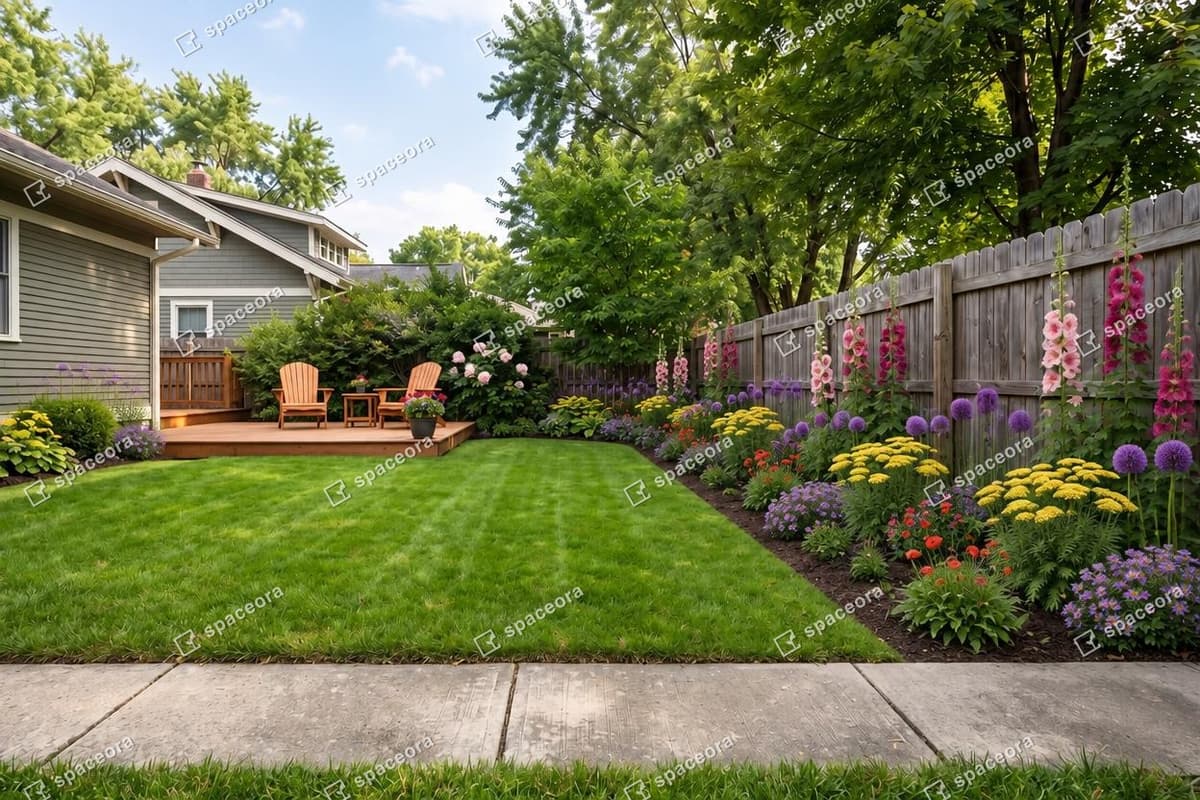
TL;DR
Photograph one clear area, record what must stay, enter the available site inputs, and compare the result with the original. Before planting or building, verify dimensions, sun, soil, drainage, utilities, mature plant size, and local requirements outside the generated image.
Direct answer: AI can help you explore how a garden border might look from a photo. It cannot read every site condition from that photo or replace a planting, drainage, structural, or construction plan. In our October 26, 2026 Spaceora test, one free-plan generation produced a downloadable, watermarked 1248 × 832 JPEG in 24.2 seconds.
What we tested
We used the same authorized backyard photo throughout, with the Spaceora account labeled Free and 3 free redesigns left. The selected inputs were Modern style, ZIP code 02139, a 20 × 6 ft bed, and Full sun. The interface priced the initial generation at 10 credits and a follow-up edit at 15 credits.
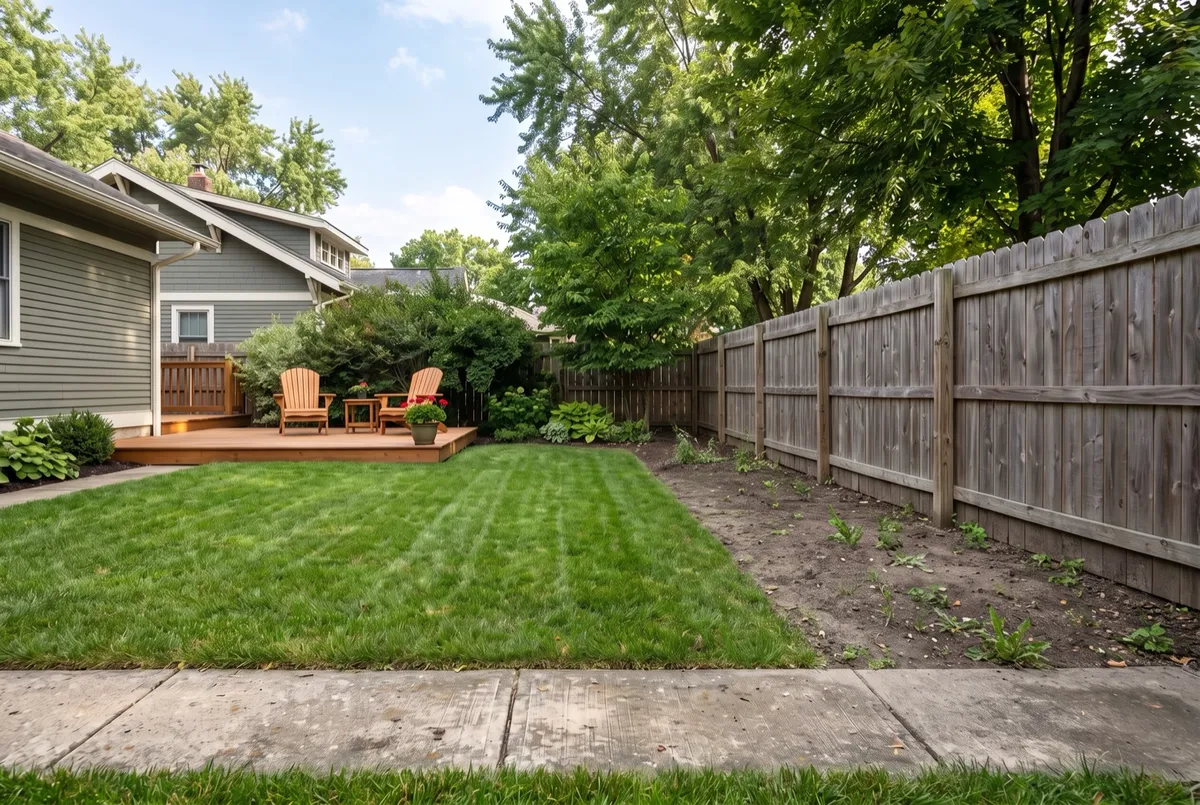
Original test photo. The house, deck, lawn, fence, mature trees, and concrete path were the main comparison points.
The live form accepted JPG, PNG, and WebP files up to 12 MB. It offered ten styles, a US ZIP code, bed width, depth from the house, Full sun/Part shade/Shade, and an optional description. It did not ask for soil type, drainage, irrigation, budget, slope, utilities, or a measured site plan.
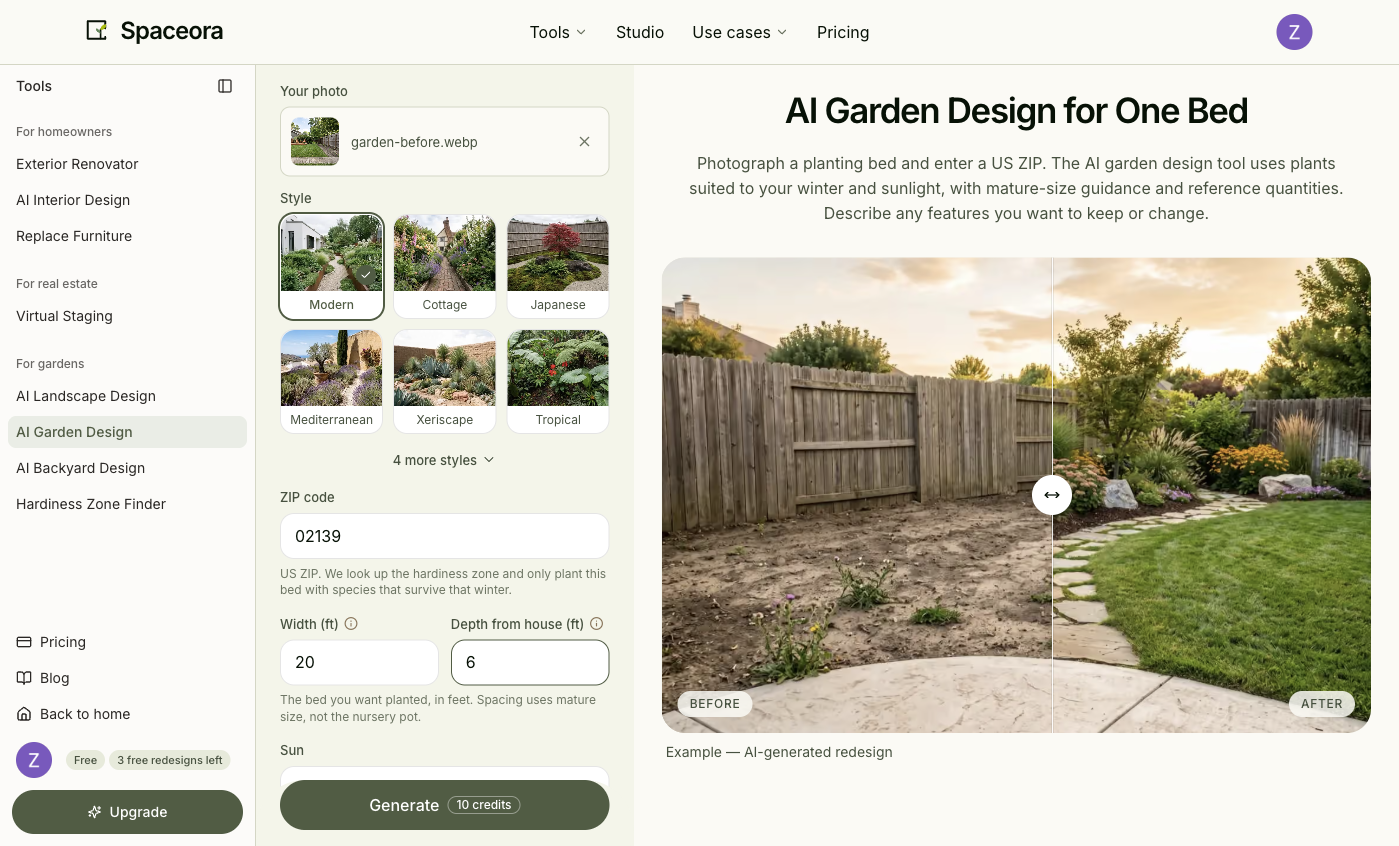
Observed on October 26, 2026 after uploading the authorized photo. The form inputs, rather than the image alone, supplied zone, bed size, and sun information.
What should you record before uploading a garden photo?
Write down information the image cannot establish reliably:
- the area you want to change and its measured dimensions;
- the house, path, fence, tree, access route, or view that must remain;
- direct-sun observations across the day and season;
- obvious wet, dry, exposed, or sheltered areas;
- your location and any known soil information;
- underground utilities, drainage, slopes, and local rules that need separate checks.
A USDA Plant Hardiness Zone is based on average annual extreme minimum winter temperature. It helps screen for cold hardiness, but it does not cover heat, moisture, sun, soil, wind, pests, or local microclimates. Use the hardiness zone finder as one input, not as a promise that a plant will thrive.
How to design a garden using AI, step by step
1. Photograph one clear part of the garden
Stand far enough back to show the boundary, adjacent path, house edge, and existing features that affect the decision. Keep the camera level. For a large or irregular garden, work through connected areas rather than asking one photo to show every slope, corner, and access constraint.
2. Choose one goal and list the features to keep
Use a goal you can evaluate, such as:
Explore a softer planting direction for this border. Keep the existing path,
fence, mature tree, deck, lawn, and access route.
A must-keep list makes it easier to notice when the output changes the property rather than only the planting.
3. Upload the photo and enter the available site inputs
Open Spaceora's AI garden design tool, upload the photo, choose a style, then enter the ZIP, bed width, depth, and sun condition. Add a short description only when it clarifies a constraint.
For our test, ZIP 02139 resolved to USDA Zone 6b in the interface. That lookup did not verify the site's soil, drainage, summer heat, irrigation, or microclimate.
4. Generate and compare with the original
The tested generation completed in 24.2 seconds. The result page displayed a before/after comparison, a Download button, a Regenerate control, an edit box, and the message that the design was saved to My designs. It also stated that the free-plan render carried a watermark.
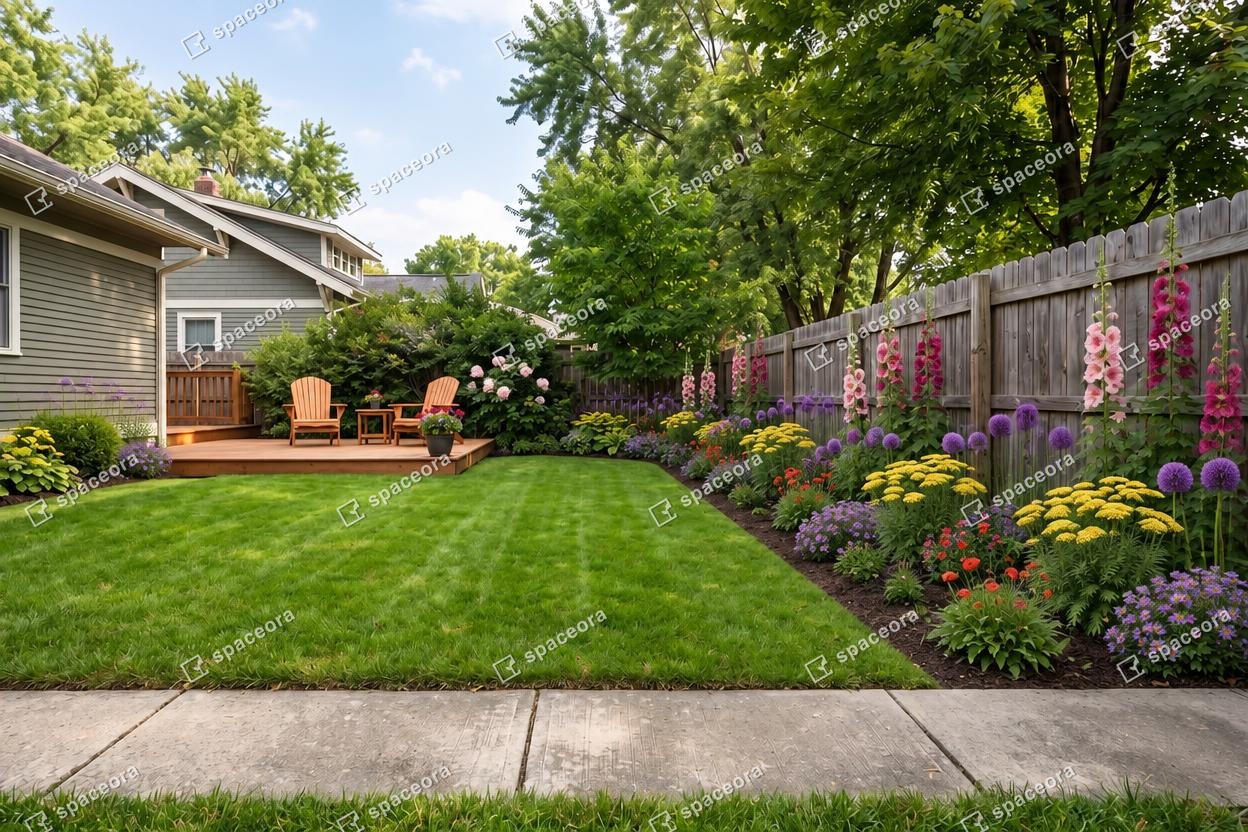
Actual Spaceora output from the stated settings, downloaded on October 26, 2026. It is a concept image, not a planting or construction plan.
The house, deck, lawn, fence, major trees, and viewpoint remained broadly recognizable. The output filled the bare right-hand border with dense flowering plants and added planting around the deck. It also changed fine details and visual density, so it should not be used to infer exact species, spacing, bed edges, quantities, or site measurements.
Check each concept against the original:
- Are the house, path, gate, fence, deck, and trees still recognizable?
- Has the bed moved beyond the measured area?
- Does the concept block access or sightlines?
- Are plants shown at an unknown scale?
- Has the tool invented space or hardscape that is not present?
5. Verify plants and site conditions before taking action
The result page presented plant quantities and costs as reference estimates and told users to confirm final quantities before buying. Treat any generated or suggested palette as a research list. Verify botanical identity, mature size, light, soil, water, cold hardiness, local behavior, availability, and maintenance through authoritative local sources.
If an image does not identify a plant reliably, do not invent a species name. A local extension service, nursery, landscape professional, utility-locating service, and applicable local authority answer different parts of the real project.
What can an AI garden image not tell you?
The image cannot establish drainage performance, soil structure, underground services, retaining-wall requirements, structural loads, permit needs, precise quantities, or seasonal appearance. It cannot prove that a path, step, deck, pond, or wall is safe to build.
Use specialist advice when the plan involves excavation, utilities, drainage, structures, significant grading, protected trees, or local approvals.
What if the AI changes the house, paths, or boundaries?
Return to the original photo and reduce the request. Name the feature that must remain and change one smaller area. If the next result still changes the boundary, keep the useful visual idea separately and reject the implied layout.
A prompt can clarify the request. It cannot turn the output into proof of site accuracy.
Can you try AI garden design for free?
In our dated test, the signed-in free account produced one downloadable result with a Spaceora watermark. The interface showed 10 credits for the initial generation and 15 credits for a follow-up edit, while the account label continued to show 3 free redesigns left. We did not infer a permanent allowance from that label. Check Spaceora pricing and the account immediately before generating because plan rules can change.
Use the concept as a starting point
Save one direction and list the questions it creates: which area is measured, what must stay, which plant forms appeal to you, and which site conditions need checking. When you are ready to explore one area, create a garden concept from your photo.
Frequently asked questions
Can AI design my garden from a photo?
It can generate a visual concept from the visible area and the settings you supply. It cannot recover every measurement or site condition from one image.
Is an AI garden design a planting plan?
No. A planting plan needs verified plants, quantities, spacing, mature sizes, site conditions, and usually more complete site information.
What inputs did the tested Spaceora form use?
The tested form used an image, style, US ZIP, bed width, depth from the house, sun category, and optional description. It did not collect soil, drainage, irrigation, budget, or utilities.
Does a USDA zone match mean a plant will thrive?
No. The zone addresses cold hardiness only. Sun, heat, soil, water, wind, pests, and microclimate also matter.
For whole-property curb-appeal exploration, use AI landscape design when that broader task fits. Verify any named plant through university extension or government sources before purchase.