AI Exterior Renovator
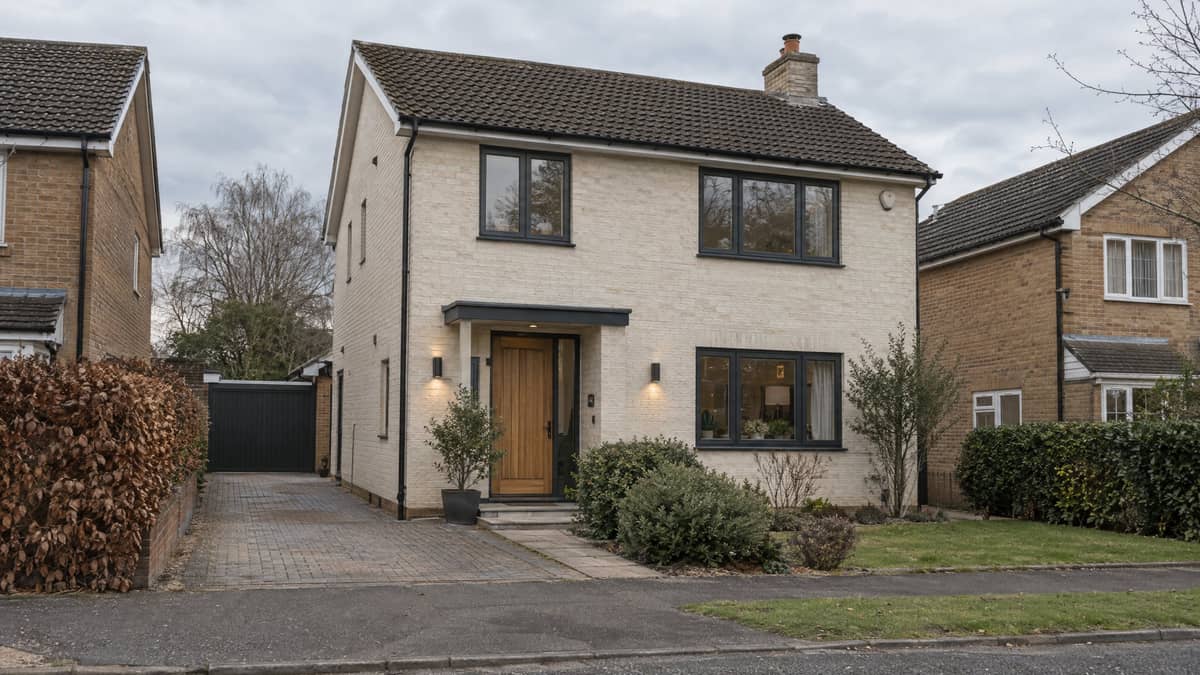
Upload a front-of-house photo and test one plausible exterior direction in about a minute. The tool is asked to keep the roofline, openings, driveway and camera view anchored to your photo while it explores facade finishes, entry details and modest curb appeal.
Why start exterior renovation ideas from your own photo
Your property stays the reference
An inspiration photo cannot tell you how a new finish will sit beside your own roof, driveway and window rhythm. This starts with your shot, so the output is a direction for a recognisable house rather than a look-alike from a mood board.
Compare a complete direction, not a paint chip
A facade colour changes what the trim, front door, light fittings and planting need to do. Choose a direction, then see those decisions together before you start collecting samples or asking for prices.
Bring one clear visual into the conversation
A render is useful for discussing a direction with a partner, contractor or designer. It is not a survey, quote, permit drawing or instruction to build, so confirm scope, measurements and local requirements with the people doing the work.
How to try an exterior renovation direction
- 1
Upload a clear exterior photo
Use a straight-on or gentle three-quarter view that shows the facade, roofline, entry and driveway. Daylight and a visible property edge give the model more context to preserve.
- 2
Choose a direction and add a note
Pick modern, craftsman, farmhouse, coastal or Mediterranean. Use the note for priorities such as a warmer entry, quieter trim or keeping the existing path.
- 3
Generate, compare and narrow it down
Compare the result with the photo you supplied, then try another direction if it does not fit. Keep the version that gives you the clearest starting point for a real discussion.
AI Exterior Renovator FAQ
Is the AI Exterior Renovator free to try?
Free to start. You sign in before generating so your render can be saved to your account; each additional run uses the credits shown by the form.
What can it change in my photo?
It is scoped to non-structural visual choices: facade finish, paint or cladding treatment, trim, front door, exterior lights, house numbers and modest foundation planting.
Will it redesign the shape of my house?
No. The prompt tells the model to hold the existing footprint, roofline, storeys, openings, driveway, paths and boundaries in place. Image generation can still drift, so treat the result as a visual direction and compare it with your original photo.
Can I use the render for permits or construction?
No. It has no measurements, engineering, product specification, code review or site survey. Use a qualified local professional for drawings, permissions, budgets and construction decisions.
What kind of photo works best?
A daylight photo that shows the whole facade, entrance and roofline with no heavy filter works best. Avoid extreme wide-angle shots, close-ups and frames where trees or vehicles hide most of the house.
Can I share a render with a contractor?
Yes, as an early visual reference for the look you are considering. Bring the original photo too, and make clear that the image does not define scope, materials, dimensions or a fixed price.
Other tools you might like
AI Interior Design
One photo, one room, restyled
Replace Furniture
Change one selected piece, keep the room
Virtual Staging
Furnish an empty listing photo
AI Landscape Design
Whole-property curb appeal
AI Garden Design
Planting beds for your zone
AI Backyard Design
Privacy around the patio you have
Hardiness Zone Finder
Your USDA zone from your ZIP