Best Free AI Virtual Staging Tools Online in 2026
Compare free AI virtual staging tools by credits, watermarks, downloads, and editing limits. Find an online option for your next vacant listing.
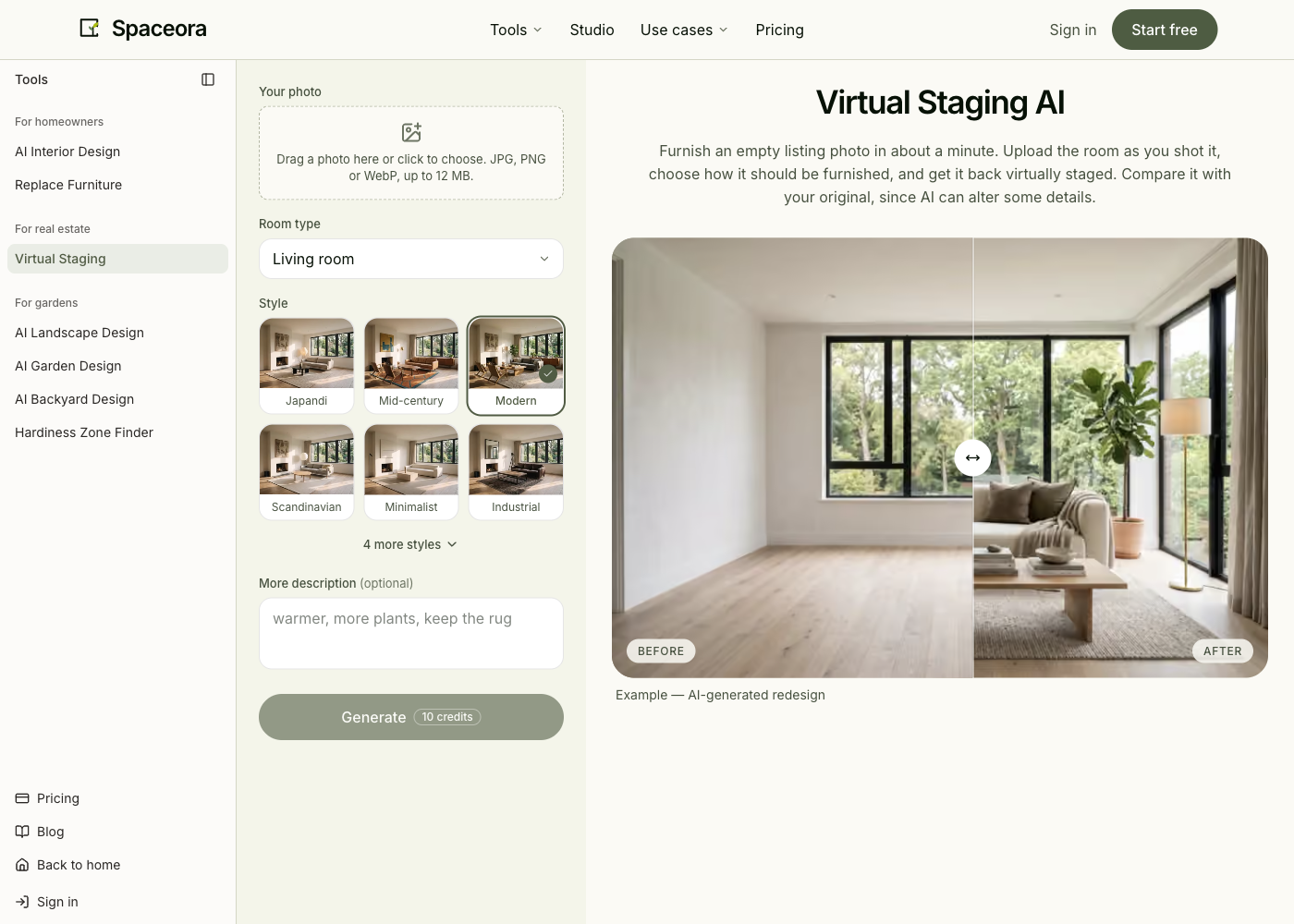
Published by Spaceora, which is included below. This comparison covers documented offers, not a controlled output-quality test. We have not verified a free, watermark-free, commercially licensed download from every candidate.
TL;DR
Start with the kind of evidence you need: a saved sample, an advertised offer, or an unverified candidate.
Watermarked downloads obtained in this review:
- REimagineHome: five free designs were available; one generation and one correction used two, and the revised image downloaded successfully.
- Spaceora: an existing Free-labelled account produced two watermarked downloads; new-account Studio eligibility remains unconfirmed.
Official free offer, but new-user eligibility not verified:
- Apply Design: advertises a first image free. Our existing zero-balance account reached a purchase prompt, so it is not a verified free-download recommendation here.
Free generation or final output not established:
- Collov AI: a relevant staging product, but this review has not confirmed a free generation allowance.
- Virtual Staging AI: free upload is advertised; that is not proof of a free generation or final download.
You can explore virtual staging without paying, but a free generation is not necessarily a usable listing image. This research did not establish a tool that meets all three conditions of a free download, no watermark, and confirmed rights for your intended listing use. Start with the documented trials below, then check the downloaded file and applicable terms before choosing.
You have an empty living-room photo and want buyers to see where a sofa and dining table could go. Paying for a subscription before seeing one useful result feels premature.
The useful comparison is what happens between uploading that photo and saving a file you can actually use. A generous generation allowance does little for you if the first correction or final download requires a different plan.
Which online virtual staging tools can you try for free?
REimagineHome and Spaceora publish specific introductory allowances, and Apply Design advertises a first image free. Spaceora was taken through generation, a Studio correction, and two downloads using an existing account on October 23. REimagineHome also completed a free generation, a correction, and an actual download. Apply Design reached a purchase boundary in an existing zero-balance account; its new-user offer remains unverified.
The table combines public information researched on October 22 with the account checks and selected page rechecks on October 23, 2026. “Not verified” means this review has not established the answer; it does not mean the feature is unavailable. These are trial-research candidates, not five certified free listing-image providers.
Tools with a saved watermarked output in this review

Free entry Five designs
Revision cost First output and correction each used one free…
Details
- Free entry
- Five designs; account started at 5/5
- Account / card
- Google login; no card entered during check
- Free file size
- 1254 × 1254 JPEG revision downloaded
- Watermark
- Grid and brand watermark
- Revision cost
- First output and correction each used one free design
- Listing-use rights
- Terms make rights plan-dependent; free-tier commercial entitlement not settled here

Free entry 30 shared starter credits
Revision cost Existing Free-labelled account completed a…
Details
- Free entry
- 30 shared starter credits
- Account / card
- Account for starter grant
- Free file size
- 1024 × 1024 in our saved file; 1248 × 832 advertised
- Watermark
- Yes
- Revision cost
- Existing Free-labelled account completed a 15-credit Studio edit; new-account entitlement not established
- Listing-use rights
- Terms permit commercial use with watermark intact; platform rules still apply
Official free claim with eligibility still unverified
Apply Design advertises the first image free. Its new-user generation, revision and final-download conditions were not verified. An existing account with no coins was asked to purchase before continuing; this does not settle what a newly eligible user receives.
Not confirmed as free-generation or free-download recommendations
Product
- What is established
- Staging workflow and paid plans
- What prevents inclusion above
- Free allowance, download, and usage terms not established
Product
- What is established
- Free upload without signup/card advertised
- What prevents inclusion above
- Free generation and final saved-file entitlement not established
Sources: REimagineHome pricing, Collov staging, Apply Design, Virtual Staging AI, and Spaceora staging.
What does “free virtual staging” actually include?
Treat “free” as a description of a particular step. It might cover uploading, generating, viewing, or downloading, and those are different promises.
Free generation versus free download
A preview lets you judge composition. A downloaded file lets you inspect pixel dimensions, watermark placement, furniture edges, and how the image looks outside the tool.
Try opening the saved file at full size. Check the actual dimensions in its file information rather than relying on a quality label in the interface. If a download button opens a payment screen, record that as the boundary of the free offer.
One-time credits versus recurring allowances
Starter credits help you test a product once. A recurring allowance is useful across several listings. Neither tells you how many acceptable images you will finish: rejected attempts and corrections can consume the same balance.
If you have three generations, decide what each one is for. Use the first to assess the room, the second to address a clear failure, and the third only if the result is close enough to justify another attempt. Trying three unrelated styles leaves nothing for a correction.
Watermark removal and usage rights
A watermark-free file and permission to use it commercially are separate questions. Check the conditions for the specific trial or paid plan you used, including restrictions on uploads and outputs.
For trials that request payment details, read the renewal date and cancellation conditions before enrolling. A zero-dollar payment today can still begin a subscription. Keep this check separate from whether the image itself is suitable for a listing.
REimagineHome
REimagineHome is a reasonable first trial when you want to examine both the initial staging and what happens during a revision.
Its pricing page advertises five free designs without a credit card. It distinguishes the Essential plan's basic tools from Pro's conversational editing, reference images, and incremental changes. A standard visualization uses one credit; a workflow combining visualization with real-product discovery uses two.
That makes your choice of operation important. If your task is simply to furnish a vacant room, do not assume a product-discovery flow is necessary. Spend the trial on the task you actually need.
Observed free boundary: our October 23 account started with five free designs. The same authorized room photo and staging brief used for Spaceora consumed one allowance; asking to remove the coffee table consumed another, leaving three. The correction removed the table, and its actual JPEG download measured 1254 × 1254 with a diagonal grid and REimagineHome branding. No payment details or upgrade were needed in this session. First-generation download attempts did not yield a saved file; the revised image was downloaded successfully.
The current terms make personal or commercial output use subject to the plan and payment status. We have not established a separate free-plan commercial entitlement, so the successful download is not a listing-use guarantee.
This trial let us evaluate one specific correction without buying credits. Its watermarked download can help assess the concept, but does not establish that the free file meets a listing platform’s publication requirements.
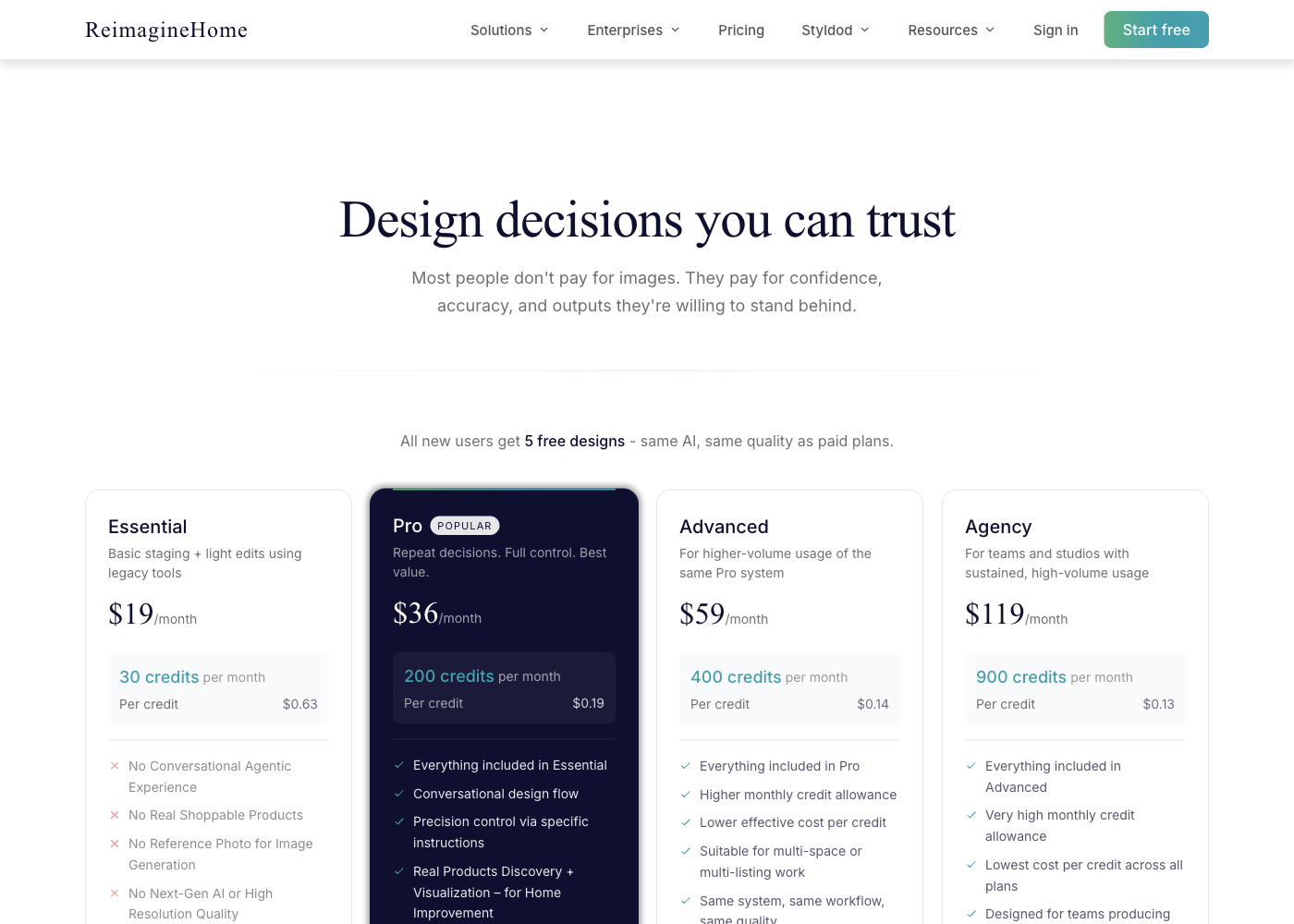
Source: official page, captured October 23, 2026. Public pricing screenshot; not an account download test.
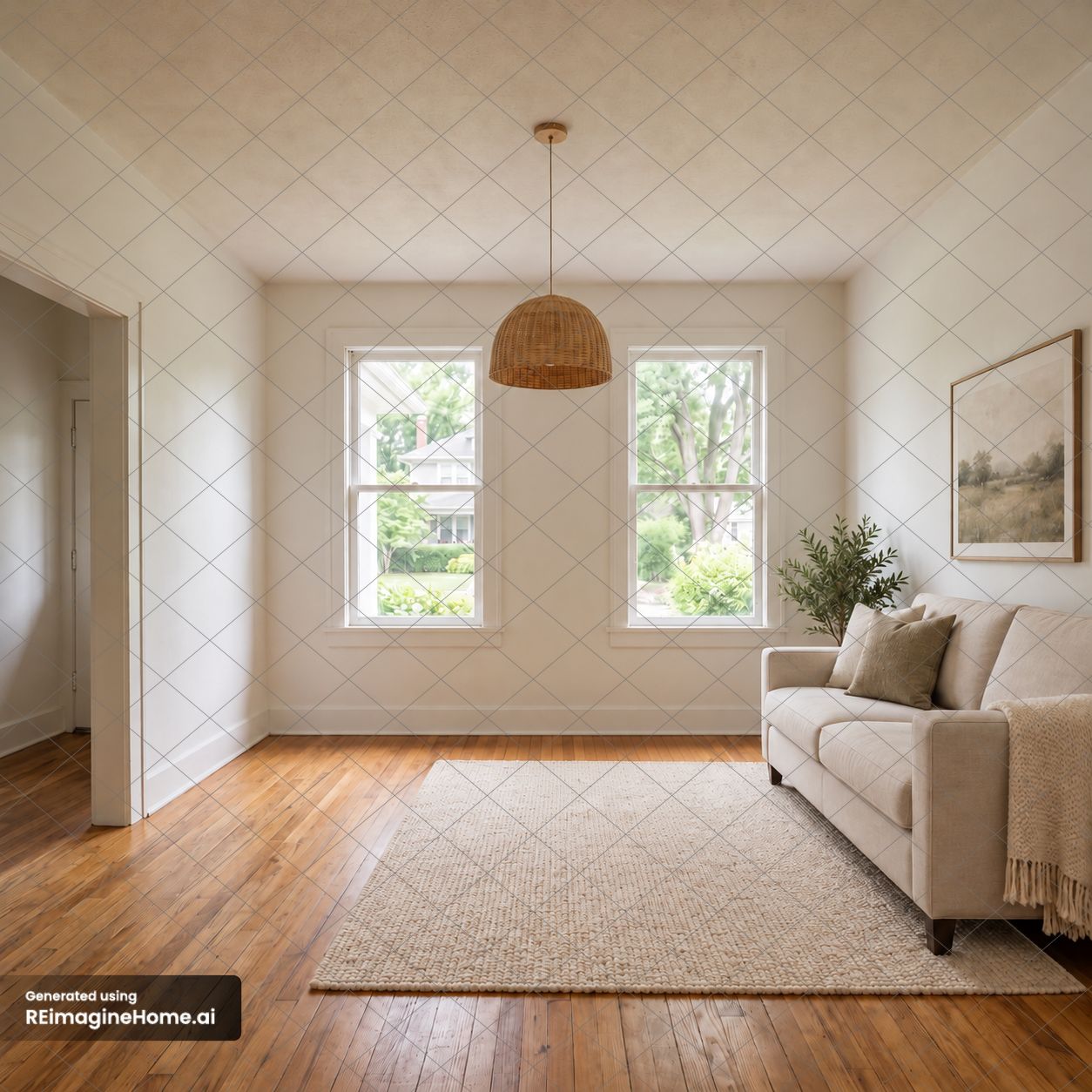
Actual free-account download, October 23, 2026: 1254 × 1254 JPEG after one correction. Watermark preserved; not a guarantee of exact structural preservation.
Collov AI
Collov belongs on a staging research list, but the public staging page alone does not qualify it as a confirmed free-output option.
Its virtual-staging page presents vacant-room furnishing and links to related editing tools. That makes it relevant if your photography work involves more than adding furniture. It does not establish that those tools share the same trial allowance or download conditions.
For an empty room, start with the furnishing task and ignore unrelated enhancements. Adding several operations makes it harder to understand what consumed the allowance or changed the original image.
The unresolved boundary: this review has not verified the current free credit grant, saved-file size, watermark, or commercial entitlement. Those omissions prevent a free-download recommendation; they are not evidence of poor image quality.
The pricing page displays Standard at $19/month for 60 photo credits, but the evidence also includes “Billed as $228 yearly.” Treat $19 as a displayed monthly equivalent, not a confirmed month-to-month charge; check the selected billing option and amount due. These paid-plan terms do not establish a free entitlement. Keep Collov as a second candidate if its workflow looks appropriate. Before investing time in a complete listing, confirm that the trial can produce the file you need.
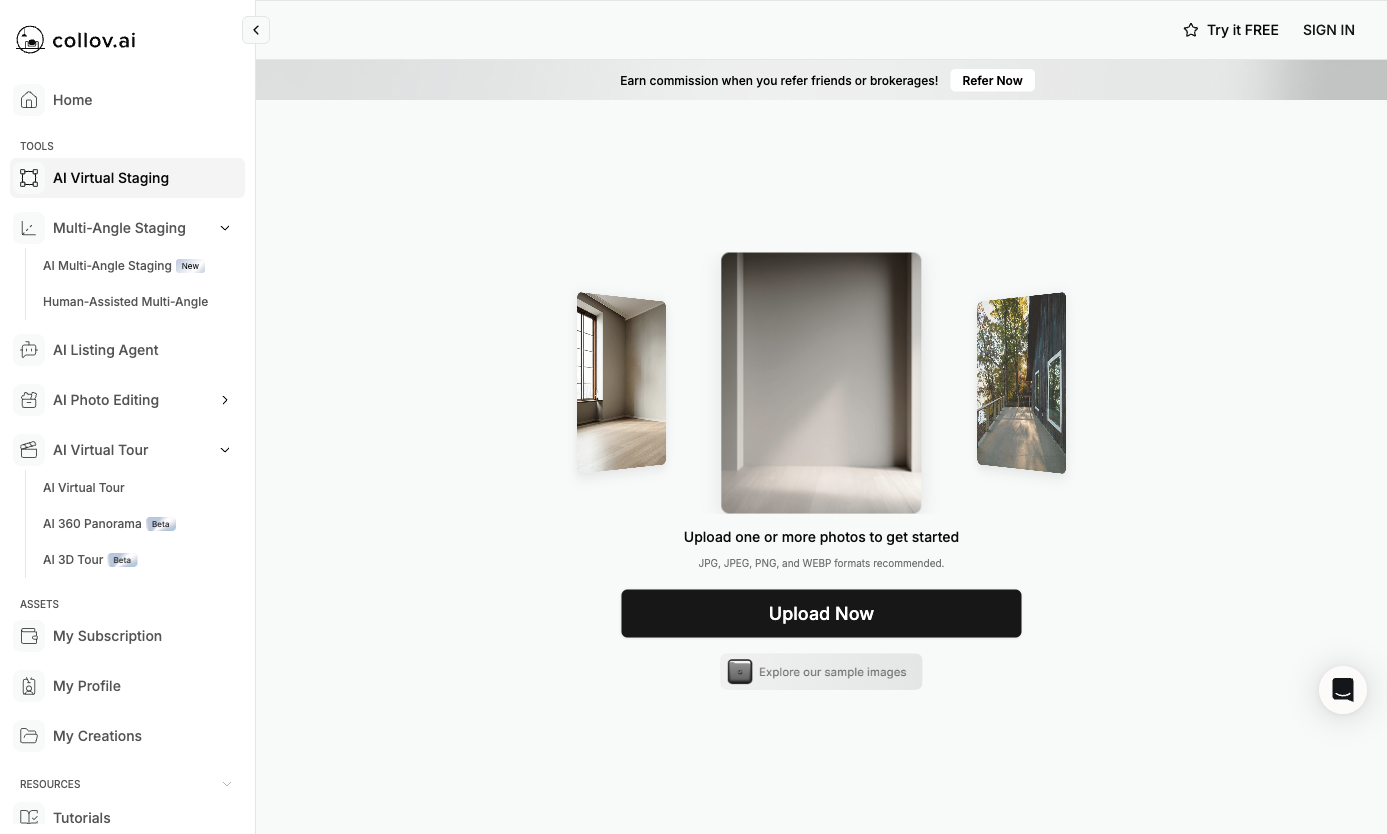
Source: official virtual-staging workspace, captured October 23, 2026. Public upload interface; no image was submitted and trial generation, download size, watermark and export rights remain unverified.
Apply Design
Apply Design is worth examining when you want to adjust furniture after the first composition instead of repeatedly requesting a new room.
The official workflow shows property-image upload, furniture removal, and an editor for revisions. Its pricing page advertises the first image free. In our October 23 check, an existing account had zero Apply Coins. The authorized test photo reached a cost breakdown of 1 coin for the 2D image plus 0.5 for Auto-Stage, with a purchase prompt for 2 coins. We stopped before purchase; no output, revision, or download was obtained. This establishes the boundary for that existing account, not the offer for a newly eligible user.
Use a correction that reflects real client feedback: move one chair away from the doorway while leaving the rest of the room alone. The question is whether you can express and complete that correction, then save the result under the trial terms.
The trade-off: having an editor adds another part of the workflow to learn. For a single acceptable image, that effort might be unnecessary. For a client who will request several small changes, it could be the deciding factor.
Choose Apply Design for evaluating control after generation. Do not count its advertised revision capabilities as free entitlements until the account flow confirms them.
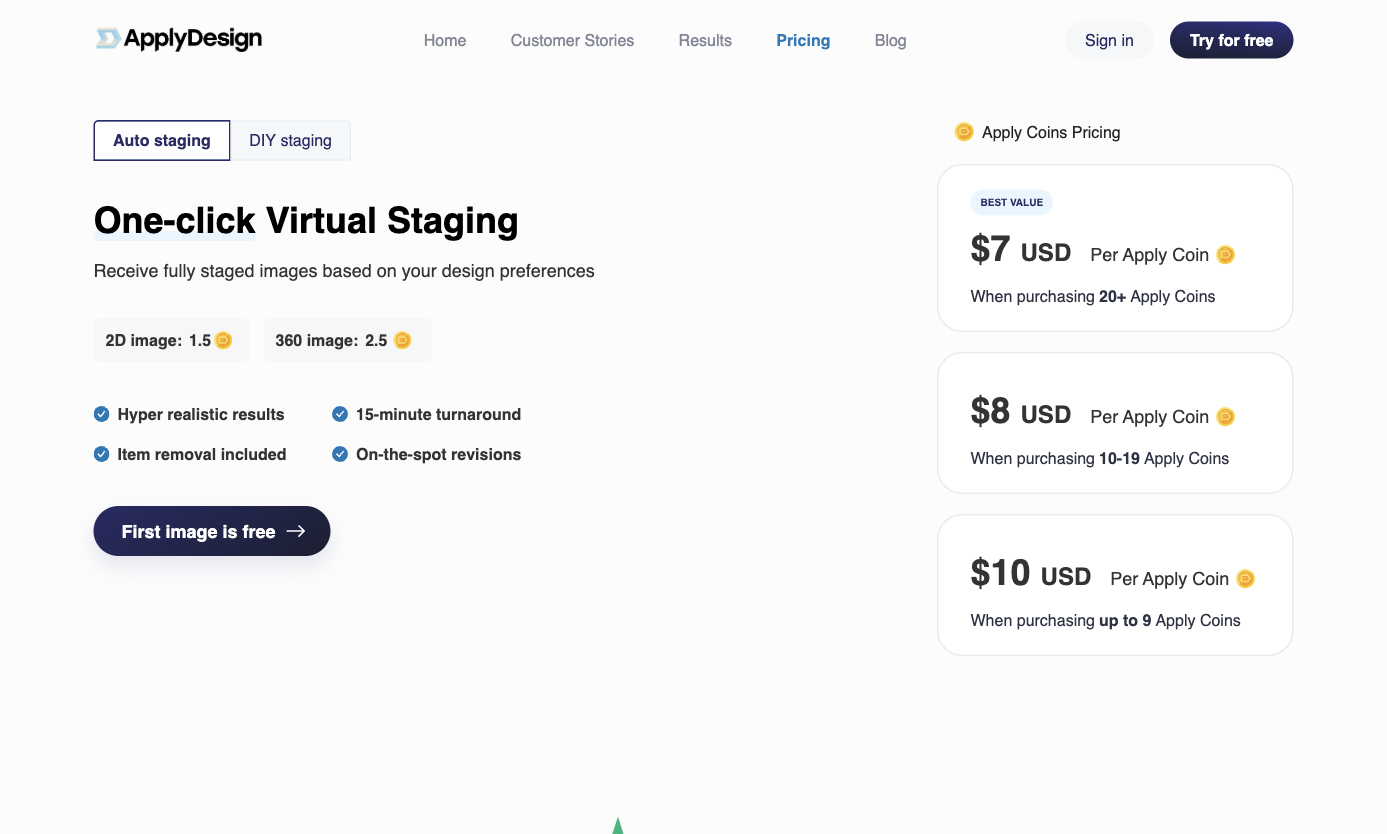
Source: official page, captured October 23, 2026. Public pricing screenshot; trial export conditions remain unverified.
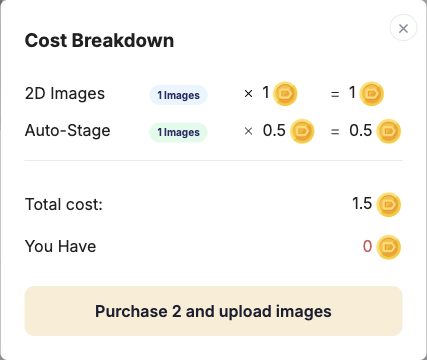
Actual account check, October 23, 2026. Existing account, not a new-user trial. No coins were purchased.
Virtual Staging AI
Virtual Staging AI offers a low-friction upload entry, but free upload should not be read as a free finished file.
The homepage explicitly advertises upload without signup or a credit card. It also describes paid plans and regeneration. This review has not followed an authorized room photo through to a free final download, so the saved-file entitlement remains unverified.
For a quick evaluation, the important moment is the transition from the preview to download. Note whether an account, payment, or plan selection appears there. Also distinguish generating another composition from editing a specific object: they can solve different problems.
The trade-off: a fast entry tells you little about the last step. A convenient preview is useful for assessing interest, but it is not enough evidence to plan a zero-cost listing workflow.
Consider this candidate when you want to inspect the initial experience before creating an account. Base any subscription decision on the export conditions, not the upload button.
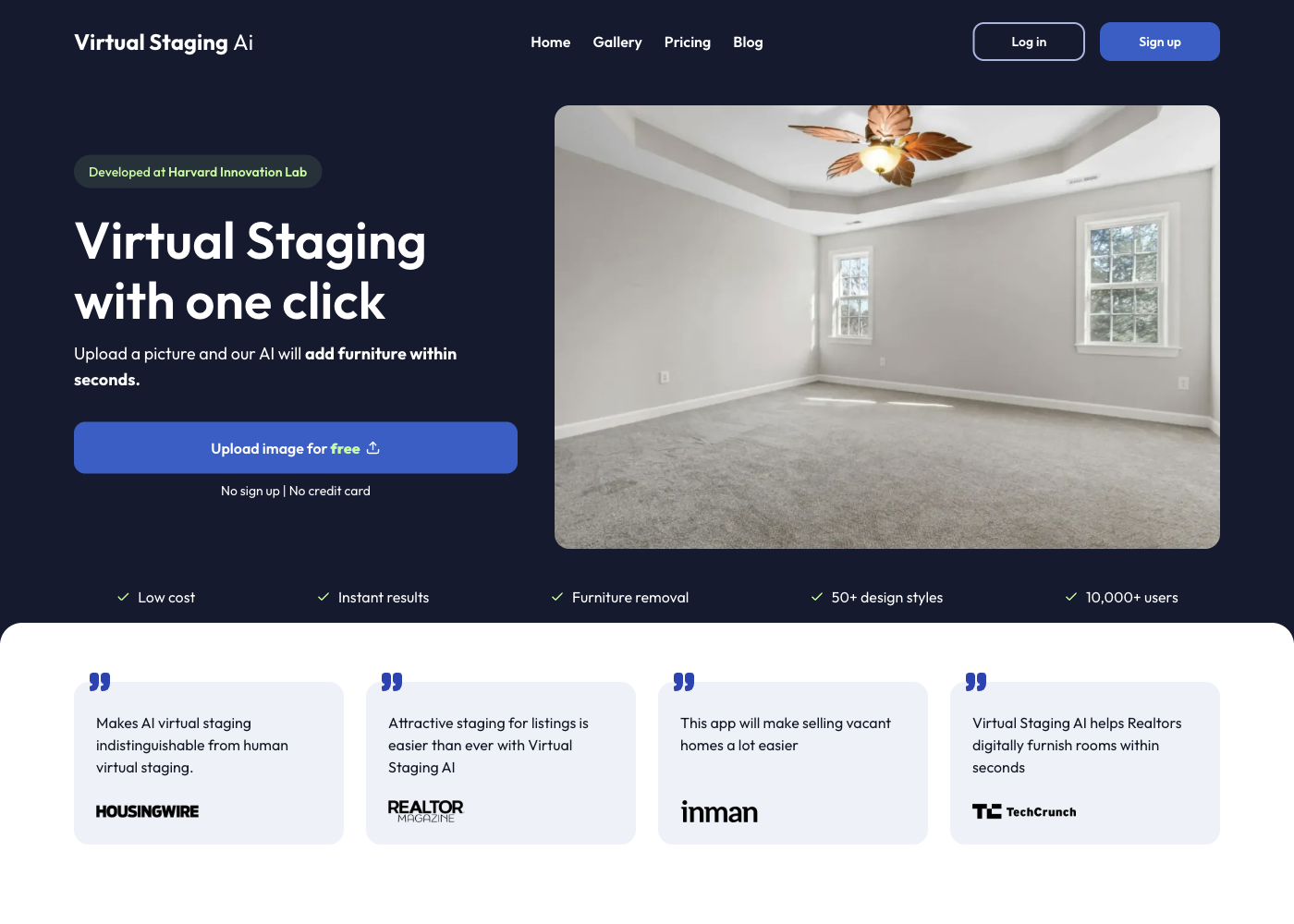
Source: official page, captured October 23, 2026. Official example and public upload entry; not our generated output.
Spaceora
Spaceora's virtual-staging tool is intended for adding furniture to an empty-room photo. It offers a defined, limited starting allowance rather than unlimited free staging.
New accounts receive 30 credits shared across tools. A full tool generation uses 10 credits, so the starting balance covers three such generations if it has not been used elsewhere. Free output is advertised at 1248 × 832 with a watermark.
The pricing page separates full generations from later Studio edits. The public plan description limits free access to full redesigns and lists later Studio edits at 15 credits. Our existing account, labelled Free, nevertheless completed a 15-credit edit. Its balance exceeded the advertised starter grant, so this does not establish fresh-account eligibility. Lite is listed at $19.90 monthly, with 300 credits, three projects, 2K images, and no watermark.
The practical limitation: free access is useful for judging an empty-room concept, not for promising an unwatermarked final listing image. Do not use the staging task as a promise to remove an occupied room's furniture. Inspect the input requirements for that separate job.
Choose Spaceora if you already have a vacant-room photo and can learn enough from a few watermarked concepts. Keep the original beside the result and reject changes to windows, doors, fixtures, or walls.
Source: official page, captured October 23, 2026. Public tool interface.
What happened in our Spaceora account check?
On October 23, we uploaded an authorized 900 × 900 vacant-room photo, selected Living room and Modern, and requested a modest sofa and rug while preserving both windows, the left doorway, pendant, floor, and camera position. We downloaded the first image, then asked Studio to remove the coffee table while keeping the rest unchanged and downloaded that result from My designs. No payment or upgrade was made during this check.
Observation
Account
- Recorded result
- Existing account labelled Free; not a newly registered trial account
Observation
First generation
- Recorded result
- Button displayed 10 credits; first-generation balance deduction was not captured
Observation
Correction
- Recorded result
- Studio text request; balance changed from 95 to 80, a 15-credit deduction
Observation
Saved files
- Recorded result
- Both 1024 × 1024 JPEGs; repeated Spaceora watermark visible
Observation
Advertised dimensions
- Recorded result
- 1248 × 832; first saved file was 1024 × 1024
Observation
Payment/card step
- Recorded result
- None encountered in this existing session; signup/card requirements were not retested
Observation
Usage terms
- Recorded result
- Current Spaceora terms permit commercial use on all plans, require keeping free watermarks intact, and leave input rights and listing disclosures with the user
The Spaceora terms, checked October 23, explicitly permit commercial output use on the free plan while prohibiting removal or concealment of its watermark. This permission does not override the rules of a particular listing platform.
The balance was already above the advertised 30-credit starter grant. This trial confirms an existing account could save watermarked output and complete a correction; it does not prove every new free account receives the same editing access. The dimension mismatch also makes the downloaded file more useful evidence than the pricing label. This is one workflow check, not a cross-tool quality ranking.
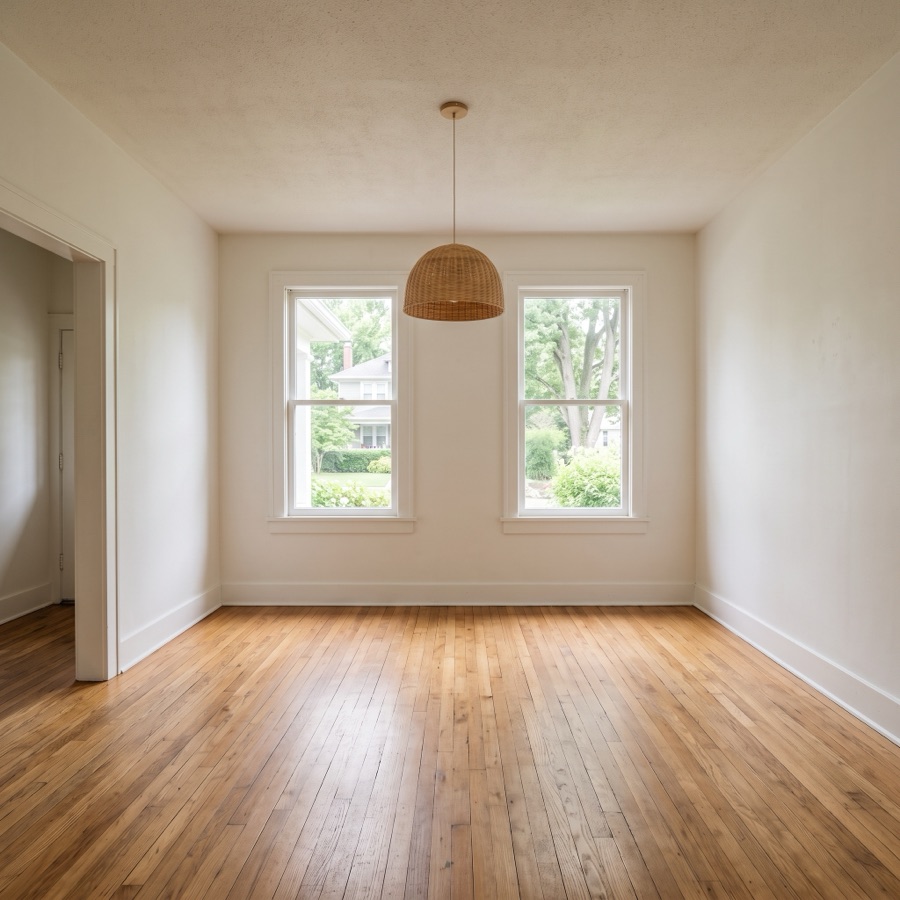
Authorized project test input, 900 × 900. This is the source photo used on October 23, 2026.
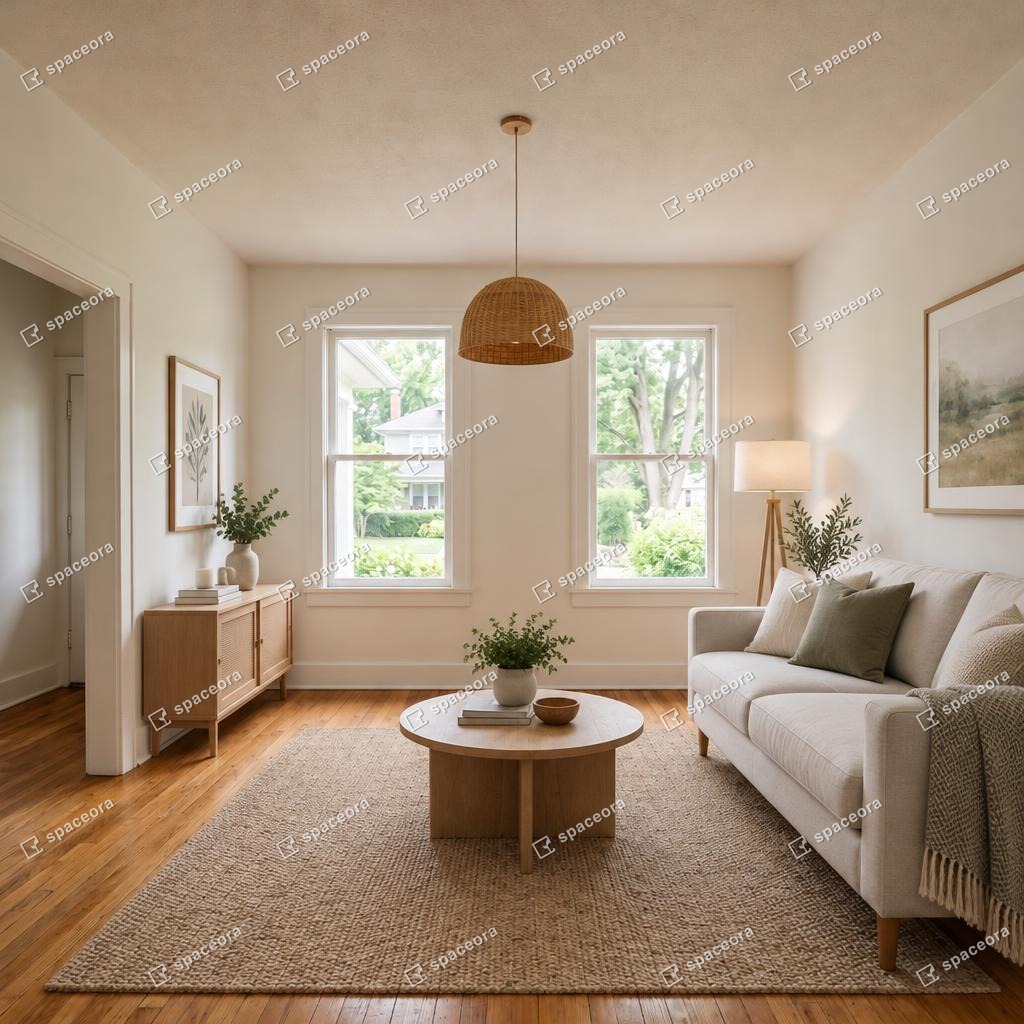
Actual first output from our October 23 account check, 1024 × 1024 JPEG. Original downloaded file, not retouched.
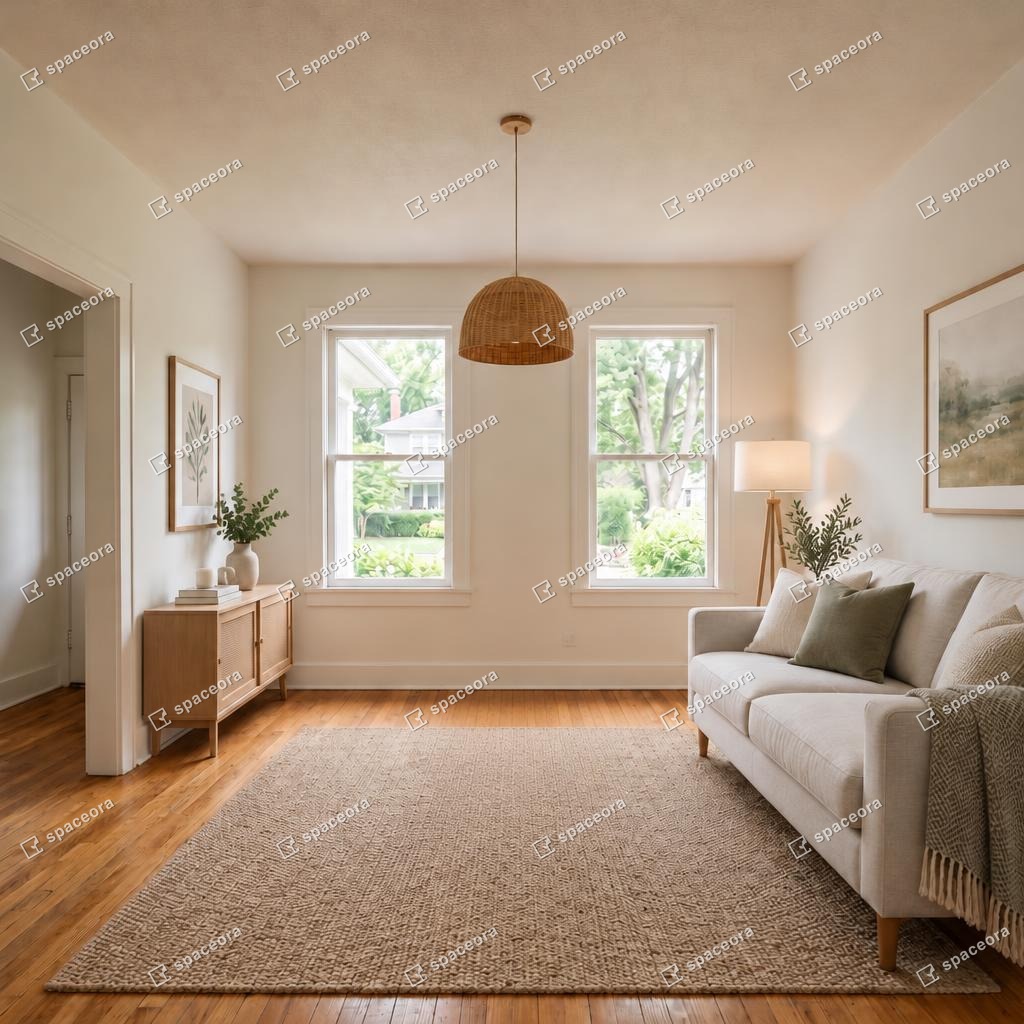
Actual Studio revision from the same check, 1024 × 1024 JPEG. Coffee table removed; no claim of exact pixel-level preservation.
How to compare one room, one correction, and one usable export
Use the same room and the same correction in two tools. That creates a useful comparison without pretending different credit systems are interchangeable.
- Choose a photo you are entitled to upload. Use a clear vacant room with visible openings and floor edges. Avoid beginning with a difficult panorama.
- Write a short staging brief. For example: “Neutral living room, modest sofa and rug, keep the window, doorway, flooring, and camera position unchanged.” This is a proposed test, not a reported result.
- Save the first output. Record obvious failures before selecting another style.
- Request one correction. Pick the same objective in both tools, such as moving furniture away from the entrance. Record whether it requires a new generation or a separate edit.
- Attempt the required download. Check the saved file, not just the preview.
Record
Trial or plan used
- Tool A
- To record
- Tool B
- To record
Record
First-generation credit cost
- Tool A
- To record
- Tool B
- To record
Record
Correction method and cost
- Tool A
- To record
- Tool B
- To record
Record
Actual payment required
- Tool A
- To record
- Tool B
- To record
Record
File dimensions and watermark
- Tool A
- To record
- Tool B
- To record
Record
Unwanted changes to the property
- Tool A
- To record
- Tool B
- To record
Record
Rights confirmed for intended use
- Tool A
- To record
- Tool B
- To record
Keep failed outputs in the comparison. A tool that needs several attempts to avoid a blocked doorway has a different practical cost from one that gets there earlier, even if both advertise the same number of credits.
When is a paid staging workflow worth it?
Pay when a specific requirement exceeds the trial: larger files, watermark removal, more revisions, or enough capacity for the listing's full photo set.
For several angles of one room, compare consistency as well as individual attractiveness. A different sofa in every angle can make the set difficult to use. Check whether the chosen workflow lets you carry a design across views before buying a large allowance.
If the decision is between digital images and furnishing the actual property, use the separate virtual versus traditional staging cost guide. Those services solve different presentation problems.
Choose a tool for your next vacant listing
Start with one photo and a documented trial, then make the download your decision point. If the free file cannot meet your needs, compare the smallest suitable paid plan rather than accumulating more previews.
You can try an empty-room photo in Spaceora to assess a watermarked concept. Keep the original, review the generated details, and follow your listing platform's current disclosure requirements before publishing any staged image.
FAQs
Can I virtually stage a room online for free?
Yes, several tools advertise free starting access. REimagineHome lists five designs, and Spaceora provides 30 shared starter credits. Those offers help you evaluate concepts; they do not establish that every final download is free or suitable for commercial publication.
Which free tools let me download without a watermark?
This review has not verified a complete free, watermark-free download workflow with confirmed listing-use rights. Spaceora explicitly watermarks free output. For other trials, inspect the actual saved file and the current plan conditions before relying on an unwatermarked result.
Can I use a free staged image in a property listing?
Check both the tool's usage terms and the destination platform's rules. Permission to download does not settle every use condition. Review the image against the original and disclose virtual staging as required by the platform you use.
Do these tools remove existing furniture?
Some vendors advertise removal tools, including Apply Design and Collov. Availability and trial coverage need separate checking. Spaceora's staging workflow is for empty rooms; do not assume that adding furniture also includes clearing an occupied room.
Do I need to install an app or enter a credit card?
The candidates have online entry points. REimagineHome advertises a no-card trial, while Virtual Staging AI advertises no signup or card for uploading. Those statements apply to those specific steps, not necessarily to every later operation or export.