5 Gendo AI Alternatives for Rendering and Design Exploration
Compare Gendo AI alternatives for model-based rendering, sketches, and landscape concepts. See which workflows each option can replace and where they differ.
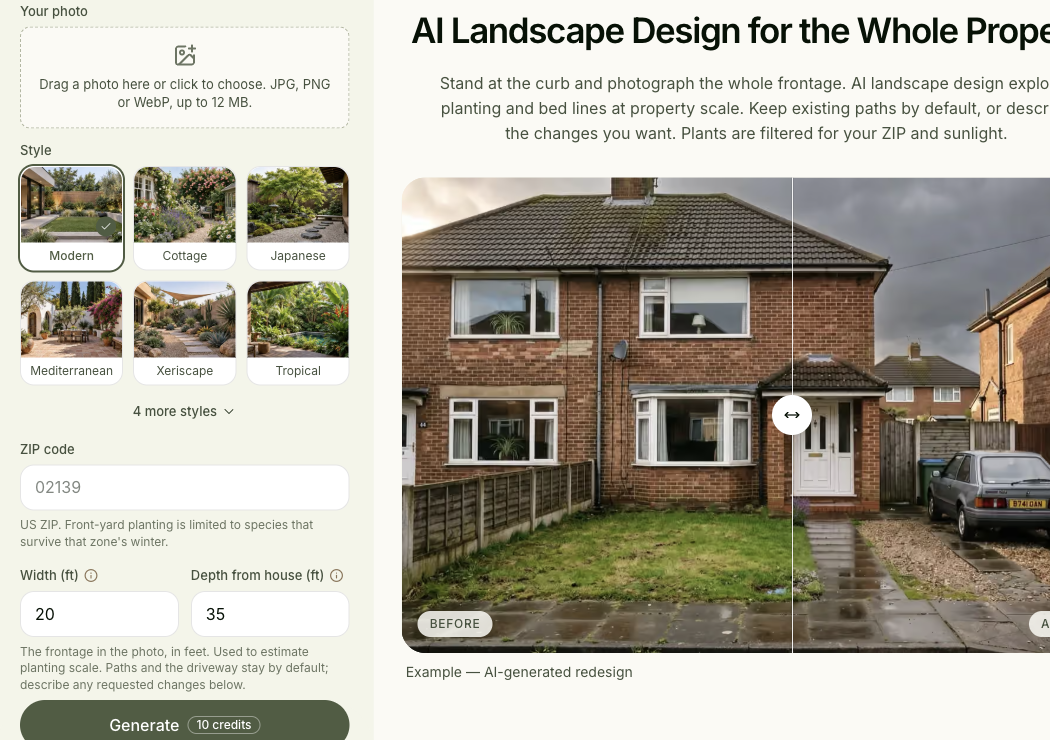
This guide is published by Spaceora, one of the narrower alternatives below. It compares documented workflows researched October 22 and selectively rechecked October 23, 2026. We have not run a shared project through these tools or scored their output quality.
TL;DR
Shortlist Gendo AI alternatives by the part of the workflow you want to replace:
- Veras: evaluate visualization connected to your existing modeling environment.
- mnml.ai: compare architectural exploration, image workflows, and documented plugins.
- MyArchitectAI: render exported JPG or PNG design views in a browser.
- HomeDesignsAI: consider a narrower route for home and outdoor photo concepts.
- Spaceora: explore yard photos with site inputs; not an established substitute for a studio's full workflow.
- Gendo: keep it as the baseline for canvas, iteration, and team handoff.
The closest Gendo alternative depends on whether you begin with a model, a sketch, or a site photograph. Veras and mnml.ai merit attention for model-related workflows; MyArchitectAI offers an image-upload path. HomeDesignsAI and Spaceora cover narrower concept tasks, so evaluate them for those tasks rather than treating all five as interchangeable studio platforms.
A new renderer can produce a persuasive image and still leave your team with more work. Someone has to preserve the source design, locate the approved variation, make the next material change, and hand the result to a colleague.
Start by naming the step you want to improve. That gives you a fair test of an alternative without assuming something is wrong with Gendo.
What do you need to replace in Gendo?
Choose one workflow gap before evaluating another product. “Better rendering” is too broad to tell you what to test.
Model views and architectural sketches
If you begin in a modeling application, decide whether a direct connection is essential. A plugin can have very different setup requirements from uploading a screenshot, even when both accept an image of the same design.
Record your application, version, operating system, and how the view is exported today. If a colleague needs to repeat the process, include their setup too. A product logo on a homepage is not a compatibility check for the version installed in your office.
Photo-based interior and landscape concepts
A site-photo task has a different starting point. You might need to communicate a facade treatment or planting direction without modifying a model.
For that task, a photo tool can be enough. Define what must stay recognizable: openings, site boundaries, existing access, and the camera position. Do not force a yard-photo tool into a model-input comparison simply to keep every candidate in the same table.
Reference images, revisions, and team handoff
Think about the second and third rounds. Can the next person understand which image is approved, which reference was used, and what the revision is meant to change?
Use this brief checklist before opening trials:
- My starting asset is a model view, sketch, or photograph.
- I need a particular reference image or material direction.
- The next revision must change a named feature while retaining others.
- The recipient needs a specific file size, format, or editable asset.
- The project requires particular sharing, seat, or client-data conditions.
The last two requirements can rule out an otherwise attractive workflow. Resolve them before uploading a confidential client project.
Gendo alternatives at a glance
Separate direct application integration from image input. Both can be useful, but they replace different steps.
Baseline and architectural-workflow candidates
Product
Gendo, baseline
- Confirmed input / host path
- Photos/sketches and reference-led canvas
- Documented output
- Free watermarked 1K image
- Team / continuation condition
- Free: one collaborator, limited history; paid workspaces differ
- Access
- Free; Studio annual GBP offer
Product
- Confirmed input / host path
- Native active-view route; Chaos guide lists Revit 2022–2026 and SketchUp 2021–2026
- Documented output
- Images; separate editable-scene workflow advertised; ordinary render file extension not confirmed here
- Team / continuation condition
- Chaos account/license; team access must match assigned entitlement, not just host installation
- Access
- Trial; paid entitlement needs selection
Product
- Confirmed input / host path
- Full Revit 2024–2027, Windows; active view sent from add-in. Revit LT uses image export/browser route
- Documented output
- Studio PNG; Sketch to Floor Plan can export DXF/DWG; Revit render can be placed in a drafting view
- Team / continuation condition
- Same account/credits as web; Studio saves renders/layers, but undo history resets on reload. Multiuser edit rights not verified
- Access
- Lite $29 monthly / 1,000 credits
Product
- Confirmed input / host path
- JPG/PNG upload in browser; no host/version requirement for exported images
- Documented output
- Starter advertises 4K downloads; file extension not independently verified
- Team / continuation condition
- Starter/Studio one seat; Team advertises five. Shared-project editing permissions not verified
- Access
- Ten renders offered free; Starter $29 monthly
Partial-task alternatives: photo concepts only in this comparison
Product
- Task it can address here
- Interior/exterior/garden concept images
- What this comparison does not establish
- Equivalence to Gendo's canvas, history, team handoff, or native model workflow
Product
- Task it can address here
- Yard-photo concepts with ZIP, dimensions, and sun
- What this comparison does not establish
- A replacement for professional model integration or a shared studio workspace
Sources: Gendo pricing, Veras, mnml.ai pricing, MyArchitectAI pricing, HomeDesignsAI, and Spaceora pricing. These are published offers, not checkout quotes or measured project costs.
Veras
Veras is a strong candidate to investigate when the model-to-visualization step is the reason you are considering a change.
The Chaos product page presents connections with modeling environments including Revit, SketchUp, and Rhino, alongside a web app. It describes sketch-to-image and model-to-image workflows. It also now advertises image-to-editable-scene capabilities, so treating it as only a static-image filter would miss part of the current product.
The Chaos workflow guide lists Revit 2022–2026 and SketchUp 2021–2026 and describes reading the active 3D view directly. Its selection tool supports region-specific re-rendering. These are documented capabilities, not an installation test on our machine; check your current installer before relying on a version outside that list.
The trade-off: integration adds compatibility and deployment questions. Confirm the specific host version, operating system, license, and required workflow before assuming your team can use it. This review did not install the plugins or validate native editable-scene output.
Do not infer measured geometric accuracy from an image that looks faithful. Inspect the openings and dimensions that matter, and distinguish the rendered output from any separately generated model.
Choose Veras for a focused model-connected pilot. Its relevance comes from that workflow fit, not an untested claim that its images are better than Gendo's.
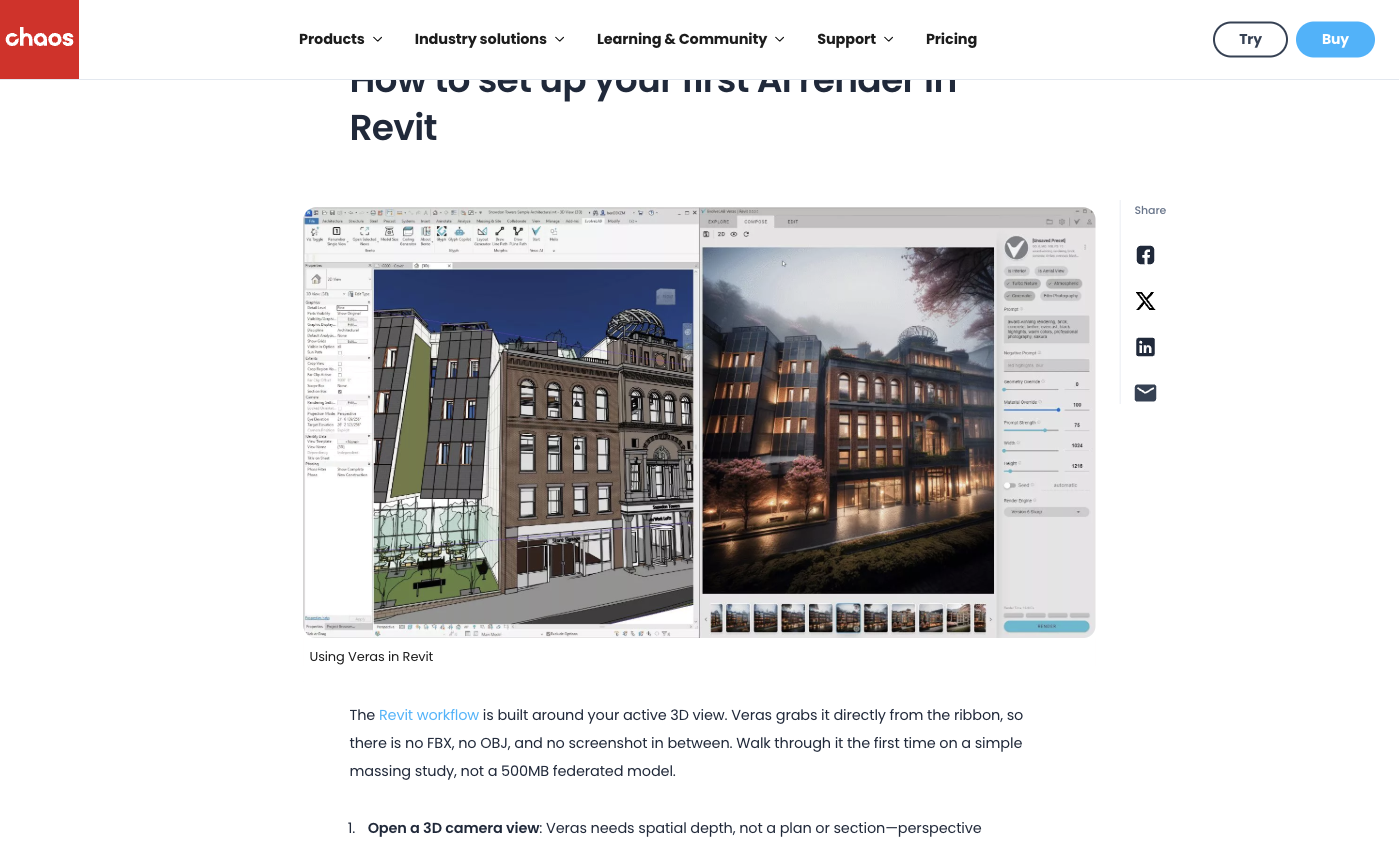
Source: official page, captured October 23, 2026. Chaos workflow illustration. Guide lists Revit 2022–2026; no local installation test was performed.
mnml.ai
mnml.ai deserves consideration when you want several architectural exploration routes inside a broader workspace.
The current site presents Studio and Flow workspaces, architectural rendering tools, and plugins for SketchUp, Revit, Rhino, and Grasshopper. It names supported versions in its navigation, including SketchUp 2026 and Revit 2024–2027. Treat those as vendor-listed compatibility claims to confirm against the plugin documentation before installation.
Its Lite plan is listed at $29 billed monthly for 1,000 credits. The same card estimates roughly 100 Fast renders or 33 Ultra renders. That is a useful illustration of why “1,000 credits” is not “1,000 images.”
The Revit add-in documentation specifies full Revit on Windows; Revit LT does not have the required add-in API. Its Studio export guide documents PNG renders and DXF/DWG specifically for Sketch to Floor Plan. That CAD option should not be attributed to every render. The guide also says renders and layer state are saved, while undo/redo history resets when the tab reloads.
The trade-off: a broader set of routes creates more choices to standardize. Record the workspace, engine, settings, and plugin version so someone else can reproduce the workflow. We have not verified all combinations or their output formats.
Choose mnml.ai when those architectural controls are worth evaluating. Select one path first instead of testing every tool in the catalog.
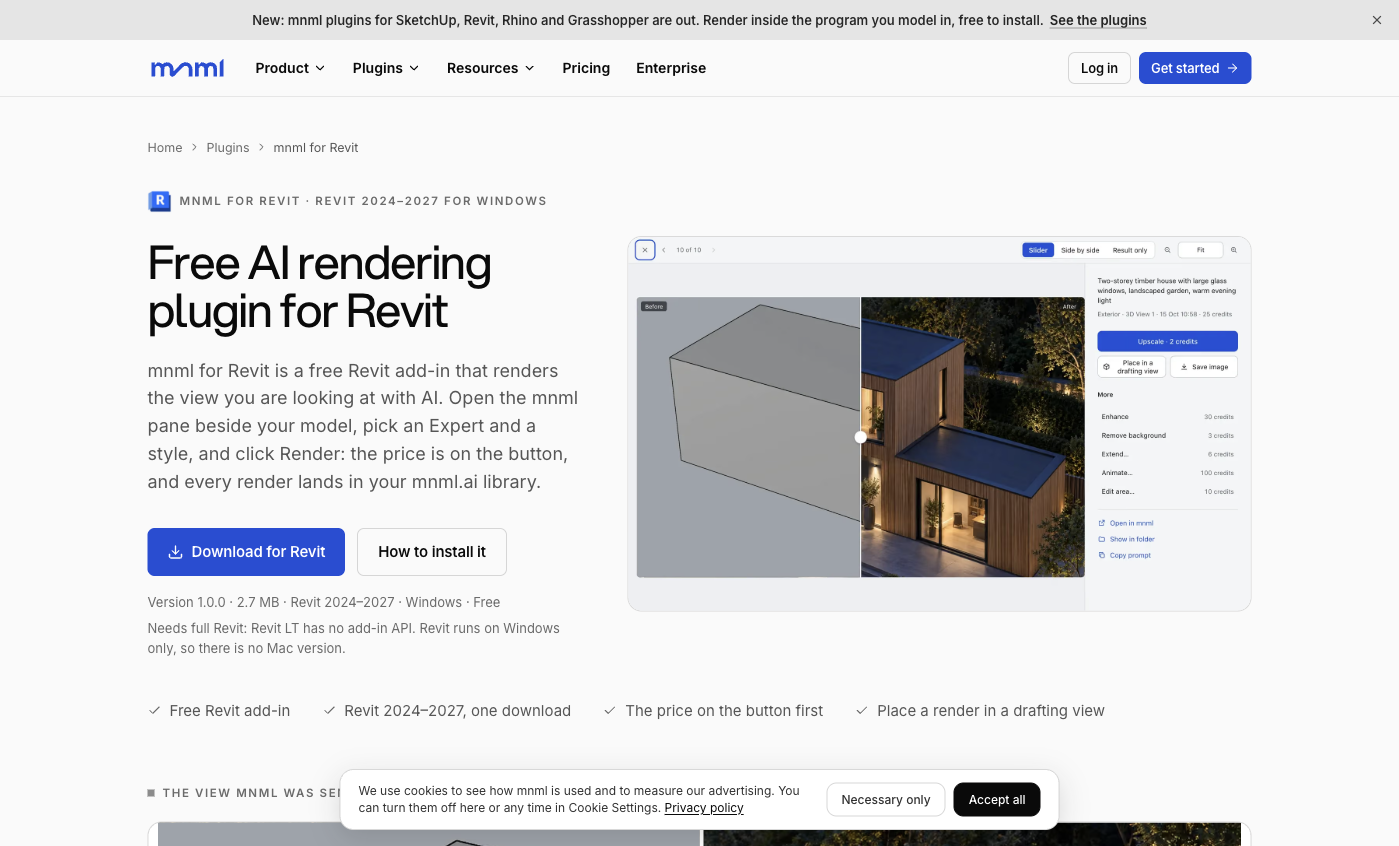
Source: official page, captured October 23, 2026. Official add-in example. Page lists Revit 2024–2027 on Windows; not an installed test.
MyArchitectAI
MyArchitectAI offers a straightforward alternative when exporting a design view as an image is acceptable.
Its input documentation on the homepage specifies JPG and PNG from CAD or modeling software. That is image compatibility, not a claim that it opens your native Revit or SketchUp project. Keeping that distinction clear avoids a common mismatch during trial setup.
The official offer includes ten free renders. Starter pricing lists one seat and 4K downloads at $29 per month, or $290 paid annually, equivalent to about $24.17 per month. The published annual amount is a commitment for the year, not a monthly checkout charge.
For the first test, export a view with edges and material zones you can inspect. After rendering, compare glazing, corners, and material boundaries with the source rather than judging only lighting and realism.
The trade-off: an image-upload route can simplify setup, but the exported image carries less project context than the native model. Keep source versions organized outside the renderer and test whether a revised export is easy to bring back into the same presentation process.
Choose MyArchitectAI if browser-based still-image work is the step you need to replace. Verify trial download rights separately from the paid plan's specifications.
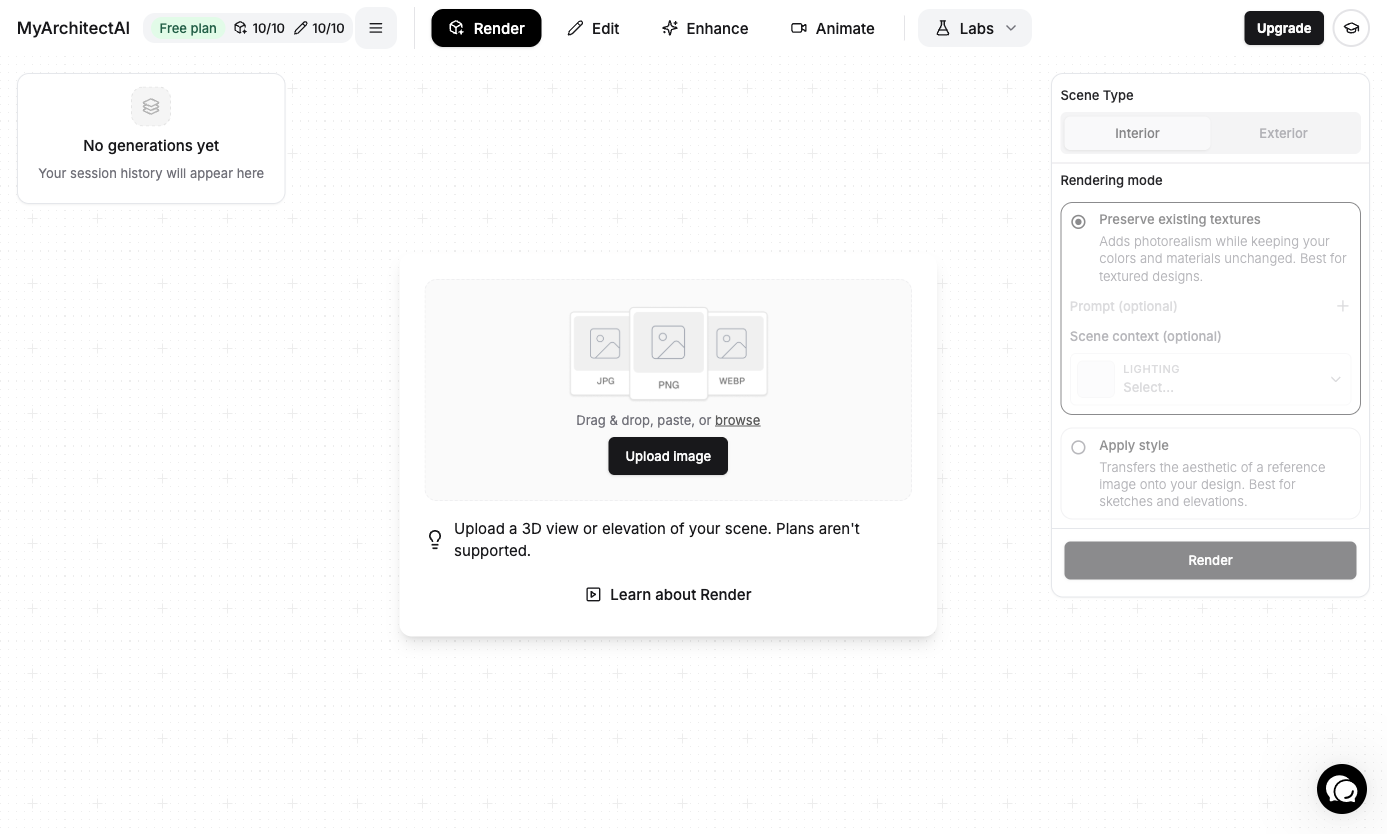
Account interface check, October 23, 2026. Empty Render session showing upload controls, supported image labels, Interior/Exterior choice and rendering modes. No file was uploaded and no render credit was used.
HomeDesignsAI
HomeDesignsAI is relevant to the narrower question, “Can I explore this home or outdoor photo without using a studio visualization workflow?”
Its public product covers home interiors, exteriors, and gardens. In this comparison, that is the confirmed scope. This review does not establish equivalence with Gendo's shared canvas, asset history, or team administration.
A useful test would begin with a site photograph and one design direction. Keep the camera and retained structure fixed, then evaluate whether the resulting concept communicates the intended change. That is a different task from rendering a controlled view from a model.
The trade-off: you are narrowing the replacement. A tool that handles this one photo successfully may still leave model work, reference management, or team handoff in your existing system. That is acceptable if the narrower task is what you needed to change.
Check the paid tier for the exact editing control before subscribing. Choose HomeDesignsAI for a photo-concept branch, not on the assumption that every studio step is covered.
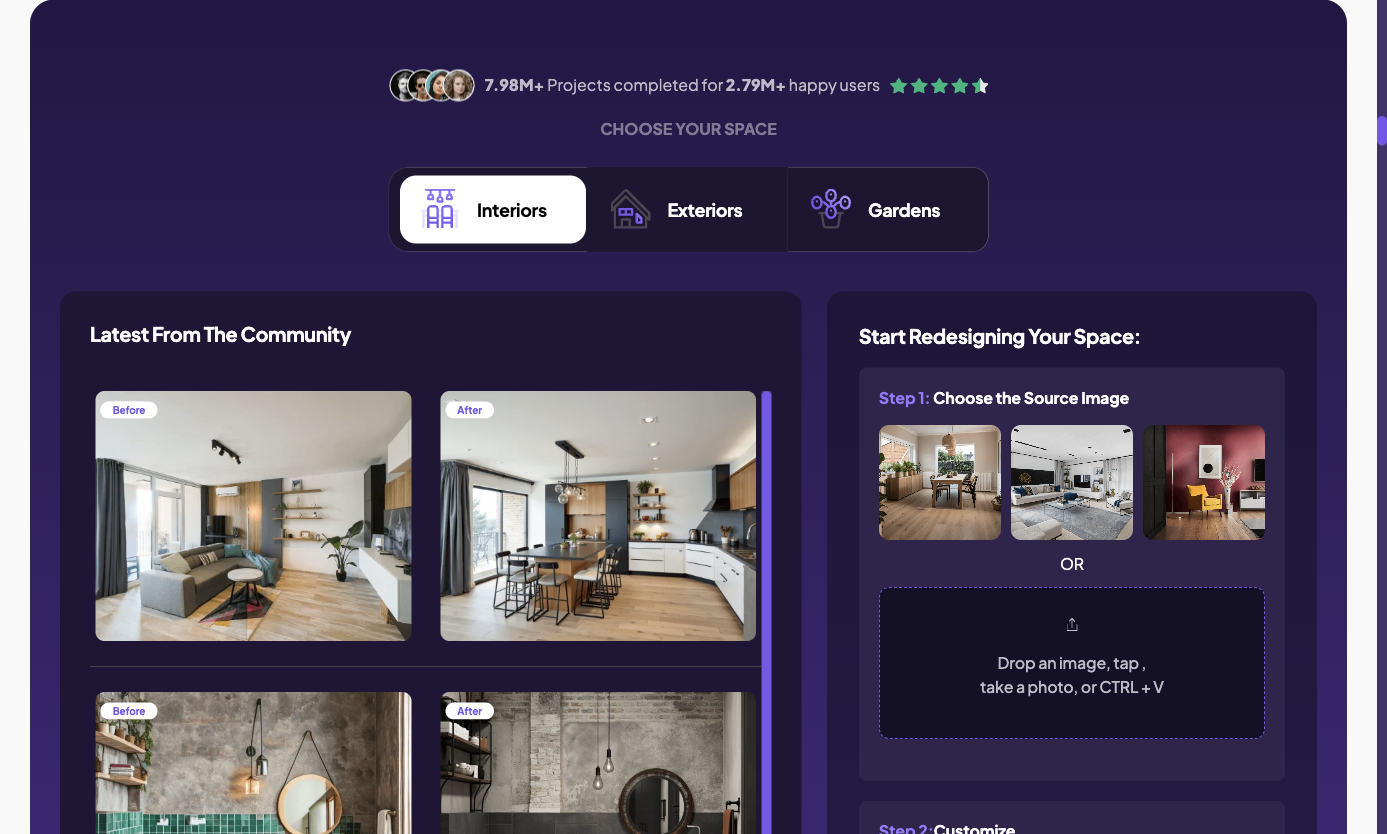
Source: official page, captured October 23, 2026. Public interface and official example; not our output.
Spaceora
Spaceora is a candidate for yard-photo concepts when site context matters to the brief.
The landscape tool accepts a front-yard photo with style, US ZIP code, dimensions, and sunlight inputs. These fields help frame a site-specific concept request. They do not make the public workflow a verified substitute for native model integration or collaborative architectural review.
For example, a homeowner might want to see a different planting direction around an existing entrance. That can be evaluated as a photo task while the architectural model and formal documentation remain elsewhere.
The important limitation: Spaceora has not been established here as a replacement for Gendo's team workspace, asset organization, or professional deliverable pipeline. Planting quantities and visuals also need checking against the actual site.
The starter allowance is 30 shared credits, with full tool generations using 10 credits each. Choose it when the task is genuinely a yard-photo exploration and that limited test can answer your question. For a broader home-tool comparison, see the Ideal House alternatives guide.
Source: official page, captured October 23, 2026. Public tool interface.
Compare one presentation task, not the credit labels
Run one defined deliverable through the closest candidates. Include the work needed to reach the output, not just the moment of generation.
The model view below comes from the same default Planner 5D test room used in the layout article. It is included only to make “model view” concrete; it was not uploaded to Gendo, Veras, mnml.ai or MyArchitectAI, and it is not a cross-tool quality test.
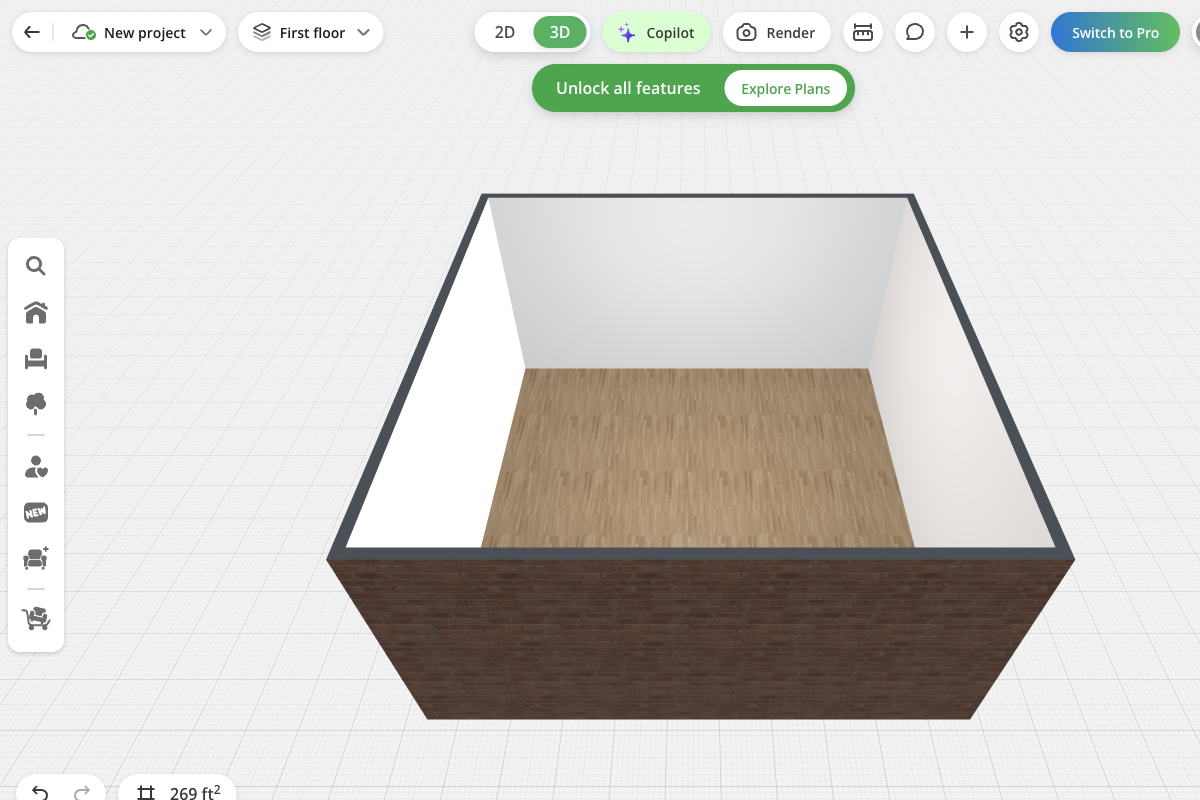
Our browser test project, October 23, 2026. Illustrative model-view input only; dimensions are editor defaults and no candidate renderer received this file.
A useful pilot is a single authorized model screenshot or sketch, one intended style direction, and one material revision. Set the required output size in advance. Photo-only candidates should enter a separate site-photo task rather than receive a penalty for an input they were never selected to handle.
Keep the task small enough to diagnose
Choose a view with a few visible design commitments: an opening pattern, a roof edge, and two main materials. Save the original and mark those commitments in your own notes.
Ask for one change after the first result. “Change the cladding to a lighter material; retain the openings and roofline” is easier to assess than “make it more modern.” Record any unwanted changes alongside the requested one.
Compare actual payment and usable work
Cost or handoff question
Starting setup
- Record for each candidate
- Export, installation, or account steps
Cost or handoff question
Initial payment
- Record for each candidate
- Actual currency, tax basis, and billing period
Cost or handoff question
First output
- Record for each candidate
- Engine, settings, and credits consumed
Cost or handoff question
Material revision
- Record for each candidate
- Method, consumption, and unintended changes
Cost or handoff question
Final delivery
- Record for each candidate
- File type, size, watermark, and relevant rights
Cost or handoff question
Team continuation
- Record for each candidate
- How another person finds and revises the work
Keep GBP and USD prices in their original currencies unless you deliberately apply a dated exchange rate. Do not divide a team subscription by a nominal credit count and call that the price of an accepted render.
A workflow that produces ten attractive variations but requires manual reconstruction for each revision has a different cost from one that retains your useful context. Measure the labor and friction you actually experience during the pilot.
Check client-file conditions before the pilot
Use a non-sensitive project or an authorized sample first. Before using private client material, verify the service terms, relevant plan, sharing defaults, retention conditions, and any agreement your practice requires. This guide does not rank the vendors on privacy or certify any plan for confidential work.
When should you stay with Gendo?
Stay when its existing workflow already solves the task and switching would recreate more work than it removes.
Gendo's plan comparison distinguishes the free canvas and history limits from Studio features. The annual Studio display shows £790 per year, excluding tax, with a rounded monthly equivalent of £66. The full annual charge is the meaningful figure for that offer.
If your team already has references, selected directions, and working habits in Gendo, count the effort of moving them. A short list of desired improvements is more useful than comparing the length of feature menus.
You can also replace only one step. Keep Gendo for the shared project and try another tool for a particular image task if that arrangement meets your rights and handoff requirements. A successful narrow pilot does not require a full migration.
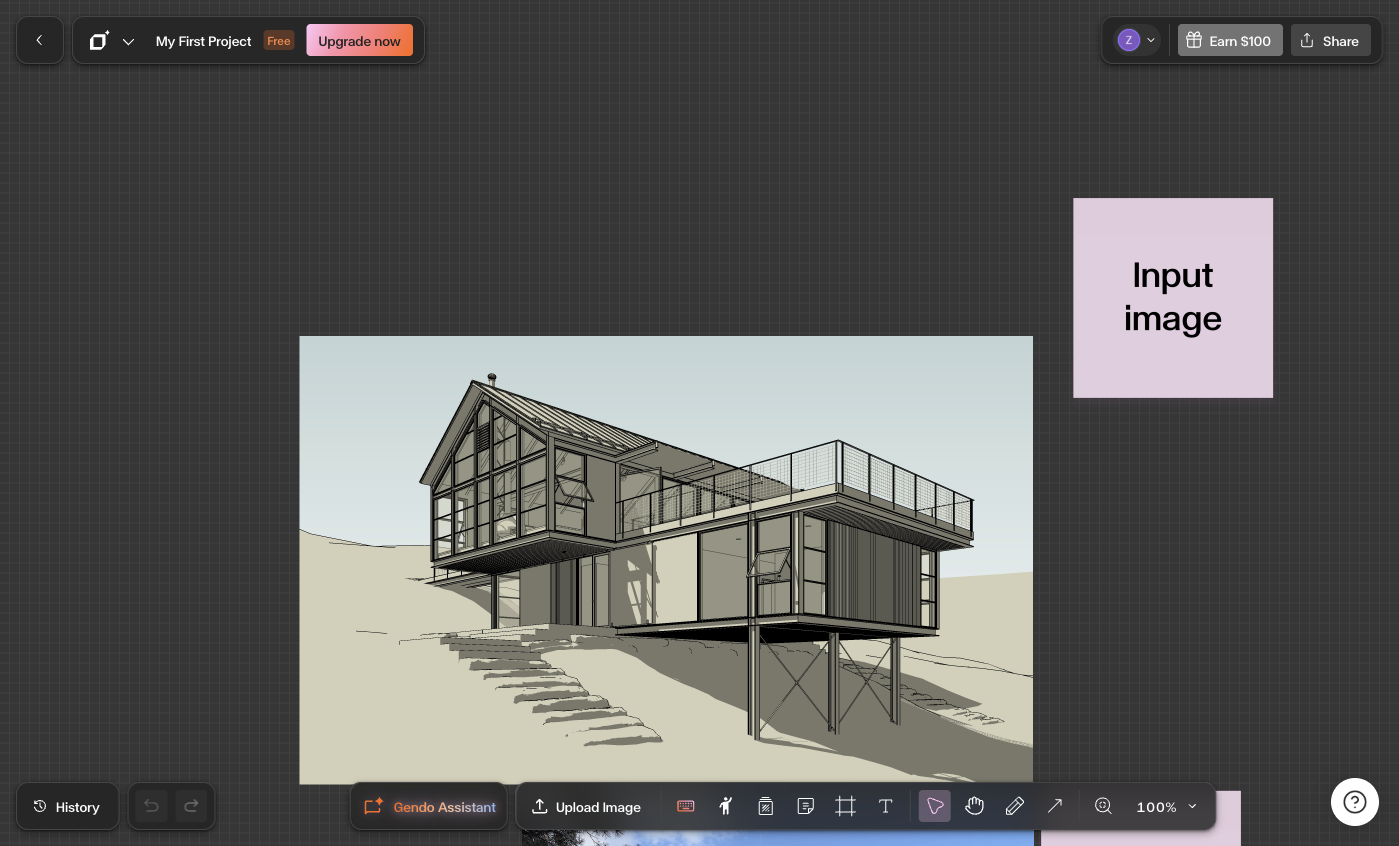
Account interface check, October 23, 2026. Existing project opened without editing to document the canvas and Upload Image control. A new evidence project could not be created because the free organization had reached its one-project limit; no existing project was deleted and no upgrade was purchased.
Choose an alternative for one live project
Pick the candidate closest to your starting asset and required output. Define one revision, one export requirement, and one handoff check. Back up your own source assets before testing a move.
For a yard-photo brief, try the landscape workflow. For model-connected work, start with the relevant Veras or mnml.ai documentation. Make the next decision from that pilot's result, not a generic “best AI renderer” label.
FAQs
What is the closest alternative to Gendo for my workflow?
For model-connected visualization, investigate Veras and mnml.ai. For exported image rendering in a browser, assess MyArchitectAI. Photo-focused alternatives cover a narrower job. The closest match depends on input, revision control, output, and team handoff rather than visual style alone.
Are there free Gendo AI alternatives?
Some candidates offer trials or starter allowances, including MyArchitectAI's advertised ten renders and Spaceora's shared credits. Check trial exports and rights separately. Gendo itself offers a free plan, so a trial elsewhere is not automatically a cost improvement.
Which options work with model views or sketches?
Veras and mnml.ai describe model-related workflows; confirm their current application compatibility. MyArchitectAI accepts exported JPG/PNG views. A screenshot of a model is an image input, which should not be described as native model-file support.
Which alternatives are suitable for landscape concepts?
HomeDesignsAI and Spaceora are relevant to outdoor photo concepts, while the architectural candidates can be evaluated for their applicable presentation workflows. Select the task first: homeowner planting exploration and professional design communication need different checks.
Can these tools produce editable models or construction documents?
Do not assume a render is editable geometry. Veras now advertises a separate editable-scene workflow that needs its own compatibility test. For any vendor, confirm the specific file, included detail, and downstream requirements before treating an output as construction documentation.