5 Ideal House Alternatives for AI Home Design (2026)
Compare five Ideal House alternatives for room redesign, virtual staging, and floor planning. See pricing limits, use cases, and which tool fits your project.
Disclosure: Spaceora publishes this guide and is one of the products compared. This is a guide to documented workflows and published plans, not an output-quality ranking. Screenshots show public interfaces or vendor examples; we haven't run a controlled, same-photo test across these tools.
TL;DR — choose by task:
- Spaceora: room-photo redesign and empty-room staging.
- RoomGPT: exploring a different look from one room photo.
- REimagineHome: staging with an emphasis on revision workflows.
- HomeDesignsAI: visual concepts across several kinds of space.
- Planner 5D: editable layouts and 2D/3D planning.
- Stay with Ideal House: when your existing workflow already does the job.
The right Ideal House alternative depends on the deliverable. Choose a photo-based workflow for a restyled room or staged listing, and Planner 5D for an editable layout. For listing work, compare revision controls as well as the first result; for indoor and outdoor concepts, include HomeDesignsAI in your shortlist.
Decide what you need to finish before comparing subscriptions. A convincing image can help you choose a look; an editable plan lets you work on placement. Neither, by itself, establishes that a renovation is ready to build.
Ideal House itself offers interior remodeling, exterior renovation, landscaping, and virtual staging. Switching makes sense when another workflow addresses a specific gap, not simply because another tool has a longer feature list. Ideal House's tools
Ideal House alternatives at a glance
The table separates the task from the purchasing decision. “Not verified” means we couldn't establish the detail from the official pages reviewed; it doesn't mean the feature is unavailable. Prices below are advertised dollar amounts, not completed checkout quotes.
| Tool | Task and deliverable | Free access | Paid pricing checked | Main qualification |
|---|---|---|---|---|
| Spaceora | Room or empty-listing photo → redesigned image | 30 credits for 3 full redesigns | Lite $19.90/month; Pro $39.90/month; Max $79.90/month | Lite lists 2K, no watermark; later Studio edits cost more than first images. Annual total not verified. |
| RoomGPT | Room photo → style concept | Current allowance not verified | Credit purchases; current pack amounts not verified | Official policy says no subscription and unused credits don't expire. Export and commercial conditions not verified. |
| REimagineHome | Property photo → staging or redesign image | 5 designs | Essential $19/month; Pro $36/month | Essential uses legacy tools; conversational edits and listing batches are listed under Pro. Annual price not verified. |
| HomeDesignsAI | Interior, exterior, or garden photo → visual concept | Current eligibility not verified | Standard $22/month; Pro $29/month; Expert $37/month | Annual charge not verified; plan cards and FAQ disagree on some advanced features. |
| Planner 5D | Layout → editable 2D/3D project | Free plan | Premium $19.99/month or $59.99/year; Professional $49.99/month or $399.99/year | Rendering and export tools differ by plan. Annual equivalents are approximately $5.00 and $33.33/month. |
| Ideal House, baseline | Photo → home-design concept | 20 starter credits plus 10 daily preview credits | Amounts not verified; page displayed placeholders | Free images are watermarked and personal-use only; Plus and Pro explicitly list commercial rights. |
Official pages checked October 20, 2026. Verify the final amount, billing interval, taxes, and included features before paying. No annual total has been inferred from a monthly discount banner.
What should you compare before switching?
Decide whether you need an image or an editable plan
Write down the next decision. “Should this room use lighter wood?” calls for visual alternatives. “Can this sofa fit without blocking the door?” calls for measurements and a layout you can edit.
Check what stays unchanged in your room
Choose three fixed reference points before generating: perhaps the left window edge, the doorway, and a ceiling corner. Compare them in the input and output. Then check the things you specifically asked to retain.
A wider-looking room might be attractive while making the proposed arrangement unusable. Treat structure-preservation language as something to evaluate in your result, including when you use Spaceora.
Compare usable exports, not just credits
For every tool in this guide, check the downloaded file's pixel dimensions, watermark rules, and permission for your intended use. Find out what a revision costs and whether it modifies an existing result or starts a new generation. The product sections below focus on the differences that affect your choice.
Spaceora: room redesign and staging from your own photo
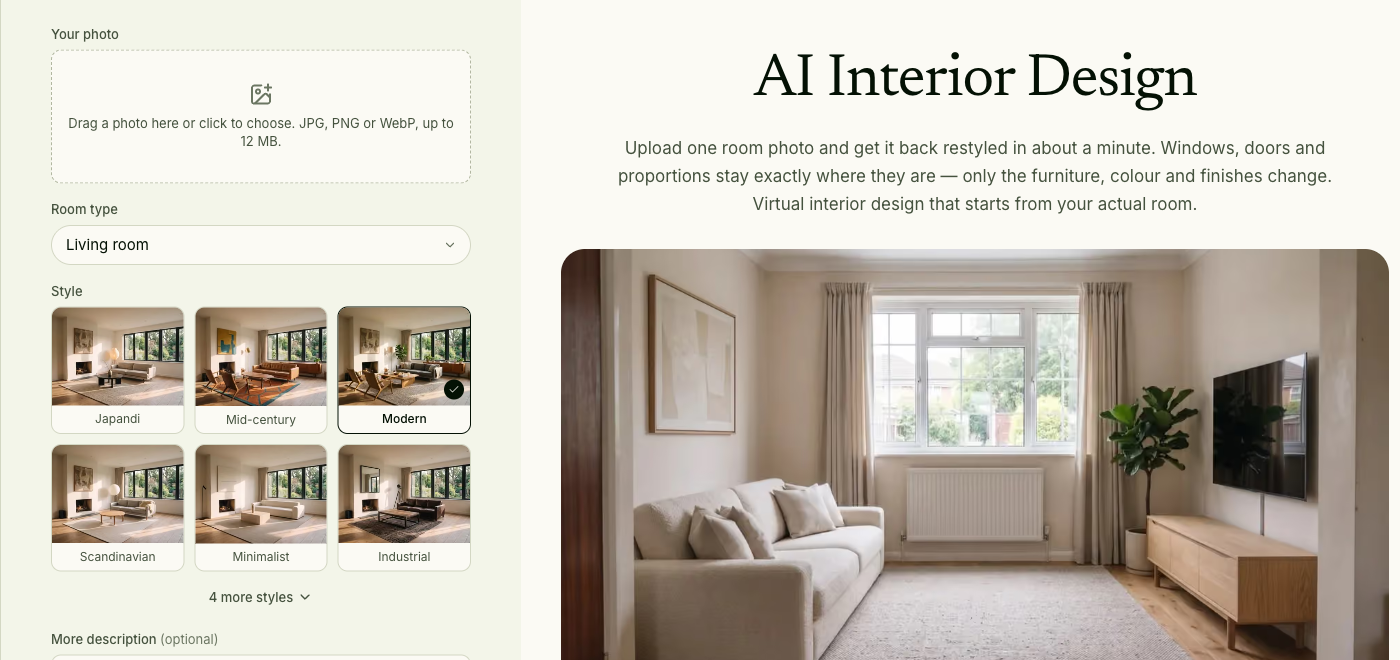
Spaceora fits a homeowner who wants to compare looks for an existing room, or an agent starting with an empty listing photo. The interior design tool accepts a photo, a room type, a style, and optional notes. Its output is a visual proposal you can compare with the original.
Public tool interface with an official example; no image was generated for this comparison. Source: spaceora. Screenshot captured October 20, 2026.
For an empty listing, use AI virtual staging. That public workflow is specifically for furnishing vacant rooms. Its FAQ says clearing existing furniture isn't live in that tool. If the seller's sofa is still in the shot, don't assume the staging pass will remove it first.
Spaceora's free allocation covers full redesigns rather than local touch-ups. Paid Lite is listed with 300 monthly credits, 2K images, and no watermark. Check the current pricing against your expected revisions; thirty first generations and thirty edited results are different workloads.
Choose Spaceora if you have a room photo and want to explore a visual direction, with a separate workflow for furnishing an empty listing.
RoomGPT: explore room styles without starting with a floor plan
RoomGPT presents a focused proposition: transform a room from a single photo. That makes it a candidate when your question is about appearance and you don't want to start by drawing walls or assembling a model.
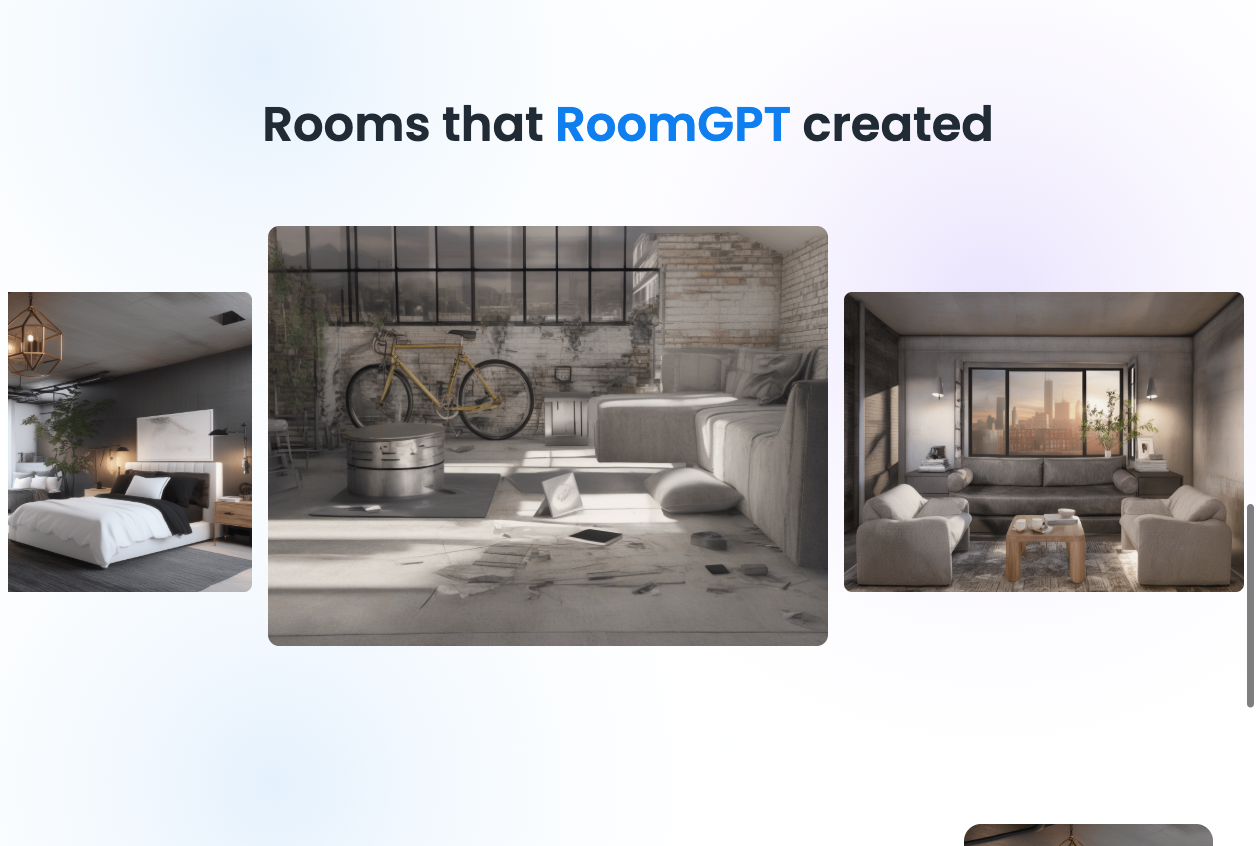
Official result gallery; these are vendor examples, not our test results. Source: roomgpt. Screenshot captured October 20, 2026.
Its billing structure is also worth distinguishing. The official fulfillment policy describes credit purchases rather than subscriptions, with unused credits remaining valid indefinitely. We couldn't verify current pack prices, the free allowance, or export and commercial-use terms from the public pages inspected.
The main unresolved fit question is selective editing. We haven't verified controls for keeping one chair while changing a wall color, for example. Shortlist RoomGPT for exploring a room's overall look; its suitability for precise corrections remains unconfirmed.
Choose RoomGPT if photo-based style exploration is your immediate task and credit purchases suit your usage pattern.
REimagineHome: compare the revision workflow for listing work
REimagineHome separates its legacy design tools from the revision workflow listed under Pro. Its pricing page lists Essential at 30 monthly credits and Pro at 200. Pro includes conversational instructions, reference images, incremental editing, and listing batch processing; Essential is described as a legacy-tool offering. Plan details
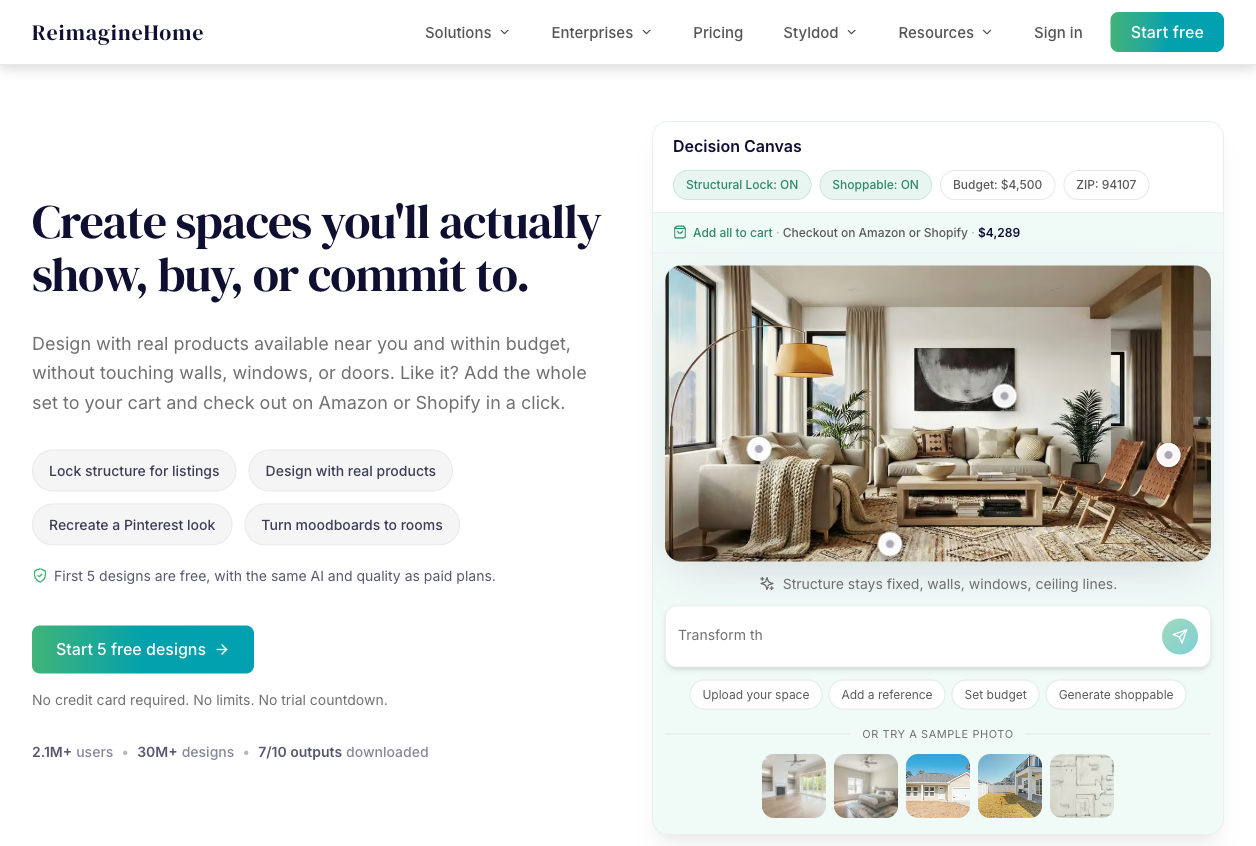
Official interactive demonstration; not an authenticated project or a test output. Source: reimaginehome. Screenshot captured October 20, 2026.
For an agent, the useful test is the second request. After furnishing an empty living room, ask for a smaller sofa while keeping the rest of the arrangement. Check whether the revised image is still usable alongside the original listing photographs.
Choose REimagineHome if Pro's revision and batch-processing tools match your listing workload. Full commercial-license terms for your publication channel remain unverified.
HomeDesignsAI: concepts for interiors, exteriors, and gardens
HomeDesignsAI lists Standard at $22/month, Pro at $29/month, and Expert at $37/month. Its tools cover interiors, exteriors, and gardens. The annual offer shows monthly equivalents; we haven't verified the annual charge at checkout.
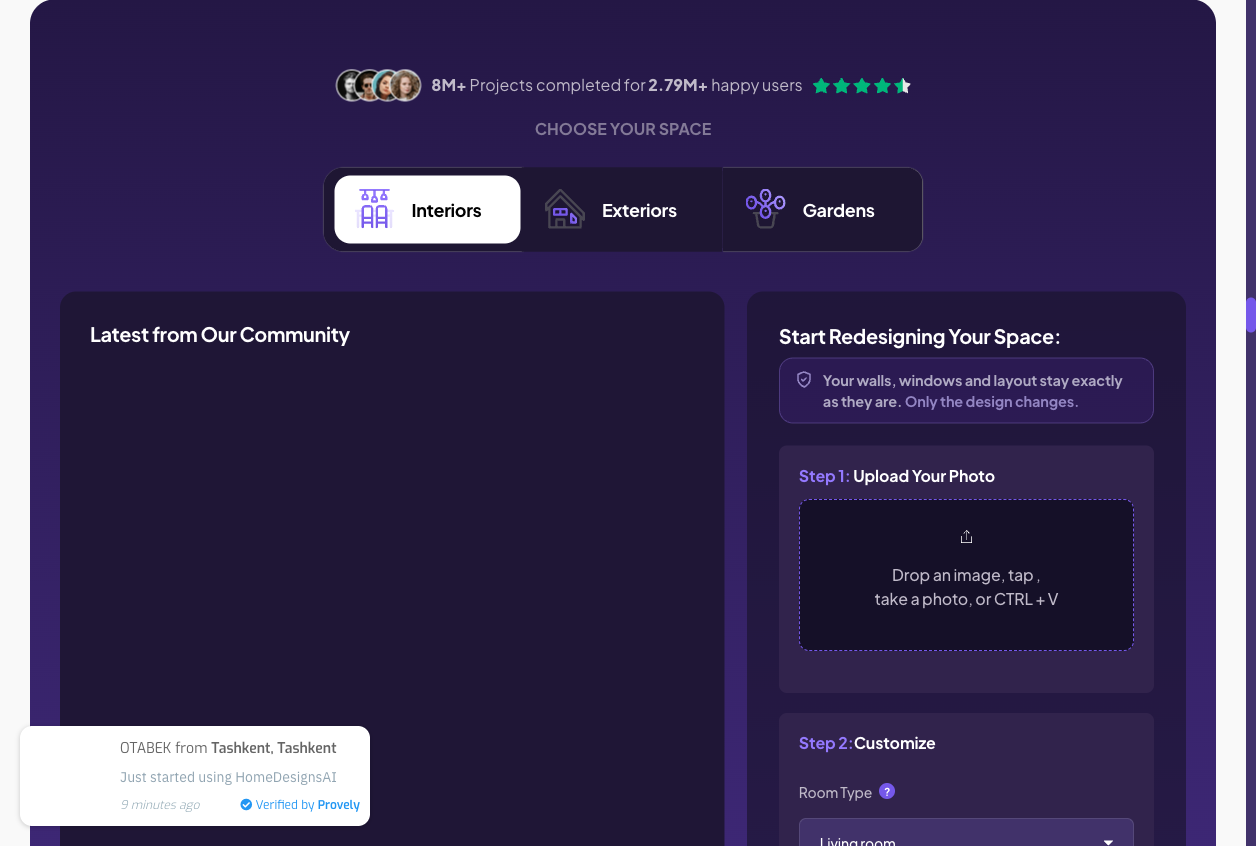
Public upload interface; no paid editing workflow was tested. Source: homedesignsai. Screenshot captured October 20, 2026.
There is a specific feature ambiguity: the plan cards list staging among Standard's features, while the FAQ associates virtual staging with Expert. The cards also describe precise edits, while the FAQ groups the full toolkit under Pro. Confirm the particular editing tool you need before selecting a tier.
Its breadth suits projects that cross several spaces: a living room, the front facade, and the patio, for example. The unresolved question is control: a whole-room restyle and changing one exterior material are different tasks.
For a garden, separate the visual arrangement from the planting decision. A picture can suggest where you want height, screening, or color. Choosing actual species still requires information about your site.
Choose HomeDesignsAI if your project spans indoor and outdoor concepts, subject to the plan ambiguity above.
Planner 5D: when you need an editable layout
Planner 5D's planning workflow lets you create room layouts in 2D and 3D. Free access supports basic planning; Premium adds features including floor-plan recognition and standard renders. Professional lists CAD export and watermark-free 4K renders. It also has photo-oriented AI tools, so it isn't limited to manual planning.
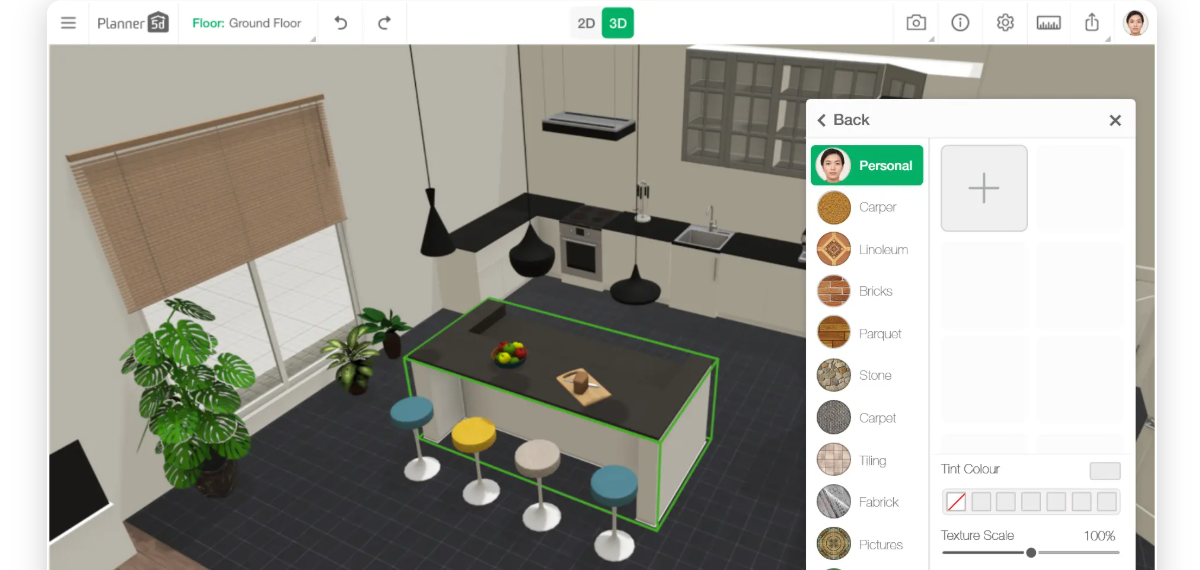
Official 3D editor illustration from the floor-plan software page. This image does not show the 2D workflow and is not a project created for this comparison. Source: planner5d. Screenshot captured October 20, 2026.
For a desk-placement decision, build the room with measured walls and openings, then compare furniture positions. Use the dimensions of the furniture you intend to buy.
The trade-off is setup time: measuring and building a layout takes more preparation than uploading a photo. That work is useful when you need to revise placement, rather than choose a visual style.
Choose Planner 5D if you need to revise furniture placement or room layouts, rather than only compare the appearance of a photograph.
When does it make sense to stay with Ideal House?
Keep Ideal House if it already produces acceptable results for your work and its export terms fit your needs. Its official tool collection spans interior, exterior, landscaping, and staging tasks, so switching just to gain another category may solve nothing.
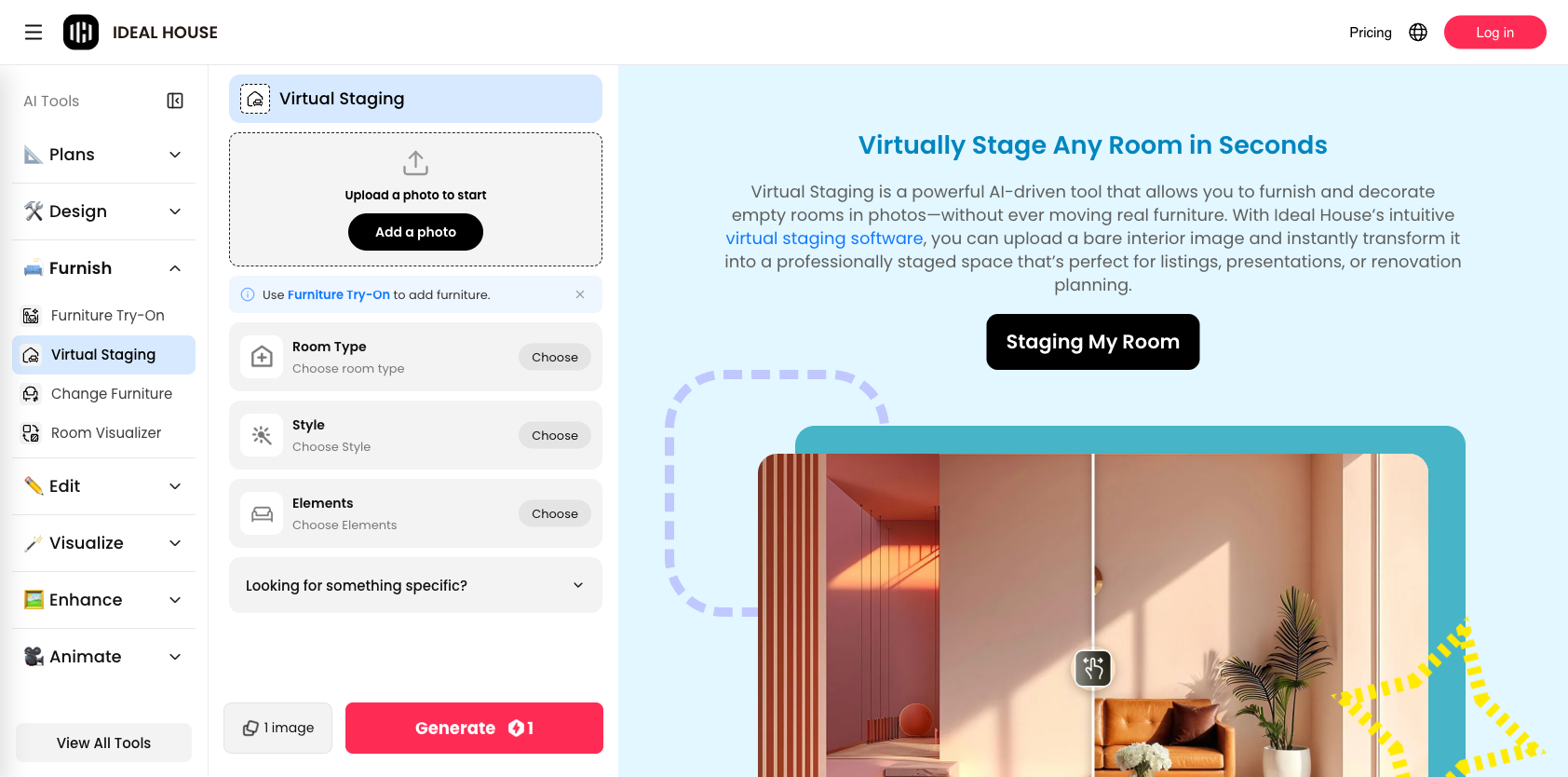
Public virtual staging interface and official example; no image was generated for this comparison. Source: ideal-house. Screenshot captured October 20, 2026.
Before opening a new account, name one unresolved requirement: a particular edit, a usable export, a billing arrangement, or an editable deliverable. Then test only the alternative most likely to address it.
The Ideal House pricing page distinguishes free previews from paid HD and watermark-free downloads. However, the subscription amounts appeared as placeholders in our check. We haven't substituted a third-party price or used API pricing as a proxy for its consumer plans.
How much will your actual project cost?
One room, three design directions
Assume one input photo and three first-pass designs, with no revisions. Spaceora's published rate of 10 credits per first image makes that 30 credits, matching its advertised free allocation. That calculation describes credit coverage, not a guarantee that all three results will be useful. Spaceora pricing
REimagineHome lists one credit for a design-only generation and two for a visualization with real-product discovery. Three design-only generations would therefore use three credits, before any extra attempts. Its five free designs provide a trial opportunity; confirm which flow you're using. Credit rules
Don't compare those raw credit totals as if the units were identical. Compare the files you can use, the work needed to get them, and the actual payment required.
Spaceora credit-budget example: ten photos, one revision each
This is a Spaceora-only credit estimate, not a comparison of delivered-image costs. We haven't established equivalent commercial permissions, watermark rules, and export resolution across the six products.
Assume ten first images at 10 credits each and ten subsequent Studio edits at 15 credits each:
(10 × 10) + (10 × 15) = 250 credits. This budgets attempts, not guaranteed usable images.
That fits within Lite's published 300-credit monthly allowance, leaving 50 credits under these assumptions. Lite also lists a three-project limit, so check how you would organize the ten photos before choosing it. The advertised monthly price is $19.90. This budget covers Studio edits; full regenerations are a different operation, and extra attempts increase consumption. Published allowances
Separate monthly payments from annual commitments
| Buying route | Payment to compare | Remaining question |
|---|---|---|
| Spaceora Lite, monthly | $19.90 for the month | Do project limits, resolution, and revisions fit? |
| REimagineHome Pro, monthly | $36 for the month | Does your required workflow fit the allowance? |
| Planner 5D Premium, annual | $59.99 for the year | Is this a year-long need or a one-project experiment? |
| Planner 5D Professional, annual | $399.99 for the year | Do you need its professional export features? |
| RoomGPT credit purchase | Pack total not verified | How much credit must you buy up front? |
| HomeDesignsAI, monthly | Standard $22; Pro $29; Expert $37 | Confirm the required editing features; annual charge not verified. |
| Ideal House subscription | Total not verified | Confirm the selected offer and renewal amount. |
The Planner 5D annual equivalents in the first table are arithmetic, rounded to cents. They aren't month-to-month offers. Sources: Spaceora, REimagineHome, Planner 5D, RoomGPT, and HomeDesignsAI.
If you're deciding between digital imagery and furnishing the property itself, compare the different deliverables in our guide to virtual versus traditional staging costs.
How to compare two tools using your own room photo
Pick two tools serving the same task and give each one a small, repeatable test:
- Use the same photograph. Choose a clear image you're entitled to upload, with doors and windows visible. Keep the crop identical.
- Use the same brief. For example: “Keep the doorway, windows, and camera angle. Use pale wood and warm neutral fabrics. Leave the path to the door clear.” Where a tool uses presets, record the closest available settings.
- Set an equal attempt budget. Allow one first result and one correction per tool. Keep both outputs, including any failure.
- Record the cost. Note the date, plan, settings, credits before and after each operation, and any export charge.
- Download and inspect. Judge the actual file at the size you'll use, not just the preview.
- Choose against the brief. A prettier image that changes the doorway hasn't met this task.
Use a simple worksheet:
| Check | What to record |
|---|---|
| Fixed features | Did the window edges, doorway, and wall corners move? |
| Brief completion | Which specific requests were followed or missed? |
| Revision | Did the correction fix its target and preserve acceptable details? |
| Deliverable | Pixel dimensions, watermark, and permission for the intended use |
| Effort and cost | Attempts, editing time, credits, and actual payment |
For an editable-layout comparison, change the test: enter the same measured room, place the same furniture dimensions, and make the same layout revision. Don't score a planning tool against photo editors solely on the attractiveness of its first image.
Which Ideal House alternative fits your project?
For a room photo, shortlist the photo-design workflows. For a listing, prioritize a usable staging export and a manageable correction process. For furniture placement, work with measurements and an editable layout. If Ideal House already meets those requirements, keep using it.
Choose one candidate and try one representative room before committing the whole project. Start with Spaceora's photo-upload tool, or follow the official link for the option that fits your task. Use the worksheet above to decide whether the result meets your brief.
FAQs about Ideal House alternatives
What is the best Ideal House alternative for my project?
Match the workflow to the deliverable: a room-style image, a furnished listing photo, or an editable layout. Then test your hardest requirement, such as retaining a particular feature or making a small correction. This guide doesn't rank output quality because we haven't completed a controlled comparison.
Is there a free alternative to Ideal House?
There are free entry points: Spaceora advertises three full redesigns, REimagineHome five designs, and Planner 5D a free planning tier. Those offers serve different tasks. Check whether your required download and usage rights are included before treating a free preview as a finished deliverable. See the linked pricing table above.
Which alternatives can redesign a room from a photo?
Spaceora, RoomGPT, REimagineHome, and HomeDesignsAI all describe photo-based workflows in the official pages linked above. Start with one clear room photograph and compare the output against it. The availability of a photo workflow doesn't establish how accurately it will preserve your particular room.
Which option offers editable floor plans?
Planner 5D is the planning option in this shortlist. Specify what “editable” means for your handoff: moving objects in the app, sharing a project, or exporting a technical file. Check the relevant plan rather than assuming every export is part of free access.
Can I use the images for real estate listings?
Confirm the selected plan's commercial terms and your listing platform's requirements before publishing. Check the exported file for misleading changes to the property. A watermark-free image alone doesn't establish permission for every use, and this comparison doesn't certify compliance for a particular listing service.
Will AI redesign tools keep doors and windows unchanged?
Don't assume so from a sample gallery or a preservation claim. Compare fixed features in every output, including revisions. If an image changes the room in a way that undermines your task, correct it or reject it. A visual proposal is still something you need to inspect.