5 Remodel AI Alternatives for Rooms, Yards, and Layouts
Explore Remodel AI alternatives for room restyling, virtual staging, yard concepts, and editable layouts. Compare workflows, trial limits, and trade-offs.
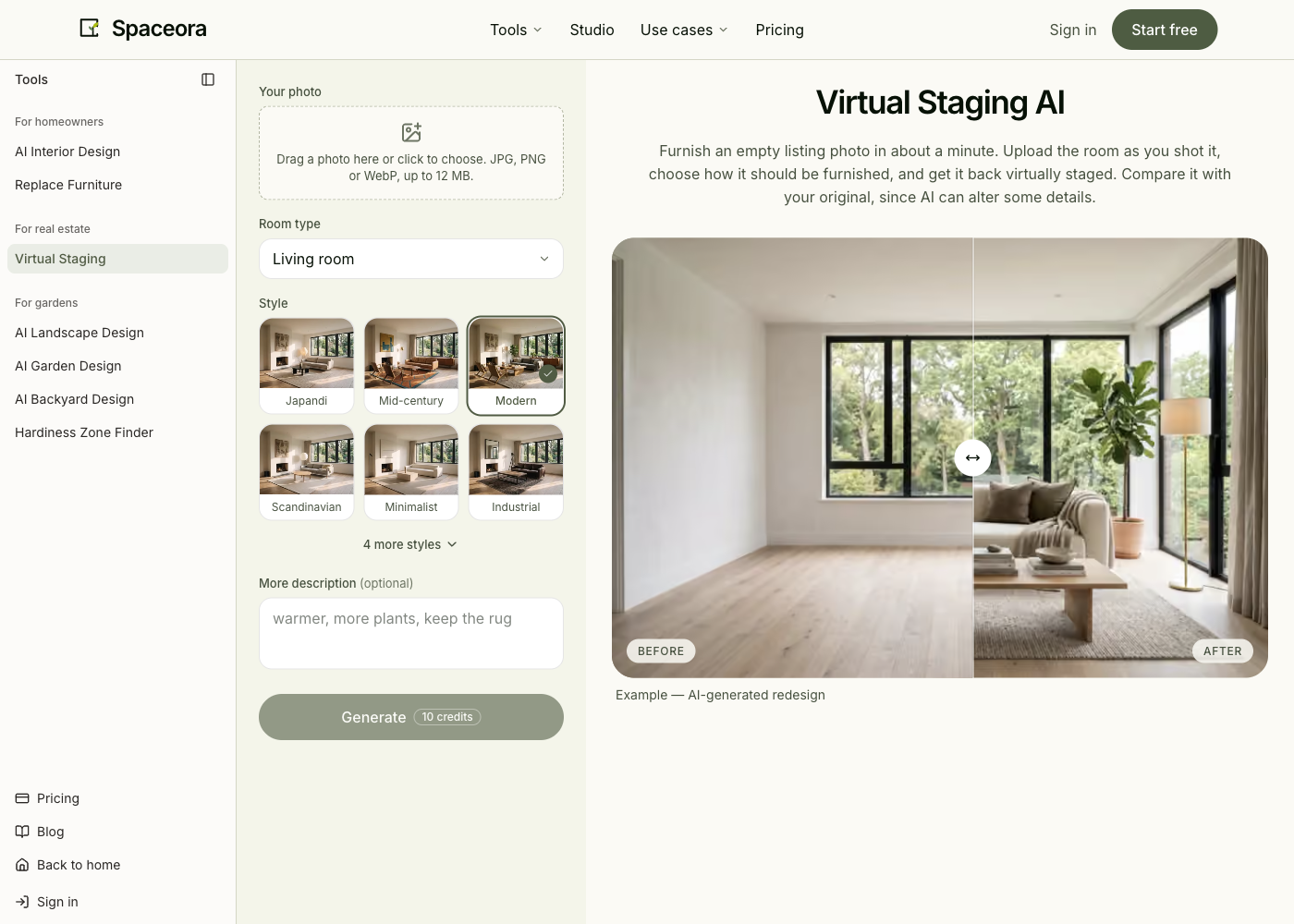
Spaceora publishes this guide and is one of the alternatives. We compare documented workflows, not tested image quality. “Remodel AI” here refers to the product at remodelai.io; similarly named products and unrelated app-store listings are outside the comparison.
TL;DR
Choose Remodel AI alternatives around your next job:
- Spaceora: separate an occupied-room redesign from furnishing a vacant-room photo.
- HomeDesignsAI: explore related indoor and outdoor concept tasks.
- REimagineHome: evaluate an iterative workflow for property imagery.
- Planner 5D: work with an editable layout when placement and dimensions drive the decision.
- DreamYard: focus on a yard, with design packages separate from photo concepts.
- Remodel AI: retain it as the baseline if it already handles the task well.
If you need to check furniture placement and dimensions, start with an editable planning workflow. If you want to see a different style in an existing room, compare photo-based tools. Staging an empty property and developing a yard deserve their own tests; neither requires you to replace every part of your current setup.
Changing a floor color, furnishing an empty living room, and redesigning a yard are three different requests. You can ask them of a broadly capable product, but the reason to switch should be specific.
Before trying another app, finish this sentence: “For my next project, I need a better way to ___.” Use the answer to pick one candidate below.
What do you want to do differently from Remodel AI?
Identify the missing step rather than choosing the product with the longest feature list.
Restyle a whole room or change one detail
If you have no settled direction, whole-room variations can help. Once you like most of the room, another complete redesign can undo the parts you wanted to keep.
A specific-change task should name the object or finish and the elements that must remain. For example, changing the wall color while keeping the sofa and flooring is a different test from asking for a new style. Check the editing method and its cost before choosing a subscription.
Stage an empty property photo
Staging starts with the property as photographed and adds a furniture arrangement for presentation. Check doors, windows, fixtures, and access in the output.
An occupied room adds another task: removing or replacing what is already there. Do not assume that a staging button includes both operations, or that the trial covers both. If the room is already empty, avoid introducing a removal step you do not need.
Plan a yard or edit a measured layout
For a room, ask whether you need an image of an arrangement or an editable plan with objects positioned against dimensions. For a yard, ask whether you want a visual direction or a more developed design package.
These questions separate the Planner 5D and DreamYard branches from another general photo-restyling tool. Neither needs to be a universal replacement to be useful.
Remodel AI and five alternatives compared
The baseline matters: a candidate should solve a real gap, not merely offer another set of style thumbnails.
Product
Remodel AI, baseline
- A concrete reason to consider switching
- Keep it if the required image/edit/export already works
- Added preparation or compromise
- No migration; confirm the actual device offer
- Entry / free boundary
- Website links to app store; three designs advertised
Product
- A concrete reason to consider switching
- You want separate room-restyling and vacant-staging entry points with explicit credit rates
- Added preparation or compromise
- Choose the right task; occupied-room clearing is not included in the vacant-staging promise
- Entry / free boundary
- Browser; 30 shared starter credits
Product
- A concrete reason to consider switching
- You need a named control such as color/texture swap or Fill Spaces across indoor/outdoor work
- Added preparation or compromise
- Match that control to the purchased tier; a broad catalog is not proof of better results
- Entry / free boundary
- Browser; free final-output entitlement not established
Product
- A concrete reason to consider switching
- You need reference-led or incremental revisions documented on Pro
- Added preparation or compromise
- Budget for the relevant tier, not just Essential; verify one actual correction
- Entry / free boundary
- Browser; five free designs advertised
Product
- A concrete reason to consider switching
- You need to reposition objects against dimensions in an editable layout
- Added preparation or compromise
- Measure and set up a project; CAD export belongs to Professional
- Entry / free boundary
- Web/mobile; free catalog is limited
Product
- A concrete reason to consider switching
- Your yard project needs a scoped path toward human revision or design documents
- Added preparation or compromise
- Separate concept access from a service purchase; not an indoor-work replacement
- Entry / free boundary
- Browser; free quantity unresolved; packages separate
Sources checked October 22, 2026: Remodel AI pricing, Spaceora pricing, HomeDesignsAI, REimagineHome pricing, Planner 5D pricing, and DreamYard packages.
The table compares workflow fit. It does not establish which product produces the most accurate image, or that every advertised feature is included in a free trial.
Spaceora
Spaceora gives you separate starting points for a room redesign and a vacant-room photo. Use that distinction to make the task clearer.
Start with AI interior design when you want a visual direction for an existing room. Use virtual staging when the photo shows an empty room that needs furniture. The latter should not be treated as a promise to clear an occupied room automatically.
The introductory balance is 30 credits shared across tools. A full tool generation costs 10 credits; free staging output is advertised at 1248 × 832 with a watermark. In our October 23 staging check, the saved files were 1024 × 1024. That single account and task do not establish export dimensions for every workflow. If you already spent starter credits on a room, opening a different tool does not create a fresh allowance.
The pricing page also makes an important distinction: full generations cost 10 credits, while subsequent Studio edits are listed at 15 each; an October 23 check completed one in an existing Free-labelled account with a balance above the starter grant. Lite is listed at $19.90 per month with 300 credits and three projects.
The trade-off: a few free full-room concepts do not test every later editing operation. If the reason you are switching is “keep everything except this chair,” assess the relevant editing path and account eligibility rather than judging from the free whole-room output.
Choose Spaceora when one of these specific photo tasks matches your project. It is not the branch to select solely because you need a measured room model.
Source: official page, captured October 23, 2026. Public tool interface.
HomeDesignsAI
HomeDesignsAI is worth considering when your renovation crosses the house boundary: an interior room, exterior finishes, and the yard all need a visual direction.
Its official site presents workflows across those spaces. The advantage to investigate is continuity in your own process, not an assumption that a larger tool catalog produces better images.
Prepare one representative task from each space before evaluating a plan. For instance, keep the living-room arrangement while testing a finish, then use a yard photo to assess planting around the existing facade. If one task requires a higher tier, that tier determines your relevant price.
Check the current checkout for the exact tools you need, particularly specialized editing and commercial-use rights. Choose the plan that includes those operations, rather than the smallest headline price.
Choose HomeDesignsAI if those included operations simplify your cross-space project; the wider catalog alone is not a reason to switch.
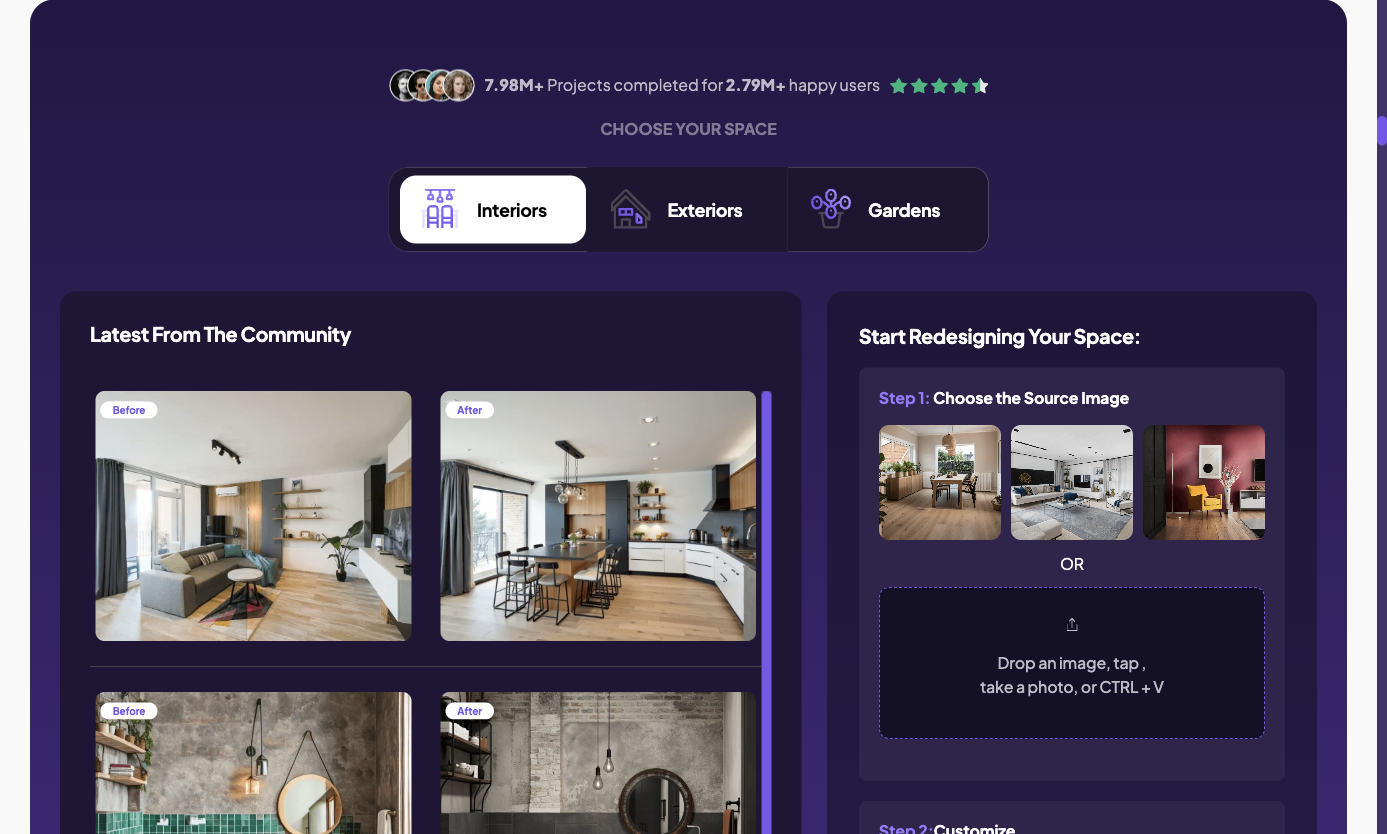
Source: official page, captured October 23, 2026. Public interface and official example; not our output.
REimagineHome
REimagineHome is a candidate when the second change matters more than the first image.
The plan comparison separates Essential's basic tools from Pro's conversational workflow, reference photos, and incremental edits. It advertises five free designs. That is enough to justify investigating the workflow, but it does not make every lower-tier subscription equivalent to the trial experience.
Use a correction that would otherwise make you repeat work. In a separate October 23 account check using the authorized vacant-room input shown in the staging article, we requested removal of a coffee table. The revision completed and downloaded as a 1254 × 1254 JPEG with REimagineHome branding. That test demonstrates one correction path; it is not a full comparison against every product in this article.
Inspect the result for collateral changes. A smaller sofa is only useful if the windows and other retained features also remain suitable for the image's purpose.
The trade-off: the capabilities that motivate a switch may sit above the entry plan. Compare the cost of the needed workflow, not just the cheapest subscription. Account-level export and commercial-use conditions should be checked before client delivery.
Choose REimagineHome if revising property imagery is your main requirement. Evaluate one complete correction and download before moving a full batch of photos.
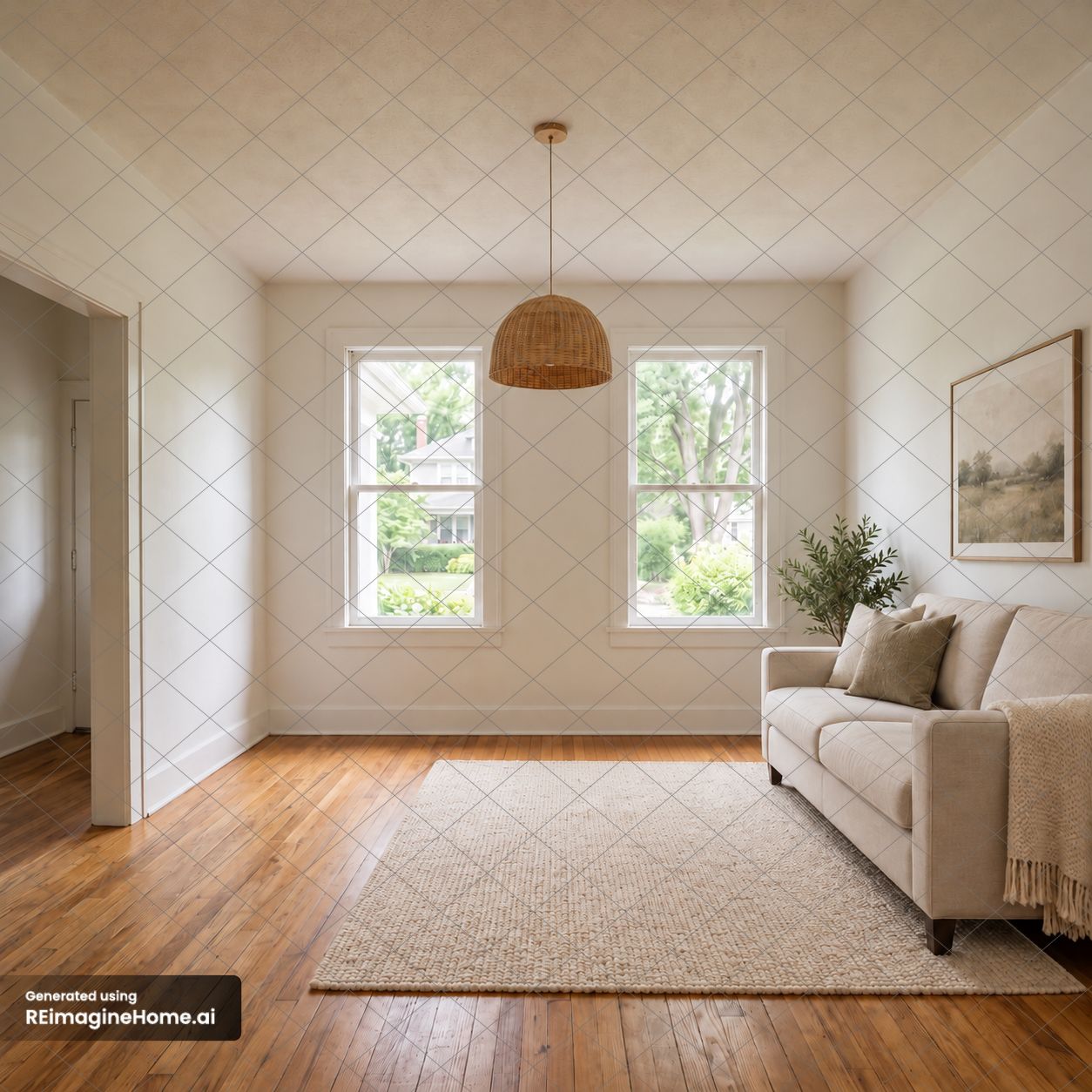
Account test, October 23, 2026. Authorized vacant-room input; this is the downloaded revised file after the requested coffee-table removal. It retains the product's grid and brand watermark.
Planner 5D
Planner 5D is the clearest change of approach when your question is about placement, access, or the layout itself.
Its planning workflow lets you work with an editable design rather than judging a static photograph alone. If the question is whether the sofa blocks a doorway, begin with room dimensions and object placement. A photorealistic image cannot settle that question by appearance.
The official pricing page lists free projects with a limited furniture catalog. Premium costs $19.99 monthly or $59.99 annually, roughly $5 per month when paid for the year. Professional is $49.99 monthly or $399.99 annually, about $33.33 per month on that annual commitment. CAD export and higher-end presentation outputs are listed under Professional.
The trade-off: you must supply and maintain a useful layout. Measuring, entering dimensions, and positioning objects takes preparation that a quick photo concept does not require. That effort is worthwhile when placement is the question you need answered.
Choose Planner 5D to test an editable layout. Confirm the relevant export tier, and do not treat a planning file as automatic approval for construction work.
We opened a new test project in the browser editor and switched the same default room between 2D and 3D. The screenshots below show that view change; they do not demonstrate CAD export, a paid render, or an accurately surveyed real room.
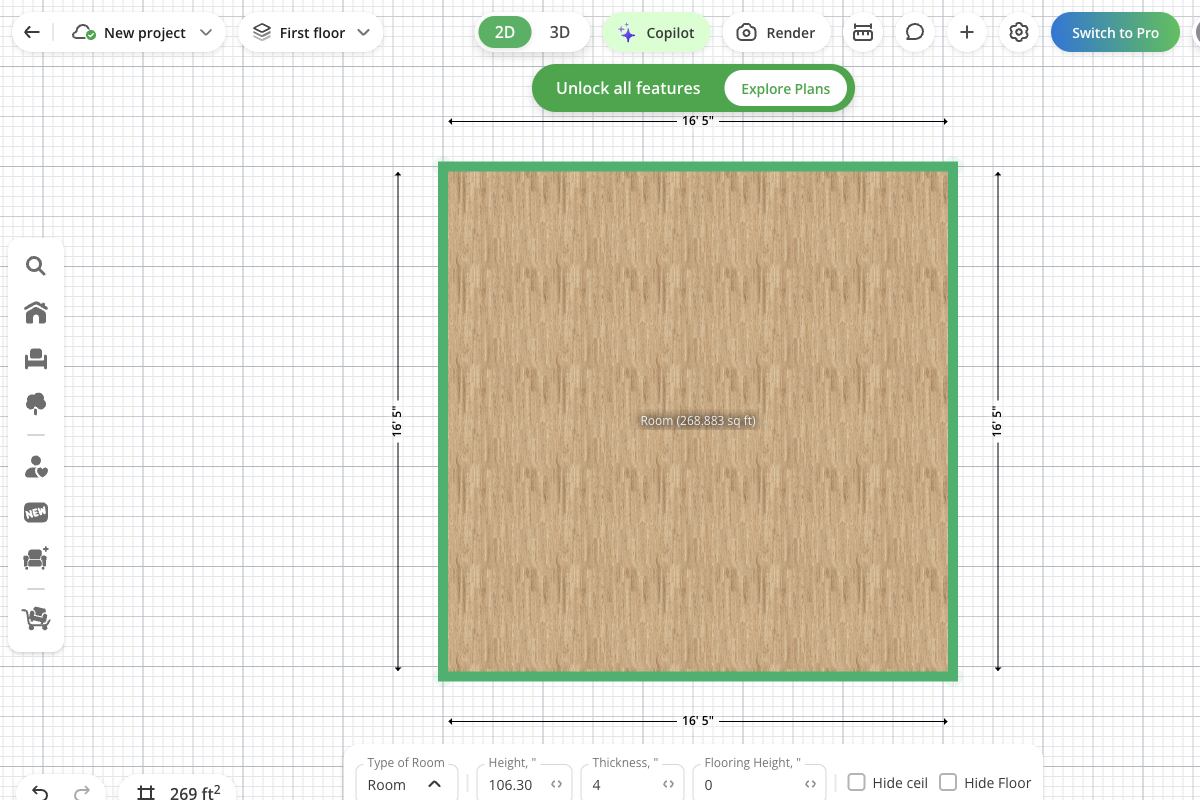
Our editor check, October 23, 2026: the new test project's default room in 2D. Dimensions are the editor's defaults.
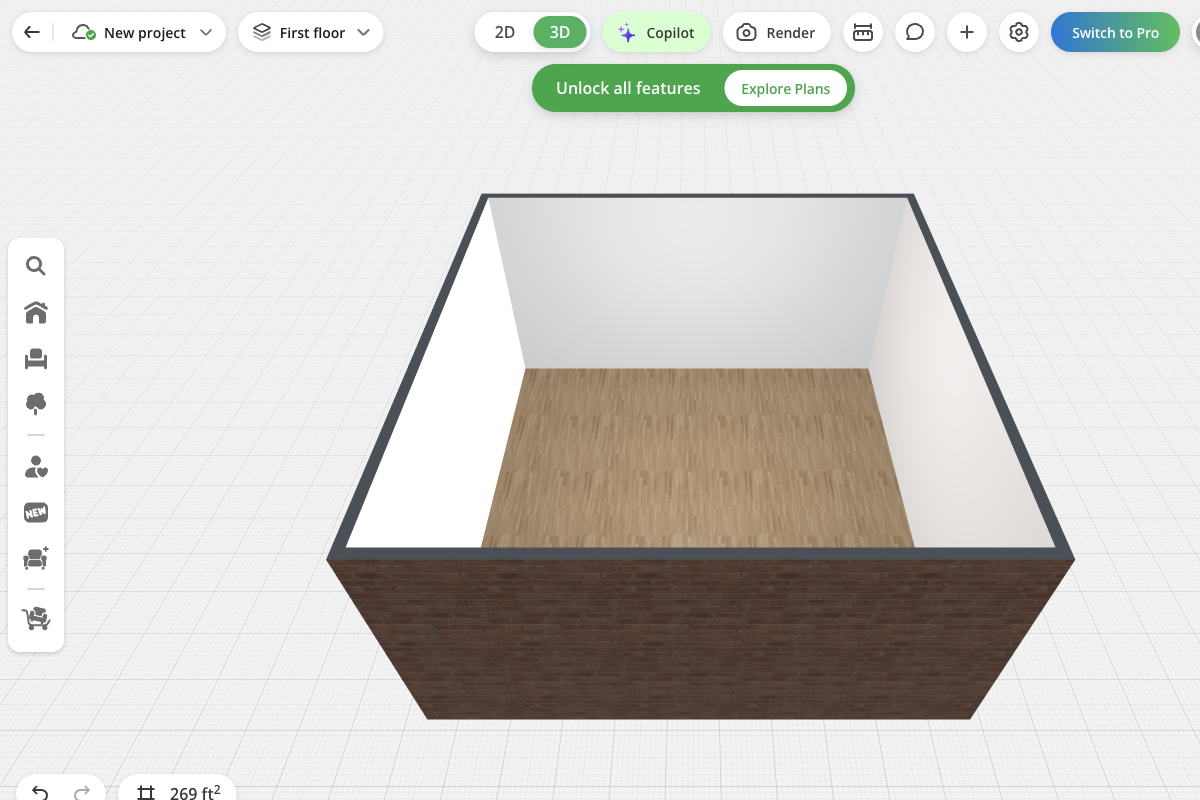
Same project, switched to 3D without changing the room. Actual browser editor screenshot; no paid render was purchased.
DreamYard
DreamYard is the outdoor branch when the next renovation decision concerns the yard rather than another room.
Its photo workflow lets you begin with the existing outdoor space. Its packages introduce a separate decision about further design help. Blueprint is presented as AI-created, while Blueprint Pro and Signature add human involvement.
For someone moving from a broad home app, the useful test is whether a yard-specific process asks for and preserves the constraints that matter: a gate, patio edge, retained tree, or view from the back door.
The trade-off: focusing on the yard does not replace your indoor workflow. Also, paying for a design package is a different commitment from buying more concepts. The scope, revision allowance, and documents should determine whether you need that additional service.
Consider DreamYard if the yard is the immediate project. If you only need another visual direction, assess the concept tool before comparing packages. This review has not confirmed its current account-level free render allowance.
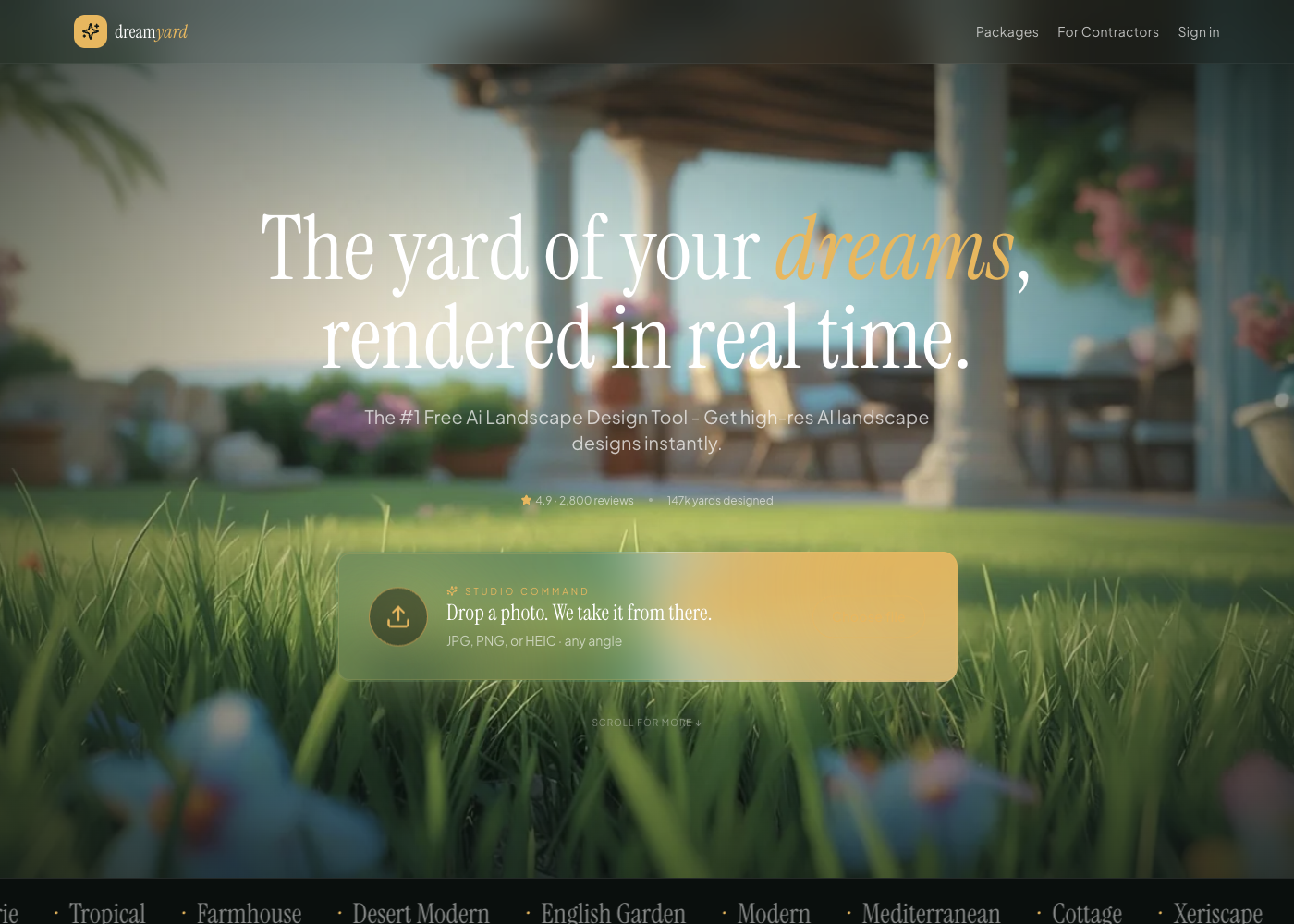
Source: official page, captured October 23, 2026. Public product interface and official example.
Compare the cost of one small project
Use one input, three directions, one requested revision, and one usable download as a worksheet. Do not assign a per-image cost before you know which operations the task consumes.
First define “usable.” For a homeowner, it could mean a clear reference for discussing finishes. For a listing, the file size, rights, disclosure, and fidelity to the property matter. For a layout, the deliverable may be an editable project rather than a generated image.
Work through a credit example carefully
Spaceora's listed rates give a simple planning example: three full generations use 30 credits. One later Studio edit adds 15, for 45 credits in total, assuming those are the only operations needed and you have access to that editing workflow.
That is an allowance calculation, not a quoted project price. New-account eligibility for that edit remains unconfirmed; failed or additional attempts can change consumption, and a paid plan also has project and output conditions. Keep those qualifications attached to the arithmetic.
For REimagineHome, the public page distinguishes a standard generation from a workflow involving real-product discovery. Match the operation you use before counting outputs. Planner 5D belongs in a separate layout comparison; dividing its subscription by image credits from another tool would be misleading.
Record what you would actually pay
Project detail
Task
- What to write down
- Room style, empty-room staging, yard concept, or layout
Project detail
First payment
- What to write down
- Amount charged now, currency, and tax treatment
Project detail
Billing
- What to write down
- Monthly renewal or annual commitment
Project detail
Required operations
- What to write down
- Initial directions, revisions, removal, or upscaling
Project detail
Deliverable
- What to write down
- Saved file or editable project, with dimensions/format
Project detail
Restrictions
- What to write down
- Watermark, project limit, rights, or missing controls
Project detail
Result
- What to write down
- Whether it resolved your original question
Remodel AI's public price cards pair monthly-looking amounts with annual billing text. Do not copy the large monthly figure into this worksheet as the first payment. Follow the offer for your device and region and read the full billing statement.
Keep the comparison tied to one decision
If you are choosing a living-room style, do not include a garden package in the cost ranking. If you need a layout you can revise, do not rank it below a cheaper static picture simply because the latter costs less to generate.
The useful comparison is the minimum appropriate purchase that completes your task. It may be a trial, a month of a particular plan, or a separate service. It might also be the subscription you already have.
When keeping Remodel AI is the better decision
Keep it if it completes your current task, delivers the required output, and fits how you work on your device.
A new product has a learning cost. You may need to rebuild preferences, re-upload photos, and find out which operations are included. Switching because another product has more styles does not necessarily improve the next project.
Try a replacement only when you can describe the improvement you need: a more controllable correction, a particular export, or an editable layout. If the trial does not demonstrate that improvement, there is no reason to force a move.
For a broader category overview, the AI interior design tools guide can help you explore options beyond this particular switching decision.
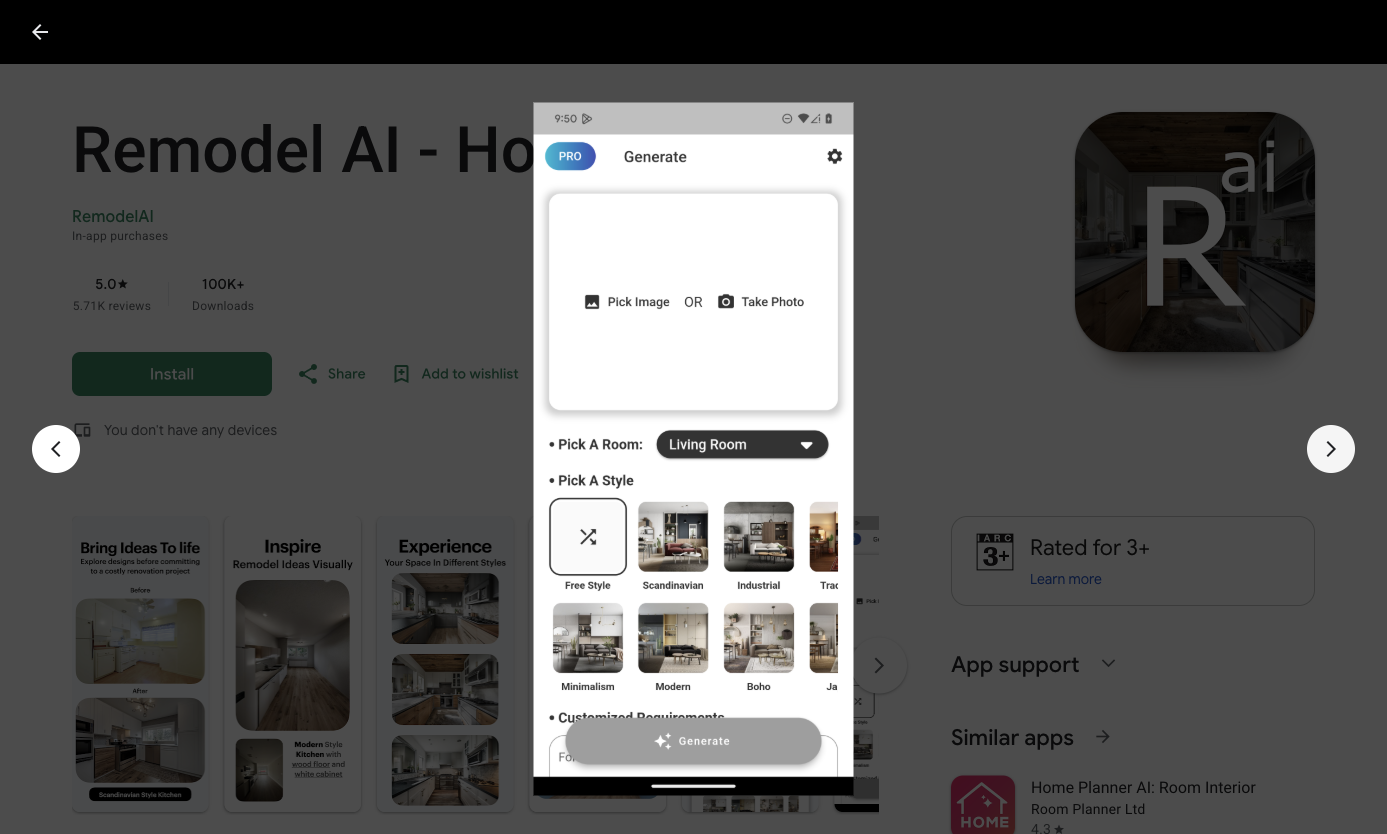
Source: official Google Play listing, captured October 23, 2026. Vendor-provided Android app screenshot showing image selection, a room selector and style controls. The website's “Open web app” link returned to the download page during this review; no generation was performed.
Pick one alternative for your next project
Use one representative photo or one measured room. Select the relevant branch, make the first attempt, and test the operation that prompted the search.
Start a room redesign, stage a vacant room, or explore a backyard concept according to the task. Choose another product when it better matches the needed deliverable. One useful trial is more informative than five simultaneous subscriptions.
FAQs
What is a good free alternative to Remodel AI?
Spaceora and REimagineHome advertise limited starting allowances for photo-based tasks; Planner 5D has a free planning tier. They solve different problems. Check the required correction and export before treating any free offer as a complete substitute.
Which alternatives work in a browser?
Spaceora, HomeDesignsAI, REimagineHome, Planner 5D, and DreamYard have browser entry points. That does not make every feature or free entitlement identical across devices. For Remodel AI, use its own links to identify the relevant app and offer.
Which option is better suited to editable room layouts?
Planner 5D is the planning branch in this comparison. Start with reliable dimensions, position objects, and check the required export tier. Use photo concepts when you need visual inspiration, rather than trying to read precise clearances from a generated image.
Can I use the same tool for my room and yard?
Several products cover both, including Spaceora and HomeDesignsAI. Test each task separately and check the relevant plan. Shared account access does not necessarily mean separate free allowances or identical editing controls for every space.
Are web and mobile subscription prices the same?
Do not assume so. Confirm the product, region, billing platform, renewal period, and amount due in the offer you will actually purchase. An annual monthly equivalent is also different from a month-to-month subscription, even when both are displayed with “per month.”