Best Collov AI Alternative (2026): Staging & Yards
Paying for Collov AI but still need the yard done? Compare 6 options for virtual staging, interior redesign and yard design, with prices checked October 2026.
TL;DR
- Spaceora: the Collov AI alternative for agents who stage the empty rooms, restyle furnished rooms for sellers and also want to show buyers a better backyard. Web only, subscription plans from $19.90/month.
- Virtual Staging AI: a lean, staging-only subscription.
- Apply Design: you place the furniture yourself, room by room.
- BoxBrownie: human editors instead of instant AI.
- REimagineHome: renovation concepts and staging in one place.
- Stay with Collov AI: brokerages that need 3D tours, 360 views or an API.
The short answer
The best Collov AI alternative depends on how much of the property you sell with pictures. If the job ends at empty rooms for the MLS, a staging-only tool such as Virtual Staging AI or Apply Design covers it. If you also restyle furnished rooms and want a new look for the yard, Spaceora puts staging, interior redesign and backyard, garden and landscape design under one subscription, with each result arriving in about a minute.
Collov AI is built for realtors and brokerages, and it does that job well. The friction starts when you pay monthly for photo credits you don't use, or when a seller asks what the patched lawn out back could become.
If you're choosing a Collov AI alternative, this guide compares six options on staging, redesign, outdoor work, free trials, price per month and listing disclosure. Each of these Collov AI alternatives earns its place for one job, and we say where Collov is still the right call.
Quick answer: the best Collov AI alternative for each job
- Staging, room makeovers and yards on one plan: Spaceora.
- Staging only, simple monthly plans: Virtual Staging AI.
- Hands-on furniture placement: Apply Design.
- A person does the edit: BoxBrownie.
- Remodel concepts for flips: REimagineHome.
- 3D tours, 360 views, API access: stay with Collov.
What Collov AI does well (and what it costs)
Collov AI is a staging suite for agents. Empty-room staging, furniture removal, multi-angle staging and listing touch-ups such as twilight skies and lawn replacement all sit in one dashboard.
Collov pricing in 2026
These figures come from Collov's pricing page as of Oct 2026; confirm at collov.ai/pricing before you pay.
| Plan | Monthly | Photo credits per month | Yearly (25% off) | | ---------- | ------- | ----------------------- | ---------------- | | Standard | $19 | 60 | $228 | | Advanced | $49 | 150 | $588 | | Premium | $79 | 263 | $948 | | Enterprise | $127 | 526 | $1,524 |
Extra photos were listed at $0.24 each, and photo credits reset every month (as of Oct 2026; confirm at collov.ai/pricing).
What's locked to higher plans
According to the same page, AI Chat Edit, multi-angle staging, twilight and lawn replacement start on Advanced. Virtual tours, 360 views and 3D tours start on Premium, and API access is Enterprise only (as of Oct 2026; confirm at collov.ai/pricing).
Why people look for Collov AI alternatives
Four reasons come up again and again.
Watermarked trial, no pay-per-photo
New users get a short trial of about 5 watermarked images, and after that it's a subscription (as of Oct 2026; confirm at collov.ai/pricing). An agent with one listing a quarter can't simply buy ten photos.
Credits reset every month
Unused photo credits don't roll over. A slow month means paying for staging you never ran.
Billing and layout complaints
Some third-party roundups cite reviews that mention billing, refunds and cancellation trouble, plus AI edits that shift walls or windows. We haven't verified those reviews ourselves, so treat them as a reason to test, not a verdict. Shifting walls is a risk with any AI image tool, Spaceora included, so check every output before it goes on a listing.
Exterior tools retouch photos rather than design yards
Collov's outdoor features fix how a yard looks in a listing photo: greener grass, a dusk sky, a filled pool. Planning new beds, paths or planting is a different job.
How we compared
We used one empty room, one furnished living room and one backyard, and looked at six things: how believable the staging looks, what the free trial lets you judge, monthly cost, outdoor design, editing and help with disclosure. Competitor prices come from their own pages or third-party reviews where noted.
1. Spaceora: best Collov AI alternative if you also sell the yard
Spaceora is a browser app that redesigns a room, stages an empty listing or reworks a yard from one photo. As a Collov AI alternative, it trades Collov's tour and listing-retouch extras for outdoor design and homeowner-style redesigns.
Virtual staging for empty listings
Upload the vacant room, pick a style, and a furnished version comes back in about a minute. Start at the virtual staging tool. Listing photographers who shoot many rooms can look at Spaceora for photographers.
Check the window frames and walls before you trust any staged shot on a listing, ours included.
Interior redesign for homeowner clients
Sellers who are still living in the house often want to see the same room with lighter, simpler furniture. The AI interior design tool handles furnished rooms.
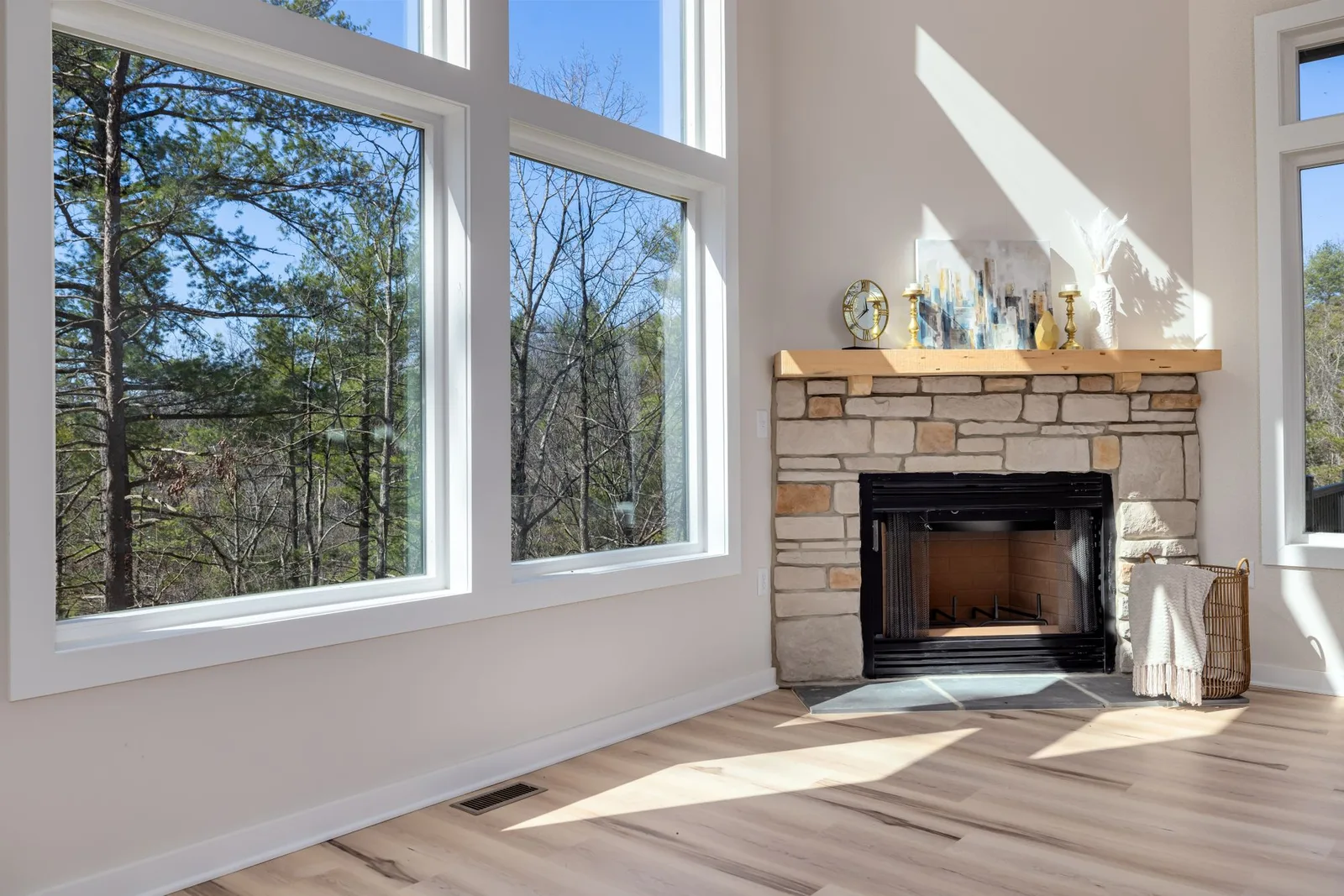
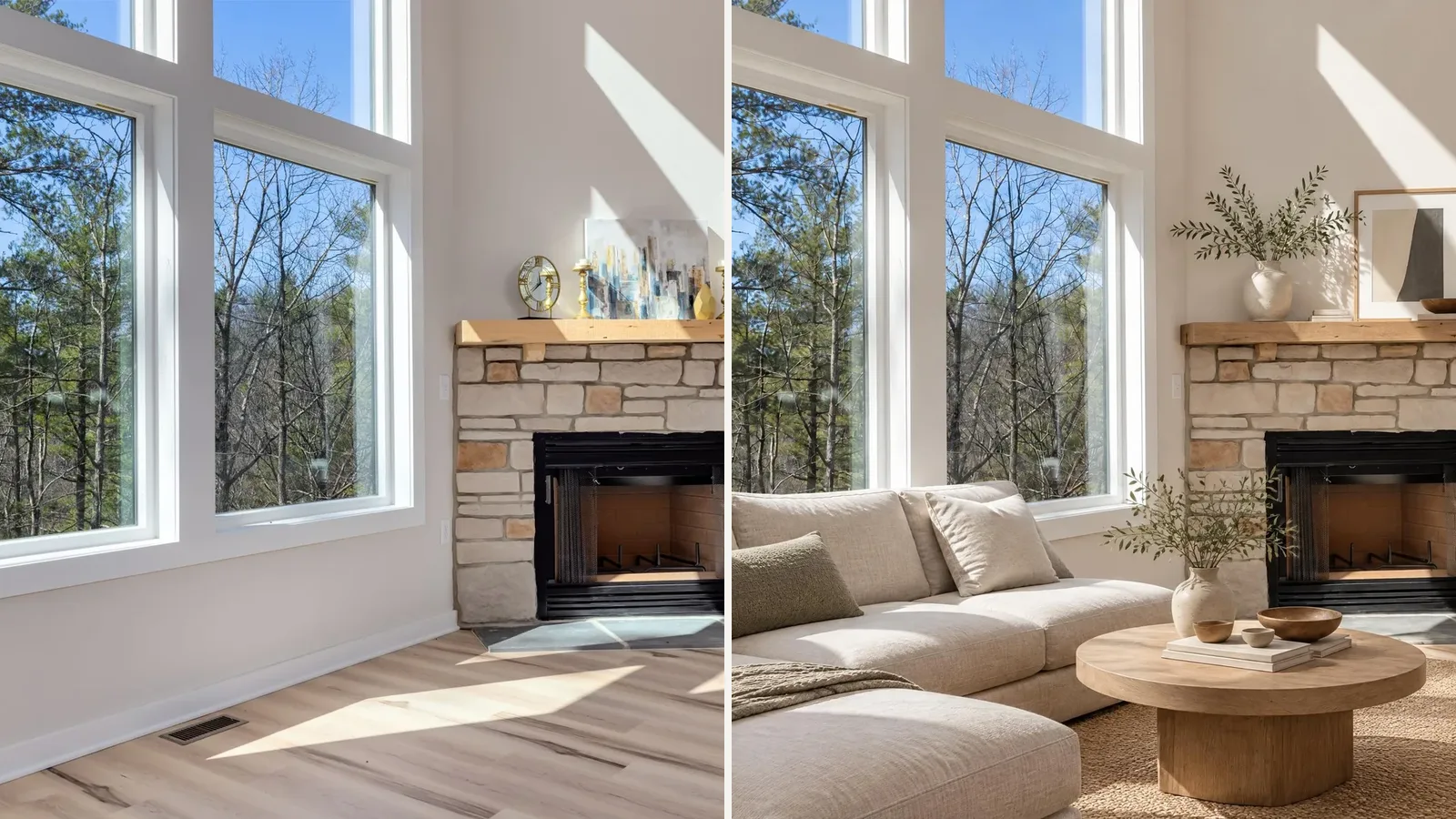
Before: the original living room photo.
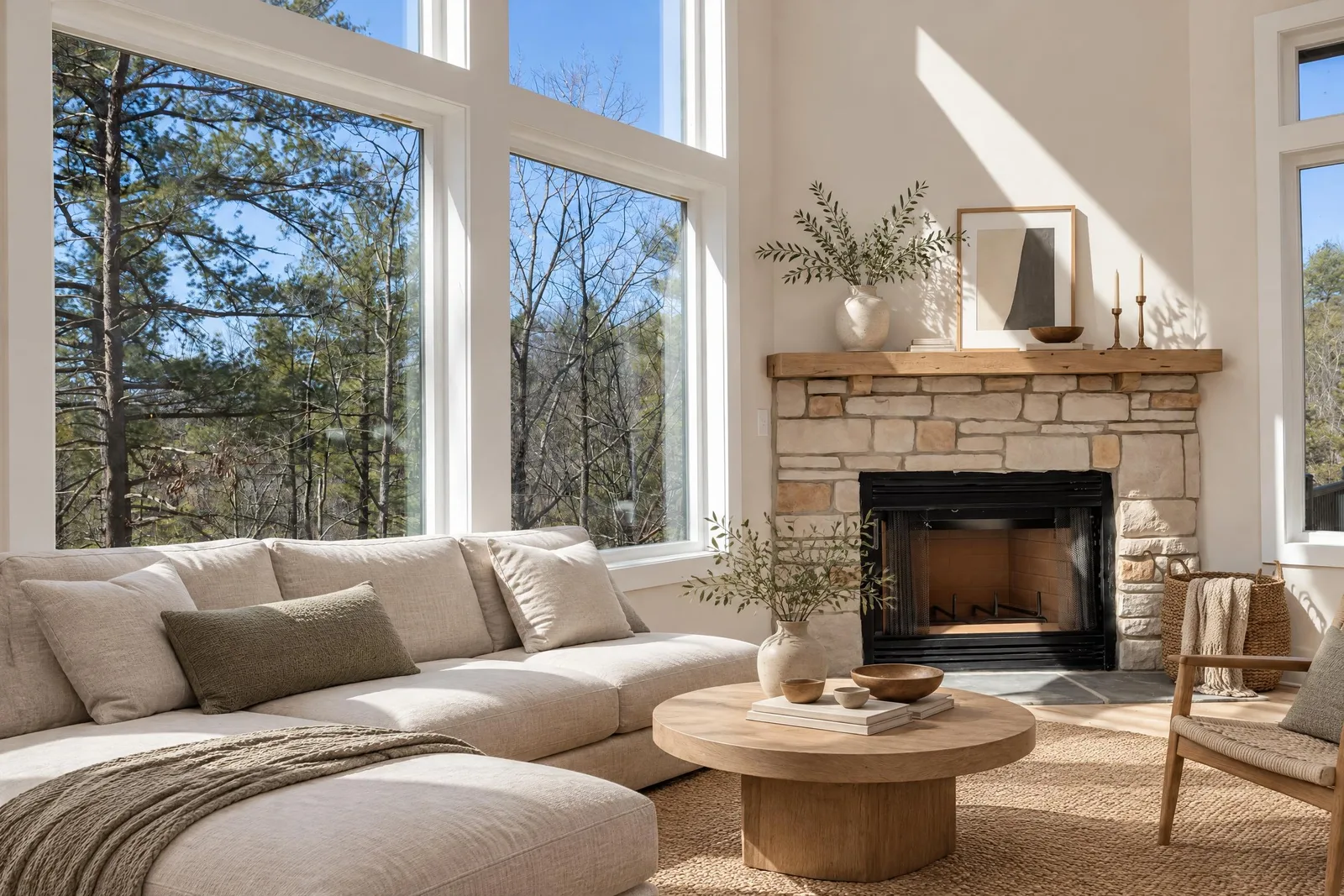
After: the same room in Japandi style, generated by Spaceora's AI interior design tool.
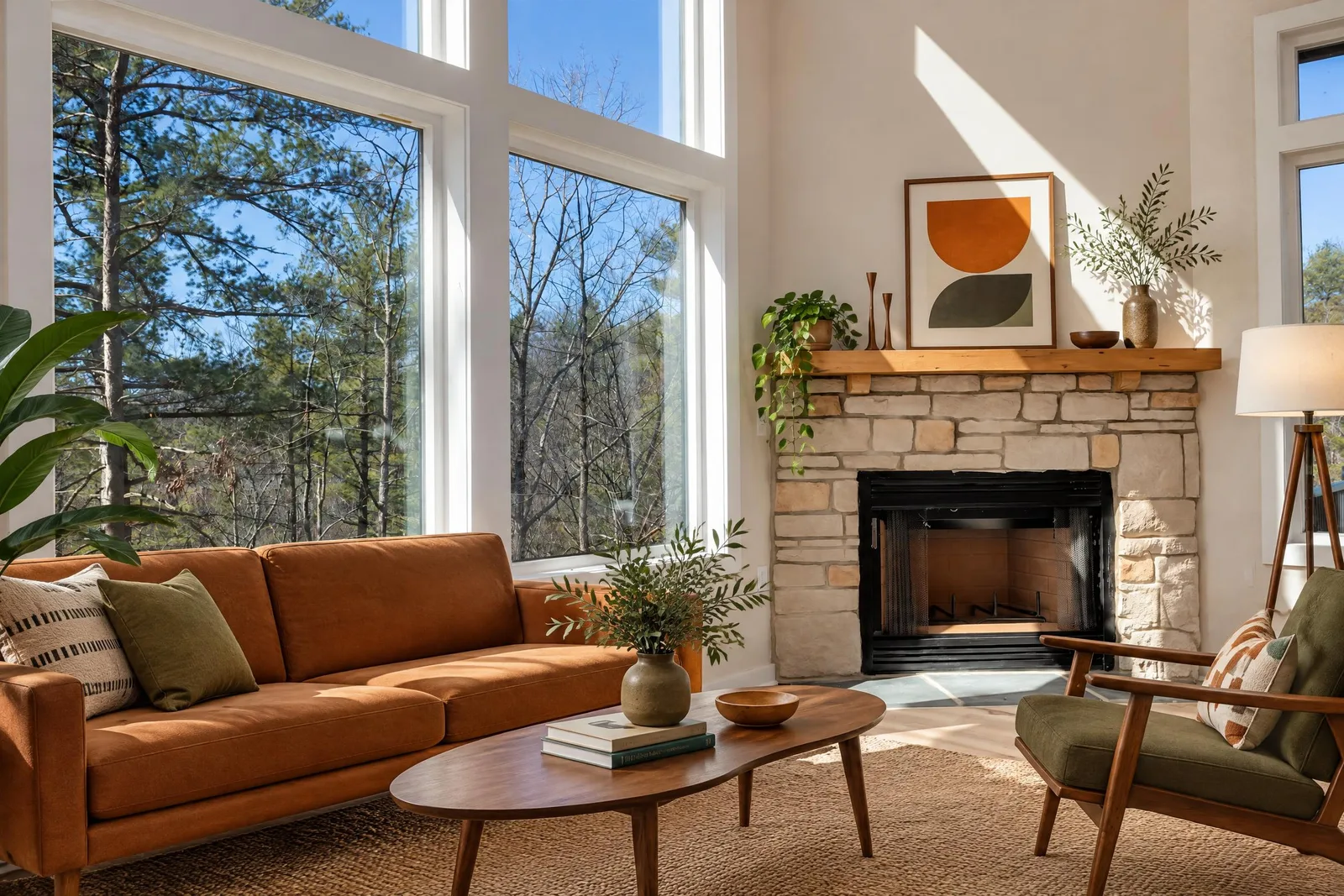
After: the same room in mid-century modern style.
Yard, garden and landscape design
This is the gap a Collov AI alternative most often needs to fill. Spaceora has separate tools for the backyard, the garden and the full landscape, so a tired yard can be shown with new beds and planting instead of just greener grass. Garden, backyard and landscape designs use plants matched to the USDA hardiness zone for your ZIP code, on every plan including free. We didn't find a comparable zone filter in Collov's outdoor tools as of Oct 2026.
The free Hardiness Zone Finder looks up your USDA zone, which helps when a buyer asks what will actually grow there. Confirm any plant choice with a local nursery.
Change one thing with a sentence (paid plans)
On a paid plan, you type one change, such as "make the sofa green", instead of starting over. The free tier can't edit; it only regenerates the whole image.
Commercial use and disclosure
You own what Spaceora generates and can use it commercially on every plan, the free one included. On free images, the watermark has to stay. You still need rights to the original photo. When you publish a staged photo on a listing, label it as virtually staged; NAR Standard of Practice 12-5 is the usual reference, and your MLS may have its own rules.
Pricing
For a test listing, you get 1 free redesign when you sign up; free images carry a watermark and need a signed-in account.
| Plan | Monthly | Monthly redesigns | Output | Yearly | | ---- | ------- | -------------------------------- | -------------------------- | ------- | | Free | $0 | 1 free redesign when you sign up | Watermarked | n/a | | Lite | $19.90 | 30 | 2K | $179.10 | | Pro | $39.90 | 80 | Around 4K | $359.10 | | Max | $79.90 | 120 | Around 4K, highest quality | $719.10 |
Paid output carries no watermark. It's subscription only, and failed renders refund automatically. Full details are on the pricing page.
Where it falls short
- No 3D tours, 360 views or video.
- No dedicated twilight or pool-fill retouching.
- No API.
- Web only; there's no app to install.
- Subscription only, with no per-photo purchase.
- Free accounts can't make targeted edits.
Verdict: the Collov AI alternative for agents who sell the whole property, rooms and yard, and want one bill.
2. Virtual Staging AI: staging only, simple plans
Virtual Staging AI does one thing: furnish empty rooms. Third-party reviews describe unlimited re-renders and no free staging trial.
Pricing: reported at $16–$79/month billed yearly (as of Oct 2026; confirm at virtualstagingai.app).
Downside: nothing outdoors and no redesign of furnished rooms.
Verdict: a cheaper Collov AI alternative if empty rooms are all you stage.
3. Apply Design: place furniture yourself
Apply Design lets you drop and arrange furniture in a room photo, with an automatic mode when you're short on time.
Pricing: reported at roughly $7–$15 per image, with sources disagreeing (as of Oct 2026; confirm at applydesign.io).
Downside: manual placement takes longer per photo.
Verdict: the Collov AI alternative for agents who want control over every chair.
4. BoxBrownie: human-edited staging
BoxBrownie sends your photo to human editors instead of an instant AI pass.
Pricing: reported around $30 per image with 24–48 hour delivery (as of Oct 2026; confirm at boxbrownie.com).
Downside: slower and pricier per photo than the AI tools here.
Verdict: the Collov AI alternative worth paying for on a flagship listing where every pixel matters.
5. REimagineHome: concepts and renovation ideas
REimagineHome mixes staging with remodel ideas, which suits flips and pre-renovation pitches.
Pricing: 5 free designs; Essential reported at $19/month and Pro at $36/month, though another source lists $14–$99 (as of Oct 2026; confirm at reimaginehome.ai).
Downside: conflicting price reports, and the revision tools sit on Pro.
Verdict: a Collov AI alternative for renovation concepts more than straight MLS staging.
6. Stay with Collov if...
You run a brokerage, need 3D tours, 360 views or an API, or rely on multi-angle staging across many listings each month. None of these Collov alternatives covers all of that in one place.
Collov AI vs Collov AI alternatives: comparison table
Third-party prices are as of Oct 2026; confirm on each vendor's site.
| Tool | Virtual staging | Interior redesign | Yard/garden design | Plain-word edits | Free option | Paid from | Best for | | ------------------ | --------------- | ----------------- | ------------------------------------------------------------------------ | ------------------------ | ---------------------------------------------- | ---------------------- | ----------------- | | Collov AI | Yes | Yes | Photo retouch tools (Advanced+); no garden planning found as of Oct 2026 | AI Chat Edit (Advanced+) | ~5 watermarked trial images | $19/mo | Brokerages | | Spaceora | Yes | Yes | Yes | Paid plans | 1 free redesign when you sign up (watermarked) | $19.90/mo | Rooms plus yard | | Virtual Staging AI | Yes | No | No | Not stated | Not stated | Reported $16/mo yearly | Staging only | | Apply Design | Yes | Not stated | No | Manual placement | Not stated | Reported ~$7/image | DIY placement | | BoxBrownie | Yes (human) | Not stated | Not stated | Human revisions | Not stated | Reported ~$30/image | Flagship listings | | REimagineHome | Yes | Yes | Not stated | Pro | 5 designs | Reported $19/mo | Remodel concepts |
Virtual staging disclosure: what the MLS expects
Label every virtually staged photo as virtually staged, and keep the original nearby in the listing. NAR Standard of Practice 12-5 asks agents to present a true picture, and many MLSs add their own wording rules. For cost context, read virtual staging cost vs traditional staging.
Frequently asked questions
What is the best Collov AI alternative in 2026?
If you only stage empty rooms, Virtual Staging AI or Apply Design may be enough. If you also redesign furnished rooms and want to show a better yard, Spaceora is the best Collov AI alternative: one subscription covers staging, interior redesign and backyard, garden and landscape design in your browser. You get 1 free redesign when you sign up, and paid plans begin at $19.90/month.
How much does Collov AI cost?
Collov's pricing page listed Standard at $19/month for 60 photo credits, Advanced at $49 for 150, Premium at $79 for 263 and Enterprise at $127 for 526, with 25% off yearly and extra photos at $0.24 each. Credits reset monthly. These are as of Oct 2026; confirm at collov.ai/pricing.
Is Collov AI free?
Not beyond a trial. New users get about 5 watermarked trial images, then it's a paid subscription (as of Oct 2026; confirm at collov.ai/pricing).
Which Collov AI alternative also does yard or landscape design?
Spaceora has separate backyard, garden and landscape design tools, with plants matched to the USDA hardiness zone for your ZIP code, plus a free Hardiness Zone Finder. Collov's outdoor features retouch the existing photo, for example lawn replacement or twilight skies.
Which alternative is cheapest per staged photo?
It depends on volume. Apply Design is reported at roughly $7–$15 per image, Virtual Staging AI from about $16/month billed yearly, and Spaceora Lite is $19.90/month for 30 redesigns. Check each vendor's current price before you decide.
Do I have to disclose virtual staging on the MLS?
Yes, in practice. Label staged photos as virtually staged and follow NAR Standard of Practice 12-5 and your local MLS rules.
Try it on your next listing
Pick the emptiest room in your next listing, plus the backyard, and run both through Spaceora's virtual staging and backyard design tools, the Collov AI alternative built for rooms and yards. If you're comparing other switches too, see our RoomGPT alternative and Ideal House alternatives guides.