Virtual Staging Disclaimer: Examples, Label Wording and Placement
Copy-ready virtual staging disclaimer examples for photos, MLS remarks and flyers, plus label placement, size and when to use "Digitally altered".
TL;DR
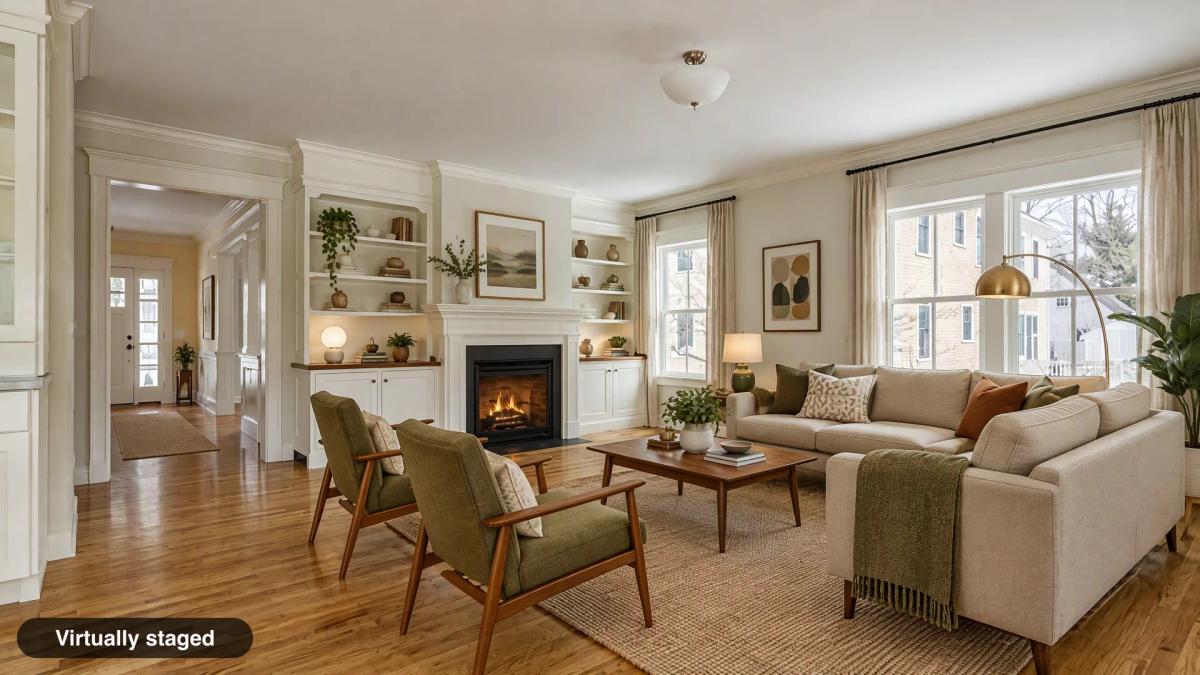
Put a short label such as "Virtually staged" on every staged photo, in a corner where it survives cropping. Repeat the disclosure in your listing remarks or photo caption. In California, every ad also has to say where buyers can see the unaltered originals. Use "Digitally altered" for edits beyond furniture, such as a new sky, paint color or removed power lines.
Direct answer: A virtual staging disclaimer needs three parts: a label on the image, the same disclosure in your remarks, and, where required, a pointer to the original photos.
Last reviewed: November 9, 2026. This is general guidance, not legal advice. Your MLS and state rules decide what is required for a specific listing.
Do you have to disclose virtual staging?
In California, yes, by law. Elsewhere, it depends on your MLS, and usually yes. The National Association of Realtors Code of Ethics (Article 12) requires Realtors to present a true picture in their advertising. It does not prescribe a staging label, but every MLS rule we cite on our MLS page requires some form of disclosure. California made it state law with AB 723 from January 1, 2026. Wisconsin's §452.136(1m) follows on January 1, 2027, for alterations that create a false or misleading impression.
The details differ by MLS: some want the label on the photo, others want it in a photo description field. Check MLS rules for virtually staged photos before you upload.
Virtual staging disclaimer examples (copy and paste)
Pick the line for the channel, then replace [your link] with the page where your original photos are posted. The California versions include the originals sentence that AB 723 requires; outside California it is still good practice.
On the photo
Virtually staged
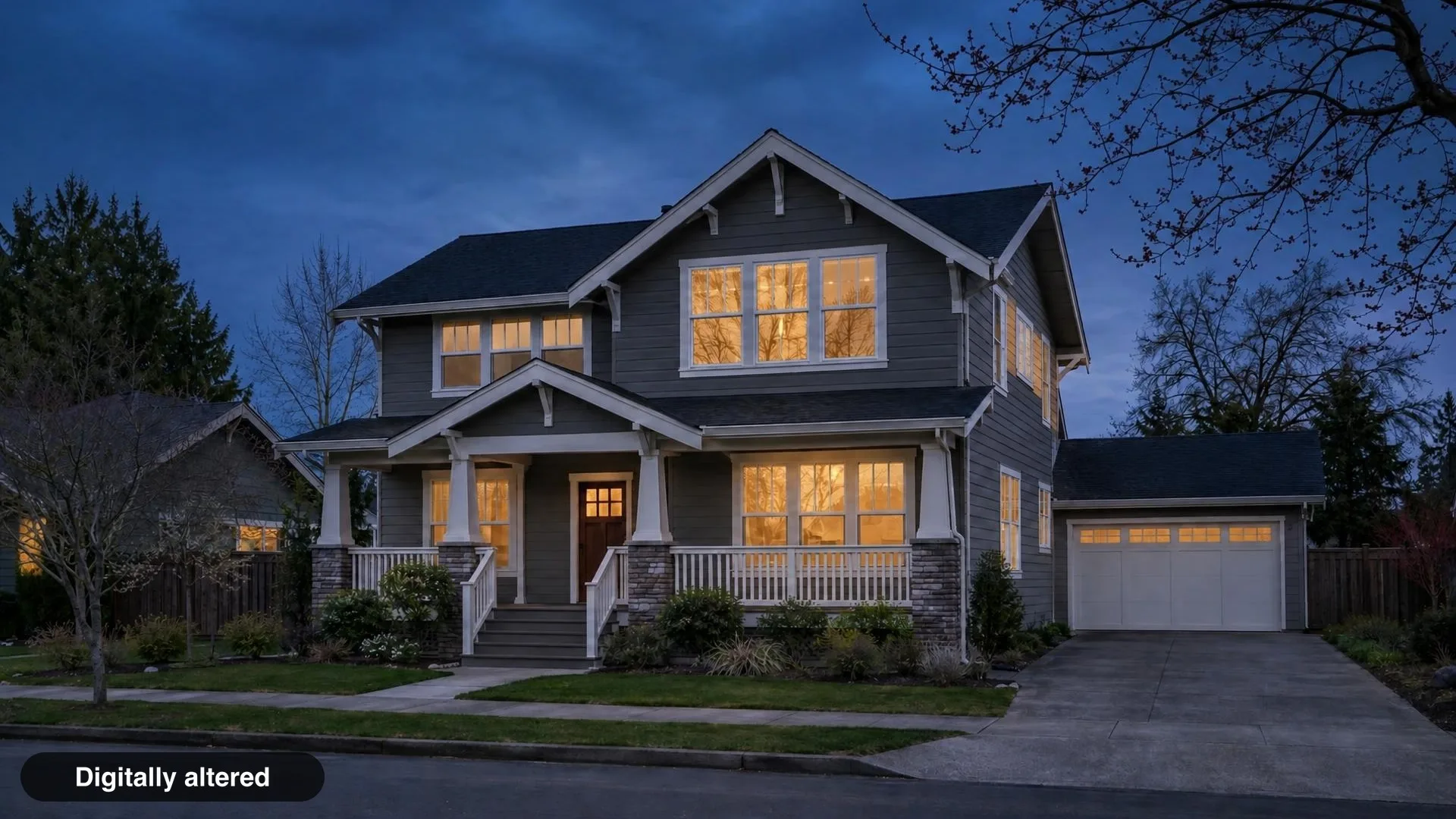
Digitally altered
Original photo
MLS public remarks (California)
One or more photos have been virtually staged. Unaltered originals can be viewed at: [your link]
Photo caption or description field
Virtually staged. Furniture and decor are digital and not included. Original photo follows.
Social media post
Some photos in this listing are virtually staged. Unaltered originals can be viewed at: [your link]
Flyer or mailer footer (California)
Some images have been digitally altered. Unaltered originals can be viewed at [your link] or by scanning the QR code.
Two cautions. Some MLSs, including MLSListings, do not allow links or QR codes inside listing photos, so put the link in remarks, not on the image. And never word a disclaimer to soften a material change; "lightly enhanced" on a photo with a new floor is still misleading.
"Virtually staged" vs "Digitally altered": which to use
"Virtually staged" usually covers added furniture and decor. Changes to the property itself, the view or the lighting are "Digitally altered".
| Edit | Label |
|---|---|
| Furniture, rugs, art added to an empty room | Virtually staged |
| Existing furniture removed (virtual decluttering) | Virtually staged, or Digitally altered if fixtures were touched |
| New sky, twilight conversion, greener lawn | Digitally altered |
Paint color, flooring or cabinet changes shown as a preview | Digitally altered (some MLSs want "Virtual Remodel" or "Rendering") |
| Power lines, poles or neighboring buildings removed | Digitally altered, and banned outright by several MLSs |
| Exposure, white balance, crop, straighten | No label needed |
Rules on renovation previews vary. MLS Now asks for "Rendering", "Virtual Remodel" or "AI-Generated" on those images, while ARMLS requires its own Flexmls "Digitally Altered" disclosure on altered photos, including staged ones.
Where to put the label and how big to make it
Bottom corner, readable on a phone thumbnail, no logo.
Placement
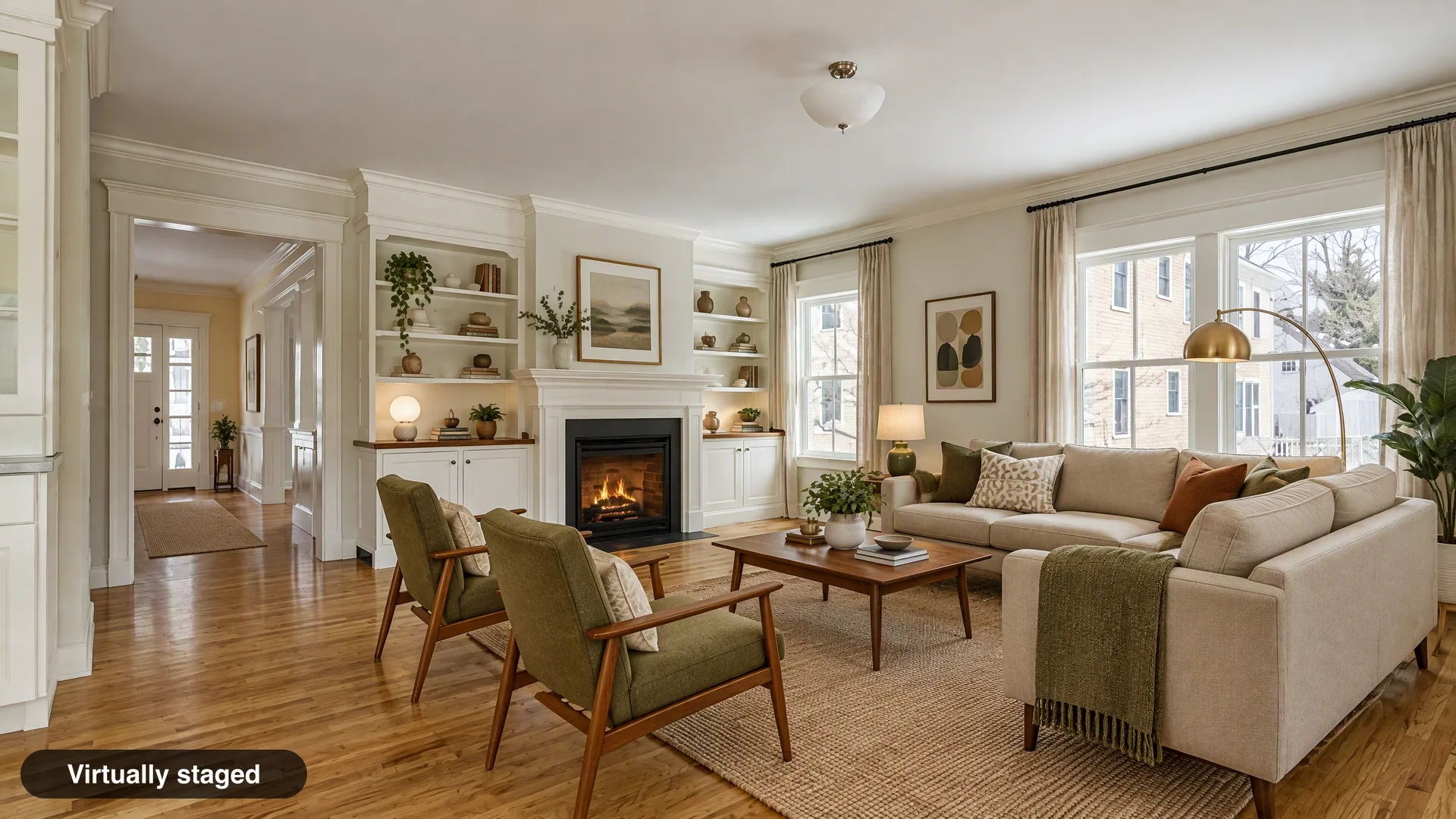
A lower corner keeps the label off the room itself. Inset it from the edge so MLS and portal crops do not cut it off. Avoid the corner your portal covers with icons or a "favorite" button. Spaceora's default is the bottom-left corner, inset by 2.5% of the image's short edge.
Size and contrast
Make the text about 3% of the image's short edge, on a dark translucent background with white type. It is still legible at thumbnail size. MLS Now's rule asks for a "readable font (minimum comparable prominence)", which is a fair test anywhere: if you have to zoom in to read it, it is too small.
A disclosure label is not a watermark
A disclosure label says what happened to the image. A watermark says who made it. Many MLSs ban branded watermarks and marketing overlays. Some require a plain on-image label you add yourself (MLS Now, Canopy MLS, MLSListings). ARMLS and Metro MLS apply their own Flexmls disclosure, and ARMLS prohibits other companies' watermarks, so turn your label off there. Stellar MLS Article 4.4 says words on any property photograph are "strictly prohibited", so turn it off there too. Keep the label unbranded: no company name, logo, phone number or URL.
Showing the original photo
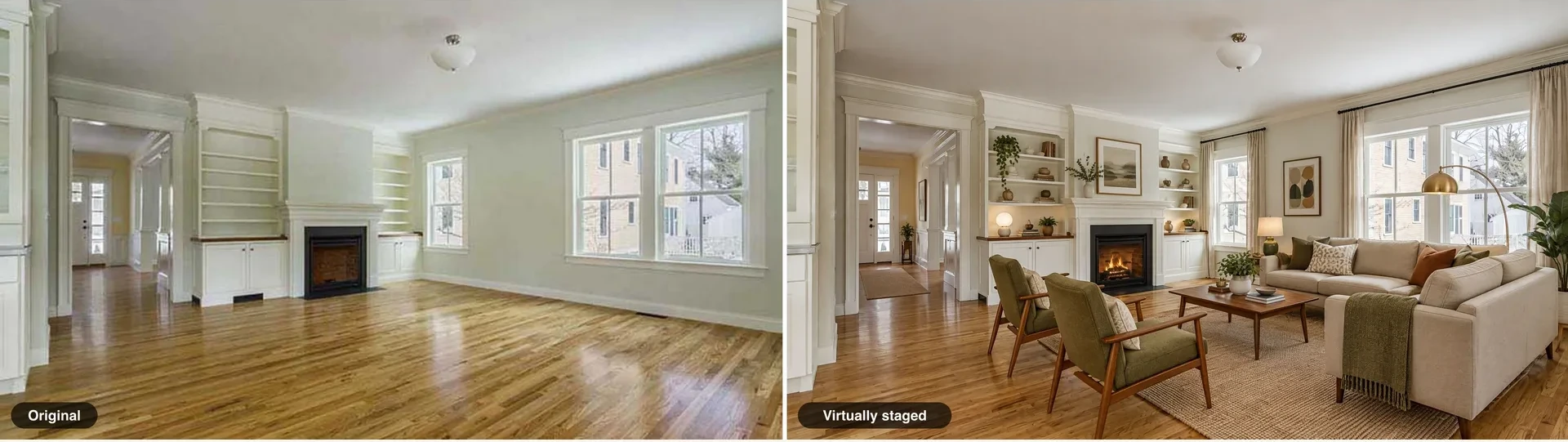
Put the original right next to the altered one, or link to it. CRMLS wants the original immediately before or after the altered photo, and Bay East wants it immediately after. On your own website, a side-by-side pair or a gallery of originals works. In print, a QR code to that gallery is the practical answer.
Common mistakes
- The label gets cropped. Test the photo in your MLS preview and on a phone.
- Only the first staged photo is labeled. Label every altered image.
- The disclosure is only on your website. Syndicated copies lose it. Put it on the image and in the remarks.
- The label is branded. Many MLSs treat that as a watermark.
- The staging tool added more than furniture. Staging models sometimes add effects such as a lit fire or lamps switched on, as in our own samples on this page. Compare against the original with the staged photo review, and use "Digitally altered" or remove the effect if your MLS treats it as an alteration; ARMLS, for example, counts adding a fire to a fireplace.
- The staging hides something. A label does not make a misleading edit acceptable. Run the staged photo review before publishing.
- The staged photo is the cover photo. MLS Now and Metro MLS require an unaltered primary photo.
Add the label automatically in Spaceora
When you download from Virtual Staging, the label is on by default ("Virtually staged"; twilight and exterior downloads use "Digitally altered"). Room redesign and replace-furniture downloads start with it off. You can also download the original you uploaded or a labeled side-by-side pair, and copy ready-made remarks with a [your link] slot for your originals page. Photographers who deliver to agents can start at Spaceora for photographers. Hosting the originals and the link stays with you. Free-plan downloads also carry a tiled Spaceora watermark, which conflicts with MLS rules that ban branding on photos, such as MLS Now and Stellar MLS. Use a paid download for listing photos.
Bottom line
Label the photo, repeat it in the remarks, and point to the originals. That fits California's statute and many MLSs. A few want the label only in a field or apply their own, so check yours. This page is general information, not legal advice.
Frequently asked questions
What should a virtual staging disclaimer say?
Keep it short and factual: "Virtually staged" on the image, and a remark such as "One or more photos have been virtually staged. Unaltered originals can be viewed at: [your link]".
Is a watermark the same as a disclosure?
No. A disclosure label states that the image was altered. A watermark identifies who made it. Many MLSs ban branded watermarks. MLS Now, Canopy MLS and MLSListings require a plain on-image label. ARMLS and Metro MLS apply their own Flexmls disclosure instead, and Stellar MLS prohibits words on property photos.
Where should the "Virtually staged" label go?
In a lower corner of the photo, large enough to read on a phone thumbnail, and away from areas your portal covers with icons.
Do I need to label every staged photo or just one?
Every altered photo. A buyer may see any single image on its own after syndication.
Can I put the disclosure only in listing remarks?
Usually not. California's statute wants the disclosure on or adjacent to the image, and MLSs such as Canopy MLS say remarks alone are not acceptable. Use both.
What do I use for decluttered or twilight photos?
"Digitally altered" for twilight, sky and other non-furniture edits. For removed furniture, "Virtually staged" is common, but use "Digitally altered" if fixtures or finishes changed.
Sources
- Business and Professions Code §10140.8, accessed November 9, 2026
- Wisconsin Statutes §452.136, accessed November 9, 2026
- MLS Now Rules, Section 3, accessed November 9, 2026
- MLSListings: AB723 Altered Images Overview, accessed November 9, 2026
- Canopy MLS: Digital Images and Virtual Staging, accessed November 9, 2026
- ARMLS: Digitally Altered Media, accessed November 9, 2026
- CRMLS: Digitally Altered Image Guidance & FAQs, accessed November 9, 2026